How to Avoid Quotes, Backslashes and Trailing Commas (Invalid JSON)
One of the top issues developers face when dealing with APIs, configuration files, Web applications, and data exchanges is invalid JSON. An entire JSON document can be unreadable due to incorrect use of a single quotation mark, backslash, or a comma.
Fortunately, most JSON errors are easily corrected once you know what the parser expects. Fix invalid JSON
Here you will learn about fixing invalid JSON, some common syntax errors, fixing quotes and backslashes, removing trailing commas, and validating your data prior to using it in an application. How to Avoid Quotes, Backslashes and Trailing Commas (Invalid JSON)
What is Invalid JSON?
JSON is also known as JavaScript Object Notation. It is a light-weight data format for storing and sharing structured data among applications.
JSON represents data with objects, arrays, strings, numbers, booleans and null.
The following is an example of a valid JSON:
{
  "name": "Alex",
  "age": 28,
  "city": "New York",
  "isActive": true
}
This example is in the format of a JSON. Property names and string values are properly enclosed in double quote and values are separated correctly; there are no extra commas.
Let’s take this example:
{
  name: 'Alex',
  age: 28,
}
This JSON is not valid as the property names are not quoted, the string is single quoted, and the trailing property has a trailing comma.
A corrected version is as follows:
{
  "name": "Alex",
  "age": 28
}
If you do know these basic rules, it will be much easier to troubleshoot.
There are no missing or incorrect quotation marks.
Some of the most common causes of invalid JSON are quotation mark problems.
In standard JSON, all keys and all string values need to be double quoted.
Incorrect JSON
{
  name: "Alex",
  "city": 'London'
}
In this example there are 2 problems. Quotation marks are missing around the name property and the value of the property “city” is wrapped in single quotes.
Correct JSON
{
  "name": "Alex",
  "city": "London"
}
The format of the property names and string values are now correct.
If you have any errors with quotation marks, use the following steps to correct them:
If you are looking at the JSON, make sure to follow these steps:
- Enclose each property in double quotation marks.
- Use double quotes for string values, instead of single quotes.
- Ensure that each opening quotation mark has a closing quotation mark.
- Make sure that the quotation marks in strings are escaped properly.
This is not allowed:
{
  "message": "Welcome to "my website""
}
The parser sees the quotation mark prior to my website as the end of the string.
Do use an ‘ escaped quotation mark instead:
{
  "message": "Welcome to \"my website\""
}
A quotation mark followed by the sequence ” is the same as a quotation mark, but is not the end of the string.
2. Escape Backslashes Correctly
Backslashes can produce confusing JSON errors, particularly if used for file paths, regular expressions or strings copied from another programming language.
An escape sequence in a JSON string is preceded by backslash. Valid sequences include \", \\, \/, \b, \f, \n, \r, \t, and \u followed by four hexadecimal digits.
An invalid character was found after the backslash () character.
The path of the JSON file is incorrect.
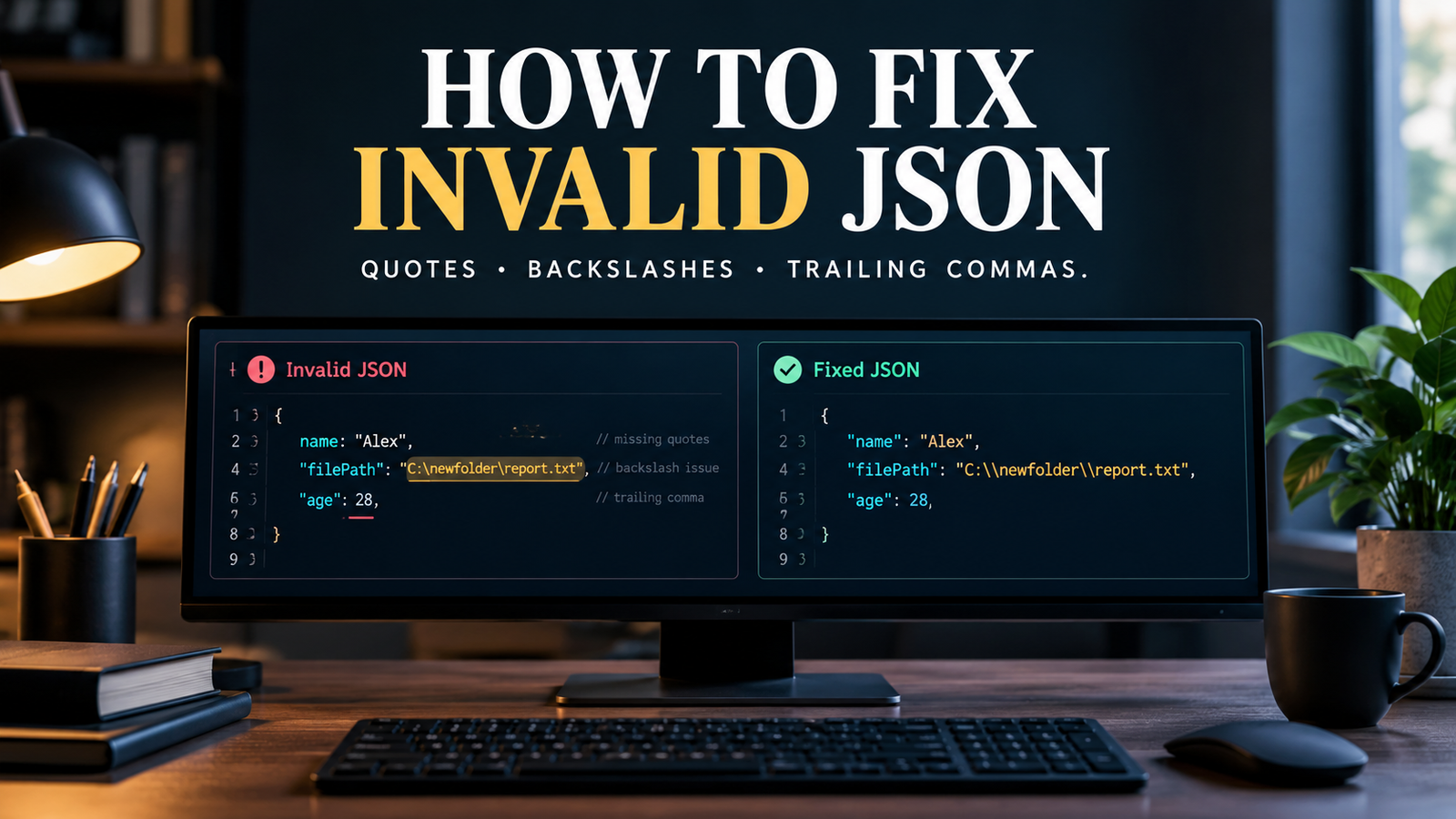
{
  "filePath": "C:\newfolder\report.txt"
}
This example might seem correct, but the escape sequence for a newline is \n, and other backslashes can cause invalid escape sequences.
Correct JSON file path
{
  "filePath": "C:\\newfolder\\report.txt"
}
In JSON, two backslashes (\) are used to represent one literal backslash.
What if the string has a newline in it?
If you need to use a newline within a JSON string, use the escape sequence \n.
{
  "message": "Hello\nWelcome back"
}
This is valid JSON. Once it has been parsed the string will have two phrases and a newline in between.
But an actual line break within a JSON string is not allowed.
Quick backslash reference
| There are no characters intended. | |—|—| | Double quote | \" | | Backslash | \\ | | Newline | \n | | Tab | \t | | Carriage return | \r | | Backspace | \b | | Form feed | \f |
Useful hint: If you’re creating the JSON data from code, don’t add the escape characters, instead use the JSON serializer for your programming language. Quotation marks, backslashes and control characters are automatically handled by the serializers.
3. Remove Trailing Commas
Trailing comma is a comma that appears at the end of an object or array.
Trailing commas are not allowed in standard JSON but are in some programming languages.
Invalid JSON object
{
  "name": "Alex",
  "age": 28,
}
This is an invalid JSON because there is a comma after the number 28.
Valid JSON object
{
  "name": "Alex",
  "age": 28
}
The last comma has been eliminated.
This is also true of arrays.
Invalid JSON array
{
  "colors": [
    "red",
    "blue",
    "green",
  ]
}
Valid JSON array
{
  "colors": [
    "red",
    "blue",
    "green"
  ]
}
If you’re looking for a trailing comma, look at the last element of each object and array. Often the parsing error can be fixed by removing the unnecessary commas.
The four crucial rules are:The four important guidelines are:
In JSON, object property names must be strings that are double-quoted.
This means that unquoted names, single quoted names and numeric property names (without quotes) do not constitute valid JSON property names.
Incorrect JSON
{
  username: "alex",
  'email': "alex@example.com",
  123: "customer"
}
Correct JSON
{
  "username": "alex",
  "email": "alex@example.com",
  "123": "customer"
}
Observe that the string “123” is a property name. The keys of a JSON object must be strings, even if they contain just numbers.
If your JSON is a copy of a JavaScript object literal, then pay attention to the names of properties. A JavaScript object literal can utilize non-shorthand syntax which is not supported in JSON.
Remove the comments from the JSON.
Comments are not supported by the standard JSON.
The standard JSON parser does not read the // and / … / comments, since they are single-line and block comments respectively.
Invalid JSON
{
  // User information
  "name": "Alex",
  "age": 28
}
The comment makes the document invalid.
Correct JSON
{
  "name": "Alex",
  "age": 28
}
If you need to document your configuration, include explanations in a separate documentation file or apply an appropriate property if you have one in your application schema.
There are some that allow JSON-like structures like JSONC, which include comments. These features, however, should only be used where there is support from the tool or parser.
Look for Unescaped Control Characters.
Raw control characters, like an actual newline or tab, are not permitted to be inside the quoted string with a JSON string.
These characters need to be escaped.
Incorrect JSON
{
  "message": "Hello
Welcome back"
}
This string has a line break before the ‘Welcome back’ and is not accepted by a standard JSON parser.
Correct JSON
{
  "message": "Hello\nWelcome back"
}
The \n sequence is the safe newline.
This is a common problem if JSON is created from a text file, a spreadsheet or by hand.
Use a JSON library to serialize text that may contain uncommon characters, not relying on replacement for every character.
8. Check the water pressure at the main shut-off valve.
Braces and brackets are not required, but if they are missing, the JSON may not be valid even if the quotation marks and commas are correct.
JSON Objects: { }. Arrays are represented by square brackets [].
Incorrect JSON
{
  "user": {
    "name": "Alex",
    "roles": ["admin", "editor"]
}
Closing brace is missing on the outer object.
Correct JSON
{
  "user": {
    "name": "Alex",
    "roles": ["admin", "editor"]
  }
}
Also make sure that each property is separated with a colon and properties or array elements are separated with commas.
For instance, this does not work:
{
  "name": "Alex"
  "age": 28
}
The missing comma after “Alex” should be placed:
{
  "name": "Alex",
  "age": 28
}
8. Find errors with a JSON Validator
It’s time-consuming to view a large JSON document manually. A JSON validator can easily detect the syntax issues and can even provide a hint of what is causing the parser to fail.
There are three helpful options:
- JSONLint: Paste JSON into jsonlint.com for validation.
- Python: Use the built-in
jsonmodule to check JSON files locally. - JavaScript: Validate a JSON string.
Validate JSON using python.
import jsonjson_data = '''{ "name": "Alex", "age": 28}'''try: data = json.loads(json_data) print("Valid JSON")except json.JSONDecodeError as error: print("Invalid JSON:", error)If it is a valid JSON, the output of the program is Valid JSON. In case of parsing error, Python will display an error message with line and column position.
Alternatively, you can validate a JSON file directly:
import jsonwith open("data.json", "r", encoding="utf-8") as file: data = json.load(file)print("JSON file is valid")Python will throw a JSONDecodeError if the file does not contain valid JSON. If you are writing a production script, catch the exception and inform about the problem in a clear, easy to understand way.
Validate JSON using JavaScript.
const jsonString = '{"name":"Alex","age":28}';

try {
  const data = JSON.parse(jsonString);
  console.log("Valid JSON", data);
} catch (error) {
  console.error("Invalid JSON:", error.message);
}
The JSON.parse() function takes a JSON-formatted string and returns a JavaScript value. It will throw an error if the string is not a valid JSON.
Remember that validating syntax does not necessarily mean the data has the correct structure or contains all required fields. Depending on the need of the application, those checks rely on what is needed.
9. Be familiar with some common JSON parser errors
Not all JSON parsers provide intuitive explanations for error messages. The message might refer to a character, line, or position that may not be related to the problem at hand.
The most frequent errors and their possible causes are given below:
| Error / Symptom | Common Cause | What to check? | |—|—|—| | Unexpected token | Invalid character or syntax | Quotes, commas, braces and brackets | | Known property name | No double-quotes around a key | Property names | | Underterminated string | Unclosed quote | Boundaries of string and escaped quotes | | Invalid escape sequence, Unsupported backslash sequence, File paths and special characters | | Unexpected comma | Trailing comma | Last property or array element | | Unexpected end of JSON input: Incomplete JSON, Closing braces, brackets, or quotation marks: | | JSON | String literal or text prior or following the JSON value |
It depends on the parser & programming language what error message is displayed.
Important: Begin at the indicated position but also check preceding characters. If there is an error in the document and the corresponding delimiter has not been supplied, the parser may report an error later in the document.
10. API Request/Response: Invalid JSON
It’s especially annoying when dealing with APIs – sometimes the request will fail before the server processes the data you’re requesting.
For instance, the body of an API request could be:
{
  "username": "alex",
  "message": "He said "hello""
}
The request body is invalid because the quotes around “hello” aren’t escaped.
The corrected body is:
{
  "username": "alex",
  "message": "He said \"hello\""
}
These are the steps to take when you’re having trouble with an API request:
- Check the raw request body instead of just the application’s formatted preview.
- Check that the body is a valid JSON.
- Ensure the request’s content type is the same as expected, typically
application/json. - Check the API documentation to ensure that the data is of the correct schema.
- Look at the server’s response for more validation errors.
The reason for the request failure can be valid JSON but the required field is missing in the request, the value is of the wrong type, or that the API does not accept the data.
11. Do not allow the creation of invalid JSON.
It is helpful to fix JSON errors, but it’s even better if you avoid them altogether.
Adopt these practices when developing and working with JSON documents.
Instead, you should use a JSON serializer.
Use a built-in JSON library to generate JSON, if possible, rather than constructing it using string concatenation.
For instance, Python can safely convert a dictionary to a JSON:
import jsondata = { "name": 'Alex "The Developer"', "path": r"C:\projects\app"}json_string = json.dumps(data, indent=2)print(json_string)Quotation marks and backslashes are automatically escaped as necessary.
Validate files automatically
Include JSON validation as part of your build process when using JSON files for application configuration, deployment configuration or API payloads.
Use editor support
Numerous code editors will style the unclosed JSON, match the braces, and show missing commas. The following features allow you to detect errors prior to running your application.
Separate syntax and data validation.
A JSON document may be valid, but have bad or unexpected data.
For example:
{
  "age": "twenty-eight"
}
It’s a valid JSON but may not be accepted by an application requiring numerical age.
When it is necessary to verify data types, required properties, and permitted values, leverage schema validation or application-level checks.
Frequently Asked Questions
What is wrong with this seemingly correct JSON?
There may be minor syntax errors that are hard to detect. Common reasons are single quotes, missing quotation marks around property names, commas at the end of the string, invalid backslash escapes, unclosed strings, missing brackets.
If you’re using a JSON validator, use it to help to pinpoint the issue and check the reported location and the surrounding characters.
Are the single quotes allowed in JSON?
No. Property names and string values in a standard JSON must be double quoted. Single quotes and some programming-language object literals are permissible, but are not valid JSON string delimiters.
What is the way to escape backslash in JSON?
To have a literal backslash in a JSON string, use two backslashes (\).
A windows path like C:\Users\Alex should be stored as C:\Users\Alex in JSON. To recap: when parsing a string, only one backslash will be contained in the resulting string.
Is there a space after a comma in JSON?
No. JSON does not allow ‘,’ at the end of an object or an array.
If the last comma is needed, omit it but not between items.
What to do if the JSON is invalid?
The safer way is to determine the syntax error and fix it; then validate the outcome. Common errors can sometimes be fixed automatically by some editors and special tools, but this may either misread the data or alter the desired data.
Prior to applying the fixed JSON, check any automatic changes for important files and API requests.
Is valid JSON always valid for an API?
No. JSON only validates that the data meets the requirements of the syntax of JSON. An API might also have particular fields, data types, formats or values.
Verify the syntax of the JSON as well as the schema or documentation of the API.
Final Thoughts
The most common rules to follow when fixing invalid JSON are to have double quotation marks, to escape backslashes and special characters correctly, to avoid trailing commas, and to match each brace and bracket.
If it’s hard to spot an error in the document, you should use a validator, or you can use a parser like Python or JavaScript. If you’re looking for something long-lasting for the future, use a JSON serializer to create JSON and then validate the data before sending it to an API or application.
When you know what to look out for, you’ll find it much quicker and easier to diagnose JSON errors.