Markdown Special Character Escapes: How to Avoid Them!
Markdown is a lightweight syntax used for authoring HTML, PDF, and MS Word documents, as well as README, blog and forum posts, and other web pages. In some cases, however, special characters like , `_`, , [, and ] can alter the appearance of your content when you run Markdown over it. escape Markdown special characters
For instance, typing the word important will show the word important in italics, rather than the asterisks. This also holds true for the hashtag (#) at the start of a line, which can serve as a heading in the document instead of as normal text.
Knowing how to avoid Markdown special characters is important to not disrupt your formatting while still being able to display correct symbols. From the documentation to WordPress articles to displaying user-generated content, the proper escaping technique can avoid unwanted outcomes.
In this guide, you’ll learn how to break out of Markdown special characters, when to use backslashes, how to show literal symbols and how to avoid common formatting pitfalls.
What are Markdown Special Symbols?
Markdown special characters are those characters that a Markdown parser recognizes as instructions to format the Markdown text, rather than as text itself.
They can be used to produce headings, lists, emphasis, blockquotes, links and more, without knowing HTML.
Popular Markdown special characters are:
| Character | Common Markdown use |
|---|---|
| “ | Italic or bold text styles; unordered lists |
| ‘_’ | Italic/bold font weight |
| “ | Headings |
[ and ] | Link text with labeling of references |
( and ) | Link destinations |
> | Blockquotes |
| Unordered lists and horizontal rules with | - |
+ | Unordered lists |
! | Images |
` | Inline code and code blocks |
\ | escape some special characters |
Characters can have different meanings based on their place and context. For instance, an asterisk within a word could affect its appearance differently than an asterisk at the start of a line.
If you want to use one of these symbols in literal mode, you may need to escape it.
What is Escaping for Markdown?
Escaping – this is a way to tell the Markdown parser to use a character as it is rather than taking it as a formatting instruction.
In many cases it is possible to switch out of Markdown and into HTML mode by escaping a Markdown punctuation character by preceding it with a backslash ().
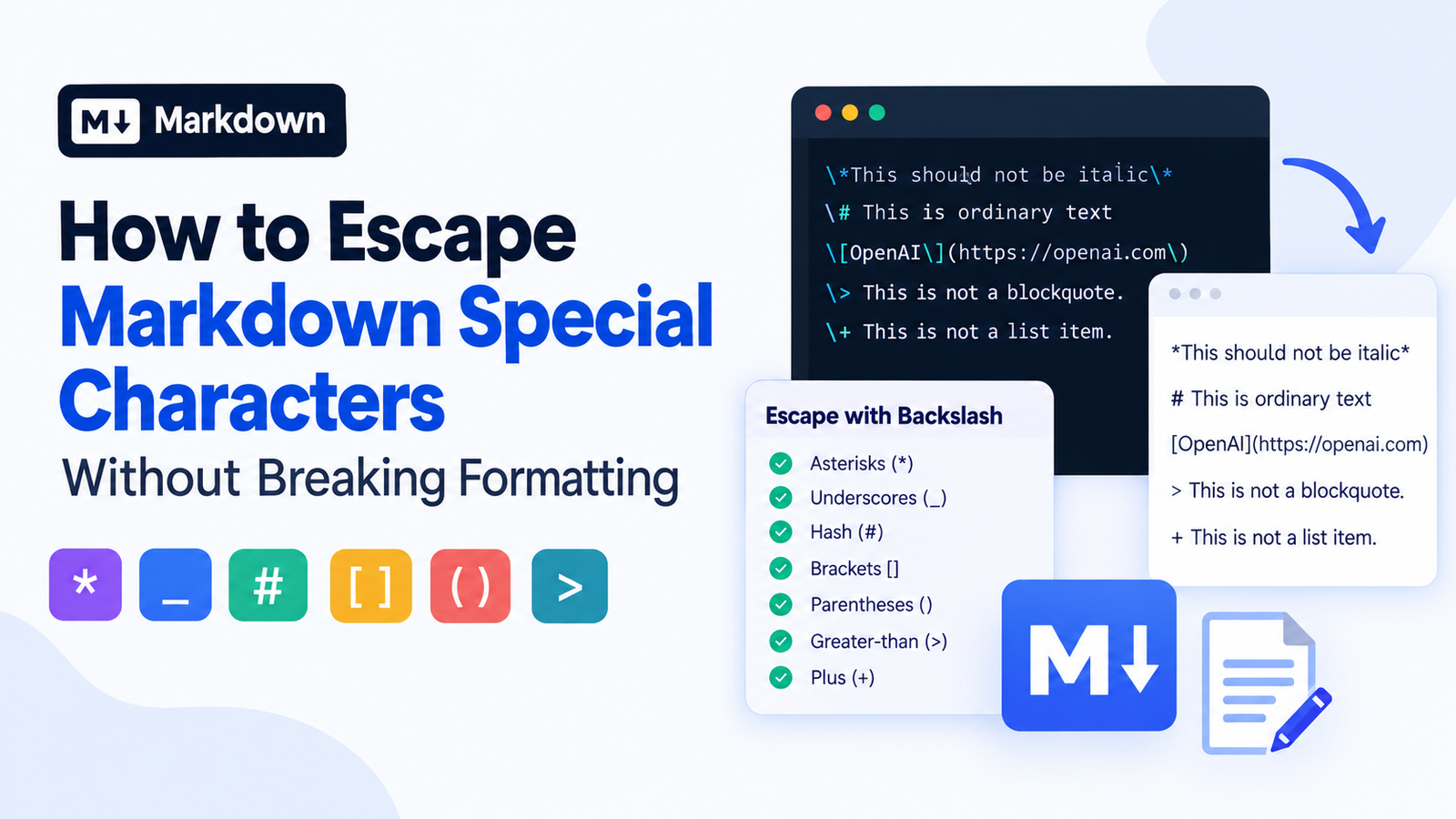
For instance, this source file written in Markdown:
\This should not be italic\Displays as:
This italicization doesn’t seem to be working!
The backslashes will stop the asterisks from being treated as emphasis delimiters.
The following Markdown, without escaping:
This text is italicDisplays as:
This text is italic
The key is that when you escape, you alter Markdown’s interpretation of a character. That probably doesn’t remove that character from the end result.
How to Get Markdown Special Characters via Backslashes
Most Markdown punctuation characters can be escaped with the backslash.
These are the characters that require escaping – ‘*’ and ‘_’.
To make text italic and bold.
For example:
This is italic text.
This is bold text.
These symbols are recognized by Markdown as formatting symbols.
To display the symbols themselves, escape them:
This is \not italic\.
This is \\not bold\\.
Also underscores can be escaped in variable names or technical examples:
Use the variable user\_name in your example.This will correctly render the result and will not take the underscore as Markdown emphasis.
Sometimes, however, escape of each underscore is not required. Markdown parsers normally rely on ‘contextual rules’ to identify when underscores are supposed to provide emphasis.
2. Get rid of the Hash symbol
When placed in the right place, the hash symbol (“) will be used to introduce headings.
For example:
Getting Started
This results in a heading on level one.
In order to put a # sign in front of a line as text at the start of the line, it must be escaped as well:
\ This is ordinary textThis displays:
“This is ordinary text.”
This can be helpful for when you need to make some documentation about the syntax in Markdown or if you need to get commands and examples that start with #, out there.
Recognize the symbols used to escape “square brackets” and “parentheses.”
The square brackets and parentheses are commonly used when making Markdown links.
For example:
[OpenAI](https://openai.com)This is interpreted as a link by Markdown.
The punctuation can instead be escaped (if you choose to show the syntax as plain text):
\[OpenAI\]\(https://openai.com\)This is to show the brackets and the parentheses rather than link them.
This is handy, when you are describing (in how-to’s, documentation for Developers, technical blogs, etc.) how to use the syntax of links as much as they can be understood.
4. Escape the Greater-Than Symbol
Another way of creating a blockquote is to use the greater than symbol (>) at the start of your Markdown line.
For example:
> This is a blockquote.To show the symbol as an ordinary text use a backslash:
\> This is not a blockquote.Useful when you want to document something that has been typed on the command line or when you want to show a comparison or Markdown syntax.
Hyphens and plus signs can be found in certain escape codes.
When used properly, hyphens and plus signs can be used to form unordered lists.
For example:
- First item
+ Second item
In order to create a line starting with a hyphen or plus sign without it being a list, you have to escape it:
\- This is not a list item.
\+ This is not a list item.
Usually it’s not necessary to escape these characters when they’re found within plain words.
6. Escape Exclamation Marks
Square brackets followed by an exclamation mark can start image syntax in Markdown.
For example:
To show this syntax literally, use escapes for the exclamation mark and the respective brackets:
\!\[Alternative text\]\(image.jpg\)Helpful when writing tutorials, to explain how Markdown images work.
How to print Markdown special characters without escaping any special symbols?
Individual escapes are beneficial, but not necessarily a best practice. Markdown offers some alternative means to insert plain text without disrupting formatting.
Inline Code for Short Examples.
There are a few very easy ways of displaying Markdown syntax literally.
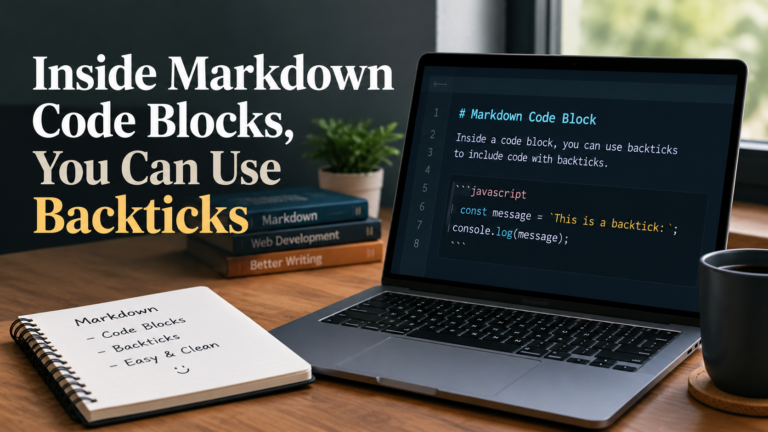
Enclose in backticks:
Use `text` to demonstrate Markdown italics.Rendering will result in display of the asterisks as part of the code without executing them as formatting commands.
Inline code is really good for:
- Markdown syntax examples
- Any identifiers in the program are called variables.- All identifiers within a program are variables.
The symbols for special characters that are employed in programming
Specification of short commands and short value of configuration.
Litérale texte qui doit être exact tel que formulé
You can write, for instance:
The `` character can introduce a heading.The # sign is used as is within the inline block of code.
Please note that the backticks also have their own rule of syntax. When the text to be printed contains a backtick, it might require a longer string of backticks to be the delimiter.
For longer examples use Fenced Code Blocks.
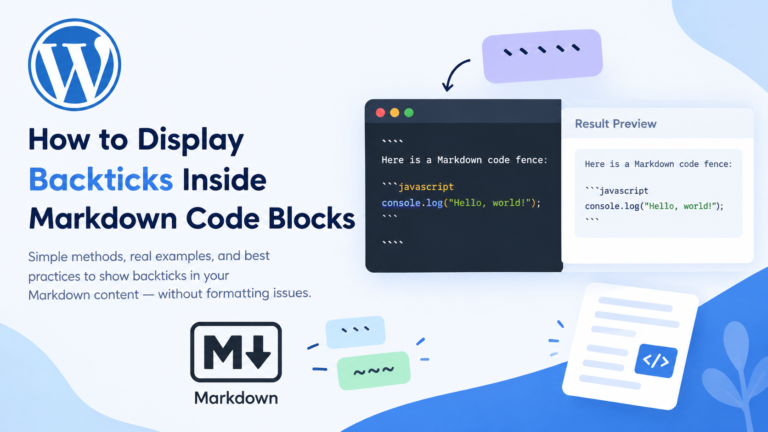
If you want to include more than one line of Markdown syntax, you typically want a fenced code block.
In the case of the example use three backticks in front and behind the example:
```markdown
 Heading
Italic text
Bold text
[Example link](https://example.com)
```
The text between the fenced code block will be treated as code, rather than markdown.
This can be helpful in examples where multiple special characters are used, such as in technical tutorials, documentation for that programming, etc.
Additionally, it is possible to set a language after the first backticks which will make the syntax highlighting to be enabled if it is supported by the Markdown render.
Use HTML entities as appropriate
We can also use HTML entities to specify some characters.
For example:
& <!-- ampersand -->
< <!-- less-than symbol -->
> <!-- greater-than symbol -->These are the HTML equivalents for the characters: &, <, and >.
Useful when you use raw HTML in your Markdown content, or need to show HTML-sensitive characters.
But there are occasions where HTML entities can’t be used instead of Markdown escaping. They behave based on the character, context, and how HTML is handled in the Markdown syntax.
Most of the time, a backslash or simply putting the punctuation in a code span is a simpler way to achieve ordinary Markdown punctuation.
An explanation of how to escape Markdown special characters in various situations.
The worst common pitfall of Markdown is that the same escaping system is used for all purposes.
Markdown has different treatment of ordinary paragraphs, inline code, fenced code blocks, and raw HTML.
The following outline should help you to decide on which method to use.
| Context | Recommended approach |
|---|---|
| Use an ordinary paragraph style for text (use escape punctuation as necessary): | |
| Use Markdown syntax with pipes to create a short example. | Use inline code |
| Multipe string literal lines | code block with fence |
| Text and HTML characters which are special | Properly put in HTML sensitive characters or safe text rendering |
| User generated Markdown | Use an appropriate parser and security measures |
| Markdown links or images | Carefully escape or set text in code. |
For instance, a backslash escape is valid in regular Markdown text:
\literal asterisks\However, in a fenced code block, you normally don’t need to break out of those asterisks.
```text
literal asterisks
```
This is already done in the code block, which makes the text contained in the block not regular markdown formatting.
The simplest approach in each context makes it easier to manage your content.
Some common mistakes in Markdown that you should avoid.
Markdown escaping is straightforward, but if you do it a few things can cause you to get into problems.
2. Other Escaping Behavior (for Safety)
Too many backslashes can help to confuse your Markdown source.
For example:
The price is \$25.The dollar sign is not among the ASCII punctuation characters which can be escaped by the backslash under the default backslash-escape rule in CommonMark. Some other Markdown processors might use dollar signs to indicate math, but it is extension dependent.
If you need to write for some specific platform, then look at what kind of markdown features that platform supports before selecting some escaping method.
Don’t use too many backslashes or it will break the rule.
When using Markdown in programming languages, JSON strings, or other formats, backslashes can get tricky.
For instance, if the backslash is used in the surrounding programming language, it should first be escaped before being fed to Markdown.
For example a source string that can be Markdown is:
\example\may need extra escaping if they are going to be used inside a programming language string literal.
Never confuse the intended Markdown markup vs. the desired representation of Markdown text in context of another language.
3. Treating all Markdown parsers as if they’re the same
There are a number of implementations of Markdown, such as CommonMark parsers and GitHub Flavored Markdown (GFM).
They have a lot of common rules but extensions and platform-specific options may yield different outcomes.
Some platforms can include tables, task lists, math symbols, or even with basic Markdown like link detection.
Check examples in the real editor or renderer the example will be displayed in.
4. Backslashes in code blocks are used unnecessarily.
Code blocks are easy-to-use ways to show literal code and text.
For example:
```text
This is material that is presented in a literal way
 The text that follows it is not a heading either.
```
The symbols are displayed without needing additional backslashes.
Excessive use of escapes will result in too many backslashes showing in your example or will lead it to look syntactically different than it actually was.
5. Mixing up escaping and sanitizing
There is no automatic “safeness” in Markdown escaping characters.
If you allow user supplied Markdown then it is important to consider how your Markdown parser and HTML generator work, as well as how embedded links and allowable HTML is handled.
The user may provide information with HTML and/or features unsafe hyperlinks (depending on the renderer and its set up).
For some applications, it may be necessary to sanitize HTML generated by the parser, where appropriate use a Markdown parser which is configured to process HTML safely. Backslashes alone should not be used as a security measure.
To Escape Markdown Special Characters In Javascript.
The Markdown syntax allows for special characters which sometimes need to be escaped if the application you are building provides Markdown generation and needs to include user provided text to the document.
The common Markdown backslash-escape rule can be accomplished by a simple function which escapes the ASCII punctuation characters as follows:
function escapeMarkdown(text) {
  return text.replace(
    /[!"$%&'()+,\-./:;<=>?@[\\\]^_`{|}~]/g,
    "\\$&"
  );
}

console.log(escapeMarkdown("Hello"));
The output is:
\Hello\The function escapes any punctuation ASCII character matched.
This is helpful for plain text content to be inserted in an ordinary Markdown paragraph. But it is not a all-you-need Markdown escaping solution.
Various situations call for various treatment. For instance, it might be great to escape all the punctuation; as such escaping could make the text less readable, and it may not do what you would expect inside code spans, links, or other structured Markdown elements.
When your application must create complex Markdown, it can be better to use a library that supports Markdown or to construct the markup using context-situated rules.
Keep in mind that the escaping feature can not replace HTML escaping & other security measures for displaying untrusted content.
markdown special characters escaping – Best Practices
To ensure that your Markdown text is understandable and formatted correctly:
- Avoid escaping when it isn’t necessary: When using backslashes, be punctuation aware.
- Inline code for short examples: For short examples, this is often the most straight-forward way of showing a symbol literally.
- For larger technical examples use fenced code blocks: they help maintain the real intended structure of technical content.
Know your Markdown: Make sure it’s aware of whether extensions or platform specific syntax are available. - No need to escape unnecessary escaping: Unnecessary escaping of the source text can be confusing and may change the source text displayed in the result window.
Test before publish: test your content in your real Markdown app and/or publishing system (WordPress, for example).
Use of a possibly unsafe HTML or link in your application can still cause problems despite Markdown escaping. - Select the appropriate tool for the job: A Markdown parser/generator typically will work better than a giant list of handcrafted replacements.
There is no intent to outsmart all of the special characters. It is to make sure that Markdown understands what to do when you want to tell Markdown: word for word, put formatting instructions here.
SORUCEWAPS CENNAHYH BER FIT FAQs
How to avoid using special characters in Markdown?
ASCII punctuation (as opposed to other symbols) can be inserted into ordinary text by escaping it with a backslash (\).
For instance, the asterisk marker \text\ is used to typeset the asterisks literally, to avoid setting them in italic font.
2) What characters do you need to escape in markdown?
Chapter characters like asterisks, underscores, hash characters, square brackets, parentheses, backticks and greater-than may require escaping if they are used in places where they are normally given special meaning in Markdown.
It varies depending on the position of the character being set, and which version of Markdown you are using.
3. Is it possible to there use HTML entities as opposed to backslashes in Markdown?
Yes, HTML entities can be used to represent ampersands and angle brackets. But they’re not a complete substitute for Markdown backslash escaping.
Use backslash or code span for normal markdown punctuation as needed.
4. How to make a text not italic when displaying asterisks?
To escape the asterisks place backslashes in front of them:
\This is not italic\Or use inline code:
`This is not italic`Literal asterisks can be written using both; however, for syntax examples inline code is sometimes clearer.
5) How can I get Markdown syntax to appear in a tutorial?
Express short examples in inline code, longer examples in fenced code.
Backticks can be used to highlight instructions that do not require that particular formatting to be understood. Example: When showing an erb template with a bold string, it is important to mark it with backticks so it doesn’t appear as bold to the reader: bold text.
6. Is Markdown escaping an effective way to avoid security issues?
No. (This is to escape out of Markdown characters; it controls the interpretation of some symbols, such as “”) to guarantee it acts as a formatting example and not a link. It is not auto-cleaning HTML, does not check urls for validity and doesn’t make arbitrary user input safe.
any applications that use Markdown rendering of user-generated content should be written correctly, handling both HTML and Markdown and sanitizing.
7. backslashes do not seem to be working in my generating Markdown.
Backslashes can be generated if the parser does not know how to escape the character in that context, the character is unescapeable within the applicable rules, or in case of changes to the input by another processing layer.
Inspect the Markdown source code, the context around the code and how the Markdown engine your site uses renders the code.
8. Do I need to escape Markdown in doks?
Typically, no, because the code is already enclosed in fenced code blocks.
Add more escaping only where this is necessary for another level of processing or when it is desirable to see backslashes as part of the example.
Conclusion
Knowing how to do escaping in Markdown special characters is essential for every technical writer and developer tutorial creator—and anyone else who needs to write web content that includes actual symbols.
Many punctuation characters can cause formatting effects if you don’t use a backslash before them; out of place, and inline code blocks display Markdown syntax as written in the document.
The best way to do this is to be familiar with the context where your text will be used, to not escape things needlessly, and to test your text in the Markdown rendering software you will be using.
With some knowledge of which technique to use in which situation, you can retain your desired formatting, render special characters properly and produce more clear and reliable Markdown documents.