How to Take Query Parameters and Encode Them with URLSearchParams
Query parameters are useful in JavaScript when handling URLs to pass data from one page to another, filtering results in a search, and passing data on to an API. But if you build the urls yourself, then there are some special characters like spaces, ampersand, plus that can give you unexpected results.
However, there is a slick solution for this in JavaScript—URLSearchParams. This feature will make it easier to generate, encode, read and modify query parameters without handling special characters.
This guide will explain how you can use URLSearchParams for encoding query parameters, work through some practical examples and highlight some common pitfalls and FAQ in JavaScript.
What is URLSearchParams in javascript?
URLSearchParams is a native JavaScript interface to access the query string of a URL. It supports very easy methods for adding, retrieving, updating, deleting and encoding query strings.
Query string is the portion of the URL that comes after the question mark (?) symbol.
For example:
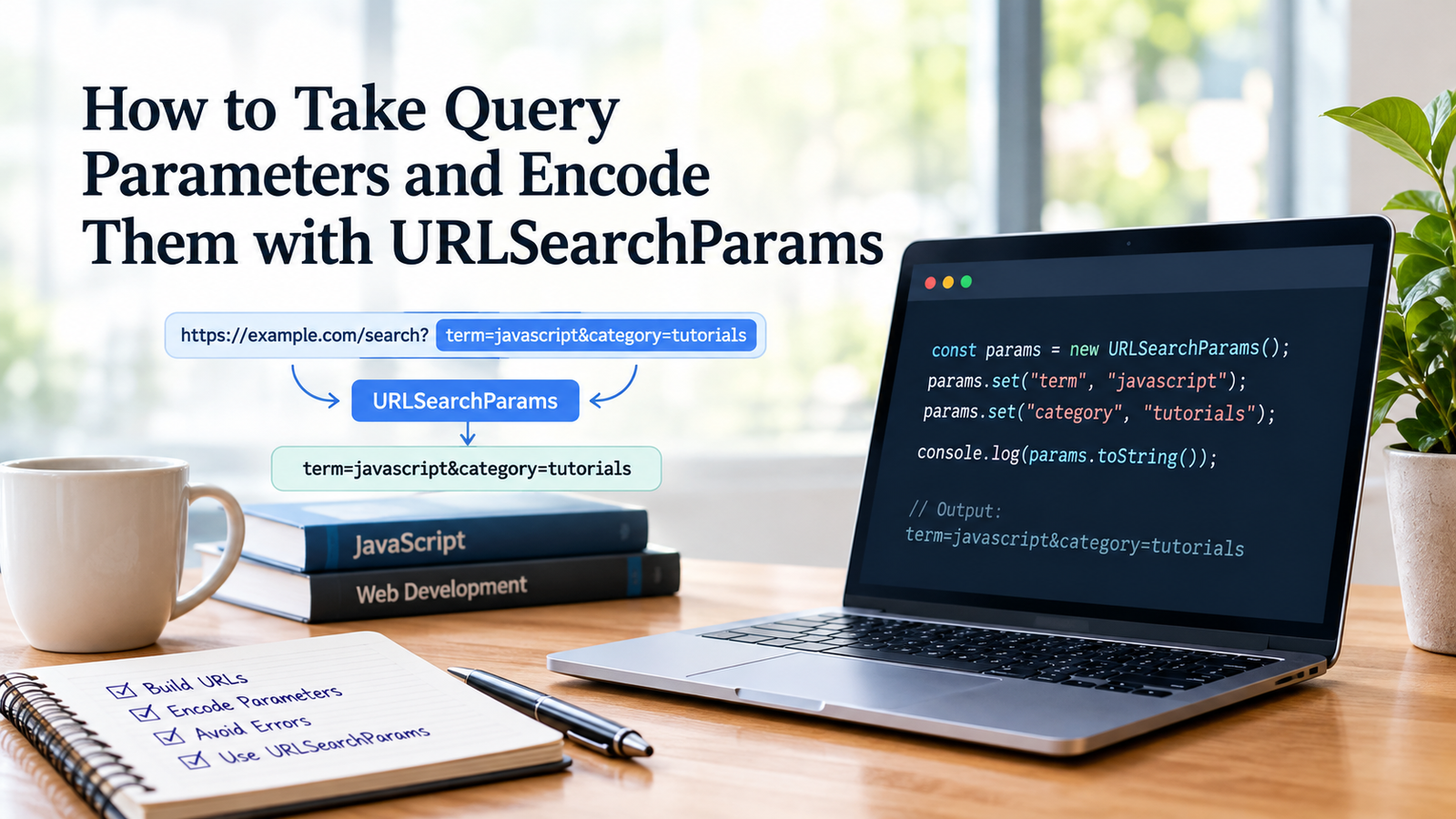
https://example.com/search?term=javascript&category=tutorialsIn this URL:
- term=javascript is the first query parameter.
- category=tutorials is the second query parameter.
The two parameters are separated by – &.
This query string can be constructed by hand, but there is a way to let the encoding happen with URLSearchParams.
let params as new URLSearchParams;

params.set("term", "javascript");
params.set("category", "tutorials");

console.log(params.toString());
Output:
term=javascript&category=tutorialsAn approach that will make your code understandable and free from some common URL encoding mistakes.
But why Encode Query Parameters?
Query parameters may include strings with spaces, punctuation, non-English characters, or other characters which are special to the URL.
Consider this example:
var search = ‘JavaScript URL encoding’;

var search = "keyboard sure test;
The generated URL has spaces in the query value. The browser can normalize some URLs but manually building the query strings can generate non-consistent and unintended results because query strings can include characters like ‘&’, ‘=’ and ‘.’.
For instance, the value below has an ampersand:
whenever “HTML & CSS” is in the array, the function returns 0.
Putting it straight in a query string might cause its ampersand character to be seen as a separator instead of part of the query.
The solution to this is to use URLSearchParams:
let params = new URLSearchParams();

params.set("term", "HTML & CSS");

console.log(params.toString());
Output:
term=HTML+%26+CSSHere, %26 represents the ampersand, while the plus sign represents the space in this form-encoded query string.
When a parameter is read back, its original value will be retrieved.
How to Encode Query Parameters with URLSearchParams
The simplest approach to encoding query parameters is to use a URLSearchParams object where you add them to the object, then use toString() to convert the object to a query string.
To create a new URLSearchParams Object
To create a new URLSearchParams Object:
Begin by creating a “blank” instance.
let params = new URLSearchParams();See how query parameters can now be attached with the “set()” function.
params.set("name", "John");
params.set("city", "New York");

console.log(params.toString());
Output:
name=John&city=New+YorkJavaScript will add the + to the space when creating query parameters, this is done automatically.
If your queries include any special characters, encode them as shown
Assume you’re creating the search URL for a product Coffee Tea Maker.
The product name should be encoded before being put into the query string.
Let params be a new URLSearchParams ();

params.set('product', 'Coffee & Tea Maker');
params.set("category", "Kitchen Appliances");

const queryString = params.toString();

console.log(queryString);
Output:
product=Coffee+%26+Tea+Maker&category=Kitchen+AppliancesYou can then add the query string to a URL:
const url = `https://example.com/products?${queryString}`;

console.log(url);
Output:
https://example.com/products?product=Coffee+%26+Tea+Maker&category=Kitchen+AppliancesThis is especially beneficial when searching for products, filtering pages, and making API calls.
3. Use URLSearchParams with an Existing URL
Often you can build a query parameter from an existing one. The existing URL can also be used with URL constructor.
let url = new URL("https://example.com/search");

url.searchParams.set("query", "JavaScript tutorials");
url.searchParams.set("level", "beginner");

console.log(url.toString());
Output:
https://example.com/search?query=JavaScript+tutorials&level=beginnerThe searchParams property returns an object of the query parameters of the URL.
This way is helpful because it maintains the current structure of the URL and also prevents mistakingly adding query parameters in the wrong position on the URL.
4. Encode Multiple Query Parameters
If multiple parameters are sent for a URL, URLSearchParams can take care of all of them in a single place.
Create a new instance of URLSearchParams with:
  keyword: "web development",
  category: "programming",
  sort: "latest",
  page: "2"
});

console.log(params.toString());
Output:
keyword=web+development&category=programming&sort=latest&page=2Every parameter is coded separately, and the parameters are separated from each other by ampersands.
It’s easier to keep up with than constantly string concatenation.
Important: Values in this example are converted to strings. When directly passed, arrays or objects are not automatically serialized to JSON. Do not assume that those values will not have to be handled explicitly as needed.
Some Useful Methods on the URLSearchParams Object
There are various ways URLSearchParams can be useful for common JavaScript projects.
| Method | Purpose |
|---|---|
| push_back() | Appends a parameter or sets its value (the same as set()) |
| append(Add another parameter+Key) | Adds another parameter |
| get() | Returns value value of first key on the array |
| keys() | Returns all keys that are members of a set object |
| has(param name) | Determines if the parameter exists. |
| insert() | Inserts a parameter |
| toString() | Serialization from parameters to an encoded query string |
| entries() | Returns an iterator of pairs of its parameters’ key-values |
Let’s give a real-life illustration:
Creating a new set of parameters for the URL search string.
params.set("name", "Alice");
params.append("tag", "javascript");
params.append("tag", "web development");

console.log(params.get("name"));
console.log(params.getAll("tag"));
console.log(params.has("name"));
console.log(params.toString());
Output:
Alice
["javascript", "web development"]
true
name=Alice&tag=javascript&tag=web+development
Note that append() permits multiple values for the same key, while set() will change the value for the key.
This Is an Introduction to Encoding Query Parameters in the Fetch API
This is an introduction to encoding query parameters in the Fetch API and with the URLSearchParams object.
A frequent reason for using query parameters is to pass a filter or search criteria to an API.
For instance, you may be looking to get articles that fit a specific key word and in a specific category.
My problem is with the following line:
const params = new URLSearchParams({
  keyword: "URL encoding",
  category: "JavaScript"
});

const url = `https://api.example.com/articles?${params}`;

fetch(url)
  .then(response => {
    if (!response.ok) {
      throw new Error(`HTTP error: ${response.status}`);
    }

    return response.json();
  })
  .then(data => {
    console.log(data);
  })
  .catch(error => {
    console.error("Request failed:", error);
  });
In this case, URLSearchParams is used to generate the query string prior to sending the request.
The API gets the values for the parameters, which it can then interpret based on its own rules for handling queries.
Note that it does not mean that The API must be available and the endpoint should accept these parameters, and any necessary authentication or permissions should be granted.
How to Use URLSearchParams to Decode Query Parameters
Encoding isn’t all the process. It can also be necessary to access encoded query arguments of an existing URL.
When reading parameters, for example with URLSearchParams.prototype.get(), their values are automatically decoded.
let params = new URLSearchParams(
  "name=John+Doe&topic=HTML+%26+CSS"
);

console.log(params.get("name"));
console.log(params.get("topic"));
Output:
John Doe
HTML & CSS
You don’t need to call decodeURIComponent() on values returned by get().
To do so unconditionally can lead to trouble when there are characters after the % that terminate an invalid escape sequence.
URLSearchParams vs. encodeURIComponent()
While URLSearchParams and encodeURIComponent() both assist in encoding URL-related data, URLSearchParams is used for parsing or structuring data.
| Feature | URLSearchParams | encodeURIComponent() |
|---|---|---|
| Implementation of a single component to handle query parameters. | ||
| Supports key value pairs? | Yes | No |
| A space is serialized as %20. | ||
| Adds parameters | Yes | No |
| Transfers value of parameters | Yes | No |
| Simple query strings | Creating query strings | Encoding a single part of a URL |
For example:
Use const to create a value that cannot be changed.Use const to declare a value you cannot change.
console.log(encodeURIComponent(value));Output:
JavaScript%20tutorialsCompare this with:
Let’s create a URLSearchParams variable.Let’s create a variable named params to hold the URLSearchParams.
params.set("query", "JavaScript tutorials");

console.log(params.toString());
Output:
query=JavaScript+tutorialsBoth of these are appropriate data representation of the same text in different yet technically correct format conventions.
Which Should You Use?
When creating or working with query parameters, provide this with a URLSearchParams. When you want to encode a part of a URL such as a path segment, or a URL value like a query or a fragment, use encodeURIComponent().
Do not encode a value with encodeURIComponent and then pass to URLSearchParams if the percent signs are not desired to be encoded again.
Common Mistakes to Avoid in URLSearchParams
While URLSearchParams makes it easy to encode URLs, some pitfalls are possible.
Identically Encoded Value Twice
Consider this example:
let value = encodeURIComponent(HTML & CSS);

// create a new instance of the URLSearchParams object
params.set("topic", value);

console.log(params.toString());
Output:
topic=HTML%2520%2526%2520CSSPercent signs are double encoded as %25.
Do this instead: send the actual value:
Create the URLSearchParams object: let params = new URLSearchParams( );
params.set("topic", "HTML & CSS");

console.log(params.toString());
Output:
topic=HTML+%26+CSSBuilding Query Strings Manually as Needed
It’s a high-risk option:
const keyword = "books & movies"

var url = 'https://example.com/search?query=' + input;
The ampersand can be interpreted as indicating the start of another query parameter.
This is a safer way:
let url = new URL("https://example.com/search");

url.searchParams.set("query", "books & movies");

console.log(url.toString());
Mixing Up the + Together with Space
With application/x-www-form-urlencoded, a plus sign is a space.
For example:
let params = new URLSearchParams("query=hello+world");

console.log(params.get("query"));
Output:
hello worldTo actually write a plus in a value use the original value to set():
Create the search parameters: const params = new URLSearchParams();
params.set("query", "C++");

console.log(params.toString());
Output:
query=C%2B%2BThis will ensure that plus sign are not “eaten up” as wild characters while parsing the parameter.
Assuming URLSearchparams Validates Input
The URLSearchParams class is used for query-string value serialization, but it doesn’t check that the values are suitable for your application.
An unexpected sort order might be requested by the user, or the page number requested might be an invalid value.
Nevertheless, care should be taken for input validation according to the application needs, for example when the input value influences the selection of a row in the database, the access to a user, or any other critical function.
To Restrict Access to Data That Might Be Sensitive
Query parameters can be displayed within site history, server logs and analytics tools, as well as referrer information.
Don’t encode passwords, private authentication tokens, or other data, in URLs for that very reason.
Encoding equals not encryption. It alters the way that data is represented not who has access to it.
How to Use URLSearchParams Best Practices
Here are some practices you should observe to increase JavaScript reliability:
- Manually concatenating query strings is a thing of the past; you should use URLSearchParams.
- Use original, unencoded data for set() and append().
- Use the URL constructor to modify an existing URL.
- When a parameter could contain multiple values, use getAll().
- Check parameter values and ensure they are used correctly in application logic.
- Don’t make unnecessary calls to decodeURIComponent on values that are already returned by URLSearchParams.
- Don’t include sensitive data in URLs.
- Test special characters: spaces, ampersands, plus signs, Unicode text.
These routines are valuable in preventing some of the more common encoding bugs and to make handling queries strings easier to maintain.
For common questions, see the “Frequently Asked Questions (FAQs)” section.
Frequently Asked Questions (FAQs)
1. What does URLSearchParams do in JavaScript?
The URLSearchParams API allows to create, read, update, delete and serialize URL query parameters. Automatically performs form style percent encoding when adding parameters to a query string.
2. How to Use URLSearchParams to Encode a Query Parameter?
To use it you create an instance, use set() to add the parameter, and use toString() to get the resulting string.
var params = new URLSearchParams();

params.set("search", "learn JavaScript");

console.log(params.toString());
Output:
search=learn+JavaScript3. Does URLSearchParams Automatically Escape Special Characters for You?
Yes. When serializing parameters, URLSearchParams uses the rules of application/x-www-form-urlencoded. If it contains any characters that are not alphanumeric, they’re percent-encoded (as is done with ampersands), and spaces are converted to a plus.
4. What Is the Difference Between URLSearchParams and encodeURIComponent()?
The URLSearchParams object represents a query string and its key-value pairs. The encodeURIComponent() function encodes one component. Follow the method that corresponds to the portion of a URL you are building.
5. Are Spaces in URLSearchParams Encoded as %20 or +?
URLSearchParams.toString() encodes a space as a +. The difference, however, is that encodeURIComponent() will encode spaces as %20. (It is possible for both forms to be used to indicate spaces but, again, this would depend on the context of the URL and the expectations of the receiving system).
6. By Creating a URLSearchParams Object, How Can I Pass Multiple Query Parameters, or Multiple Key-Value Pairs?
An object is passed to method setObject(param) or set() for single parameters.
To create a params object, use new URLSearchParams{} like this:
  name: "Alice",
  city: "London",
  role: "developer"
});

console.log(params.toString());
8. Does URLSearchParams Support the Repetition of Query Parameters?
Yes. Append another value to the same key and use getAll() to get all values of the key.
let params = new URLSearchParams();

params.append("tag", "javascript");
params.append("tag", "html");

console.log(params.getAll("tag"));
8. Should encodeURIComponent() Be Used Before URLSearchParams?
In general no because URLSearchParams value parameters are already encoded when it uses the toString function. Percent signs could be double encoded if a value is pre-encoded.
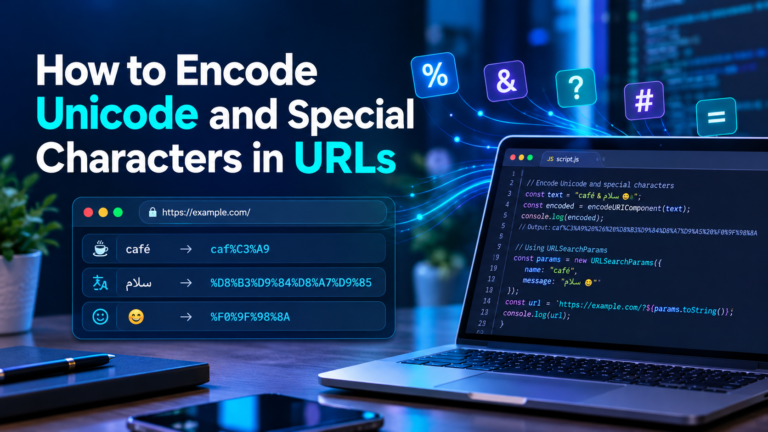
9. Does URLSearchParams Handle Encoding of Unicode Characters and Emojis Correctly?
Yes. It is Unicode compliant and can display text in other languages such as emojis. If serialization, the characters that do not exist in the allowed unescaped character set will be encoded in UTF-8 percent encoding.
10. Are You Using URLSearchParams for Creating API URL’s?
Always making an API request secure is a great way to assemble query strings, but it will not validate the input. Even then, validation—check for entries that don’t fit into the expected ranges—make sure to use HTTPS, ensuring that the API has its requirements met, and to collect sensitive information so that it’s not passed back and forth in query strings.
Conclusion
One of the easiest ways to encode query parameters in JavaScript is by using URLSearchParams. Hence, it eliminates the need to manually replace special characters, makes URL construction easier and offers handy ways of dealing with query string values.
URLSearchParams is useful for creating a search page, searching and filtering the results, and passing parameters to an API, and it can make code easier to read and more error-proof.
The trick is directly passing the original values to the API and allowing it to deal with query-string serialization. Never manually encode things needlessly, validate where required and don’t assume that URL encoding offers security or encryption.