Regex Pattern Escaping vs Replacement String Escaping: What’s the difference?
Regular expressions, (regex) are brilliant patterns for searching, matching, validating and replacing text data in programming languages including JavaScript, Python, PHP and Java. But it’s possible to get special characters confused, particularly in the case of special character escaping in a pattern and a replacement.
A common pitfall that developers tend to get is mixing up escaping/replacing patterns with strings in regex. They do not. Both have special characters but, again they are used for different purposes and is given according to its different rules.
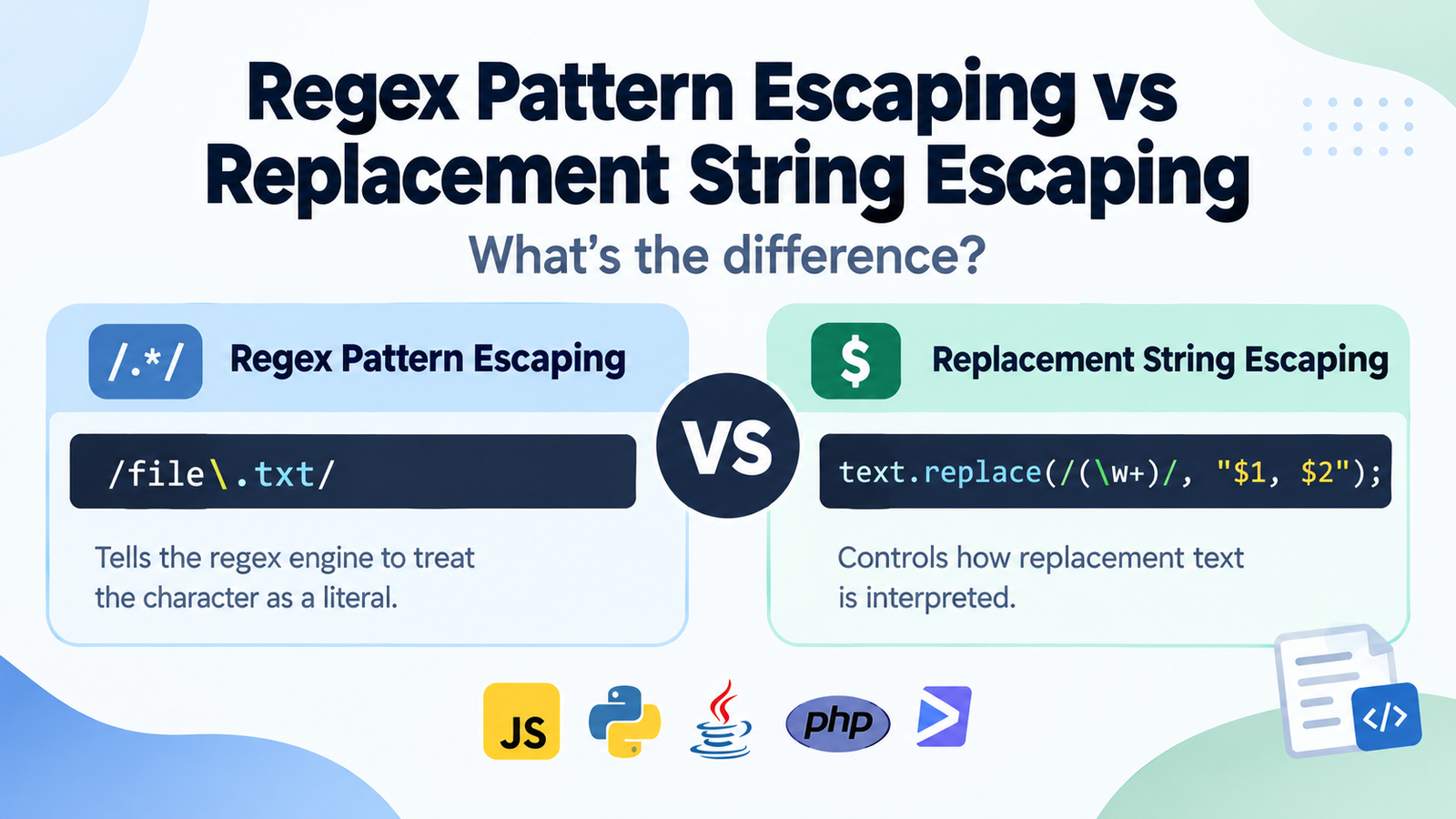
Pattern escaping is a way to let the regular expression engine know to treat the character being used as a literal, rather than a regular expression. In contrast, escaping for replacement strings is used to determine how replacement strings are used when replacement occurs.
Knowing this distinction might save you some of the surprise matches and code bugs that might have you replacing the wrong string and breaking strings.
You will learn how to use regex pattern escaping, how to use replacement string escaping, what it changes from language to language and how to safely use special characters.
Pattern Escaping in Apache Solr(REGEX)?
Regex pattern escaping is the technique in which a character is altered in its own interpretation within a regular expression pattern (such as using a backslash \ in front of the character).
There are a number of special characters in regex. In most regex modes, for instance, a period (.) will match practically anything except a line terminator. A plus sign () signifies a repetition of one or more times while an asterisk () signifies that the pattern is repeated zero or more times.
To match these characters liter-ally, you might have to escape them.
Match the period in the “literals” section.
Take a look at the below JavaScript script:
const text = "file.txt";
const pattern = /file.txt/;

console.log(pattern.test(text)); // true
This is a pattern that matches the text with no special treatment for the period. A character that can match any one character but itself.
For example:
console.log(/file.txt/.test("fileXtxt")); // trueTo match an actual period start the pattern with a backslash:
const pattern = /file\.txt/;

console.log(pattern.test("file.txt")); // true
console.log(pattern.test("fileXtxt")); // false
The significance of disabling these elements is clear, especially for people performing global operations.
These are the most frequently used special characters in Regular Expressions.
These are common characters that have special meaning in regular expression patterns:
.— Matches a character in many modes of regex.
“ — An operator for zero or more matches.+— Matches one or more repetitions.?— causes a quantifier to be optional and/or alter quantifier behavior.^— Matches beginning of string or line, depending on the mode.$— In string mode, marks the end of the string, and in line mode, marks the end of the line.(and)— Define groups.[and]— Allow to specify character classes.{and}— Define quantifiers.|— Represents alternation.\— Start of escape and special sequences.
Exactly how they act may also depend on the regex engine and how it is configured.
If the purpose of these characters is to specify literal characters, you need to treat them appropriately as per the regex syntax you’re using.
The concept of replacement string escaping.
Replacing special sequences in the replacement text of a string replace operation is called replacement string escaping.
A replacement string doesn’t normally specify what should match as would a regex pattern. What should be found after a match, instead.
But replacement strings may also include special syntax as well. In some programming languages and replacement API, some sequences can be used to access groups that were captured in the pattern or the whole match or other portions of the matching text.
This does not imply that this replacement text is always synonymous with literal text.
Example: Replacing Text in JavaScript
For example in this JavaScript:
const text = "Hello World";
const result = text.replace(/World/, "JavaScript");

console.log(result); // Hello JavaScript
The text being matched is specified with the regex pattern /World/; the replacement text is provided by "JavaScript".
Now let’s look at a pattern with capture group:
const text = "John Smith";
const result = text.replace(/(\w+) (\w+)/, "$2, $1");

console.log(result); // Smith, John
JavaScript replacement strings use $1 for the first capture group and $2 for the second capture group, etc.
Thus, the replacement string is interpreted as per the replacement syntax of JavaScript. In not all scenarios, the dollar sign is interpreted as an actual character!
To insert text with special replacement sequences literally, you must know the particular replacement API’s interpretation of that text.
Various escaping and replacement string confusions:
They are very similar, the only difference is on where the escaping is occurring and what you wish to control.
| Feature | Regex Pattern Escaping | Replacement String Escaping |
|---|---|---|
| Purpose | Controls to match regex pattern to text | Controls to interpret replacement text |
| Replacement | Regular expression patterns | Replacement arguments or replacement templates |
| Common special characters | ., “, +, ?, (, ), [ and ] | $1, $&, and other API-specific replacement sequences |
| Primary issue | No change in matching behaviour for characters | No change in inserted text with replacement syntax |
| Matching a literal filename, or a user-provided word to search for | Inserting literal text or reordering the captured groups | |
| Common mistake | A period has to match only a period | A $1 will always represent a single entity literally |
What matters is: escaping a character in a pattern for a Regex does NOT escape it in a replacement string.
The following is an example: If you want a literal period in your regex pattern, you can do so with \.. It is not a general solution for making all special characters literal in a replacement string.
Exploring the difference between pattern and replacement escaping in Regular Expressions.
regex patterns and replacement strings are treated as unique strings.
The regular expression engine is the engine that interprets the regular expression pattern. It is for determining the matching portions of the input.
The replacement operation takes place after matching a string, replacing it with a replacement string. Influences the selection of content to be inserted.
Consider this example:
const text = "cat";
const result = text.replace(/cat/, "$& dog");

console.log(result); // cat dog
$& is all the matched text in JavaScript. Replacement Operation: Inserts the original match, then " dog".
If the $ and & were used together in the regex, they don’t have any special meaning, it’s simply a pair of them.
The two contexts are going to have different rules; this is why developers need to handle the two contexts separately.
You can use the syntax \Q and \E to quote out special characters in a pattern.
You can have a dynamically-built pattern to include text from a user or from some external source.
Now you might be looking to find a word, such as C++ or a file, like report.final.pdf or a search term that includes parentheses.
These special characters, if used directly in a regex pattern, will alter the matching behavior of the pattern.
A dynamic Regex pattern example is the Problem With Dynamic Regex Patterns.
const userInput = "C++";
const pattern = new RegExp(userInput);

console.log(pattern.test("C++"));
The plus signs in C++ are regex operators. The pattern might not be the direct pattern search of the literal text `C++’ and some such patterns might even be non-valid.
The better practice is to have a safer value to escape before incorporating it into a regex pattern as a literal.
The RegExp.escape() method in JavaScript
In modern JavaScript, you can escape a string to safely be used as a literal pattern by using RegExp.escape:
const userInput = "C++";
const escapedInput = RegExp.escape(userInput);
const pattern = new RegExp(escapedInput);

console.log(pattern.test("C++")); // true
console.log(pattern.test("C"));   // false
RegExp.escape() will work on characters/edge cases that simple backslash-replacement techniques can’t. If you have to work with legacy environments, check your version of JavaScript if it’s supported or not.
If your environment doesn’t have RegExp.escape(), use a polyfill that has been well tested and is standards compatible, or don’t make the assumption that a short custom function will get you everything you need.
When to Break Out of a Regex Pattern?
Match dynamic text literally, instead of as regular expression text.
Common examples include:
Performing a search using text that the user provides.
Matching names that include periods or brackets.
- Searching for products that have plus signs in the product name.
Searching for URLs or punctuation-rich identifier. - Constructing validation patterns with literals.
Not every manually-written regex needs to be escaped. If it is being used as part of the regular expression syntax, any escaped character may alter its meaning.
Special Characters in Replacement Strings.
Replacement strings are also subject to their own syntax – depending on language and API.
JavaScript offers a number of special replacement sequences to the replace method of strings.
| Replacement sequence | Meaning |
|---|---|
| Inserts literal dollar | |
| & | Inserts the whole matched text |
$` | Insert the part of the string before the match |
$' | Inserts the part of the string which is after the match. |
$1, $2,… | puts the captured group into the string if group it is numbered after exists |
$<name> | Matches named capture group, if any ( valid only in PHP 5.5 and later ) |
These sequences are a part of the JavaScript replacement-string syntax.
$’Literal Dollar Sign’ is the example.
If you wanted to change the term price to the literal text $100, how would you do this?
You might try this:
const text = "price";
const result = text.replace(/price/, "$100");

console.log(result);
This is an unambiguous and safe way to specify a literal dollarsign replacement. Sequences that are preceded by a “dollar” sign may have special meaning, and it depends on whether these corresponding capture groups are provided.
If you’re looking to replace a regular $ with a literal $ sign in a replacement string in JavaScript, you can use the double dollar sign, $$:
const text = "price";
const result = text.replace(/price/, "$$100");

console.log(result); // $100
The replacement engine reads a single dollar character as the delimiters.
An application that is called by classmates.A usage by classmates.
Sometimes, replacement text is provided by a variable and a callback may be a better means of literally inserting such text.
const text = "price";
const userReplacement = "$100";

const result = text.replace(/price/, () => userReplacement);

console.log(result); // $100
If a function is passed in as the replacement argument to replace(), then the string resulting from this function is used as the replacement content. It is not re-parsed as a new template with either $1 or $& in it.
This is sometimes useful for a replacement callback to have a dynamic value, or even a dollar sign.
JavaScript Example: Sniff out a Pattern and Replacement Separate.
Suppose there is a text-processing tool that will search the text for a string given by the user, and replace that string with another given by the user.
Both inputs can have special characters but these should be first handled differently.
const searchText = "C++";
const replacementText = "$1 is popular";

const escapedSearch = RegExp.escape(searchText);
const pattern = new RegExp(escapedSearch, "g");

const text = "Learn C++ today. C++ is powerful.";

const result = text.replace(pattern, () => replacementText);

console.log(result);
The pattern is in the form of a regular expression and is escaped with RegExp.escape() – it must be matched literally.
The replacement contains a callback, because the sequence $1 should not be replaced, but added as is.
The result is:
Learn $1 is popular today. $1 is popular is powerful.But as in this example, a crucial difference exists:
- Get the regex pattern out of the search.
Use suitable method for replacement of the method of replacement.
Avoid dropping the same escaping function on both values — unless you take the different application contexts of both into account.
Currently this is comparâdotâehel tidelinguajúteş a pattern megjaisteš a replacement-string to lignáis.
The concept is the same in all programming languages, the syntax and APIs differ.
JavaScript
The built-in approach to safely escaping literal text as input for dynamic creation of RegEx patterns in supported environments is RegExp.escape().
Replacement strings understand things like $&, $$ and $1. The easiest solution for literally inserting dynamic replacement text is to install a replacement callback.
Python
Patterns within Python’s “re” module consist of backslashes and regex syntax. The re.escape() function can be used to translate text to be matched literally.
There are replacement string rules, for example backreferences \1 and named-group references. If the replacement text you need isn’t necessarily a variable, a replacement function may be the safer way to go if you don’t want the backslashes to be interpreted as replacement syntax.
Example:
import re

text = "price"
replacement_text = r"\1 and $100"

result = re.sub(
    "price",
    lambda match: replacement_text,
    text
)

print(result)   \1 and $100
No parsing of the replacement template, the value passed to the callback is returned directly.
PHP
The syntax of the pattern is similar to what is used by the PCRE-based regex functions of PHP; characters are quoted with regex pattern syntax and delimiters.
When you have to pass replacement strings to functions like preg_replace(), there are other rules about backreferences and replacement string syntax. If the replacement content is dynamic, check for the replacement function behaviour, and, if it is necessary to literally insert content, see a callback replacement.
Java
Java’s regex API discriminates between quoting the text to be matched by a pattern and quoting the replacement string provided to replace it: Pattern.quote() quotes literal text for use in pattern; Matcher.quoteReplacement() quotes a replacement string for it so that characters like $ and \ will be matched literally.
Example:
import java.util.regex.Matcher;
import java.util.regex.Pattern;

String text = "price";
String replacement = "$100";

String result = Pattern.compile("price")
    .matcher(text)
    .replaceAll(Matcher.quoteReplacement(replacement));

System.out.println(result); // $100
Particularly in java, this difference makes a difference as both backslash and dollar sign may have multiple meanings in both the pattern and the replacement.
Some common developer errors can be avoided with these simple fixes.
It’s easier to understand the rules if you see what you know to avoid.
Learn how to use Pattern Escaping for Replacement Text.
Functions that work with regexes are not necessarily valid replacement functions.
Most use cases that people want to build with the RegExp.escape() function are incorrect. For instance, you probably would not want to match and replace all the text in a string with a pattern such as “howdy(\w+)” using a RegExp.escape(formatted).
To literally embed a dynamic value use a replacement callback.
It’s assumed that Backslashes Work the Same Way Everywhere.
backslash can be used in a pattern to escape a metacharacter, can be used in a string literal to indicate a special sequence, and can have a different meaning in a replacement API.
Keep programming language, string-literal syntax and API in mind.
3. Ditching Capture Groups
Replacement strings can include references to captured text in the form of $1 or \1. If you wanted to add those characters literally, your output could have been different than what you had in mind.
Properly quote or call back
4. Escaping Too Much
Escaping all special characters blindly may make a regex fail to do its job.
For instance, a pattern that should match one or more digits (using \d+) but that is turned into a regexp literal search for the characters \d+ is wrong.
Only go over literal text.
5. Ignoring Language Differences
In JavaScript, Python, PHP and Java there is not a single replacement string format common to each of them.
What is a solution in one language might not work on another language. Become familiar with the documentation of the particular regex and replacement API employed.
Using Regular Expressions for Replacement Safely
Here are some practices that will make text replacement more predictable:
- Distinguish between matching/replacement. Before determining what needs to be inserted, first determine what should match.
- Get out of dynamic pattern input. For cases in which you want to accept user input literally, you should use the language’s built-in pattern-escaping function.
Literal replacement value should be handled by the use of callbacks. This prevents APIs that work with callback based replacement from treating replacement text as a template. - Pick up the new syntax of your API’s. Learn about capture groups, dollar symbols, and backslashes, as well as named group references.
- Test punctuation-heavy inputs. Insert periods, brackets, parentheses, backslashes, dollar, plus and special characters.
- Check runtime compatibility. Check if the functions you are looking to use work in your desired environment.
- Don’t use escaping for the hand-written solution when there is a standard function available. Edge cases and differences between the various regex engines can be overlooked in custom escaping functions.
These practices are especially significant when accepting user input, creating search applications or using text replacement in production applications.
Frequently Asked Questions (FAQs)
What are the differences between a regex pattern escape and a replacement string escape?
Pattern escape characters in regex are used to affect the meaning of the characters in a regular expression. Replacement string escaping – how characters or sequences should be interpreted when using replacement of matched text.
- What are the reasons for escaping regex patterns?
Some characters in Regex patterns have special meanings, for example: . + ? etc. in Regex and so on. To match its literal character instead, escape me-tacharacters.
In fact, do replacement strings get escaped inside RegExp.escape() as well?
No, the RegExp.escape() is to escape strings, for use in literal regExp pattern content. Do not use it as an all-purpose replacement-string escaping function.
- What is the way to put a dollar symbol in a java script replacement string?
Enclose one standard dollar sign in the replacement string with $$ to use it as a literal in JavaScript. Or you can simply substitute another callback that will output some dynamic text including a dollar sign.
- Are the escaping function for patterns the same as for replacement strings?
Not necessarily. There are different rules for Pattern syntax and Replacement syntax. You can use the special function for each context or a substitution callback function, if there is one available, and it seems appropriate.
- How to get out of user input prior to building the Regex?
If the environment supports HTML5, invoke RegExp.escape() on the input prior to the RegExp(s). constructor. Literal pattern text is often written as re.escape().For literal pattern text, often written as re.escape(). Other languages have their own apis.
What if I don’t escape the regex special characters?
The regex can match more text than is desired, unexpected results will occur, or the regex can not be compiled. For instance the unescaped period most often matches a character and not just a literal period.
- How do I literally insert replacement text that includes a text variable $1 or a backreference to group #1?
Use an appropriate literal-replacement mechanism. A replacement callback in JavaScript could optionally return the text directly. When using re.sub(), a callback may be passed that will not be interpreted as a replacement template, that’s done in Python. In java use Matcher.quoteReplacement ().
Are there any differences in javaScript, Python, PHP, and java between regex escaping?
No. These languages have distinct APIs and could have varying replacement string rules. In general, the idea is the same, but the realization is different and has to correspond to the language and function in use.
- Does escaping suffice to ensure that all user input is safe?
No, escaping for a regex pattern or replacement string solves the problem for that particular pattern. It will not automatically ward off SQL Injection, HTML Injection, command injection or other security issues. Apply safe guards for operations according to their context.
Key Takeaways
Regex pattern escaping and replacing string escaping are different.
- Pattern escaping enables special characters to act as special characters when a regex is compiled and executed.
- Replacement string escaping: escape special replacement sequences, such as capture-group references.
RegExp.escape is for literal value of regex pattern, NOT arbitrary replacement string.
A replacement “callback” is in many cases the most obvious way to do literal insertion of replacement text.
There are different pattern and replacement API for Python, PHP, Java, and JavaScript.
Check edge cases and special characters rather than rely on a single escaping rule to work across the board.
Final thought: Always use the pattern and replacement context separately when using regular expressions. For each use the right escaping/quoting facility and your code will get easier to understand, more predictable and less prone to any unexpected results.