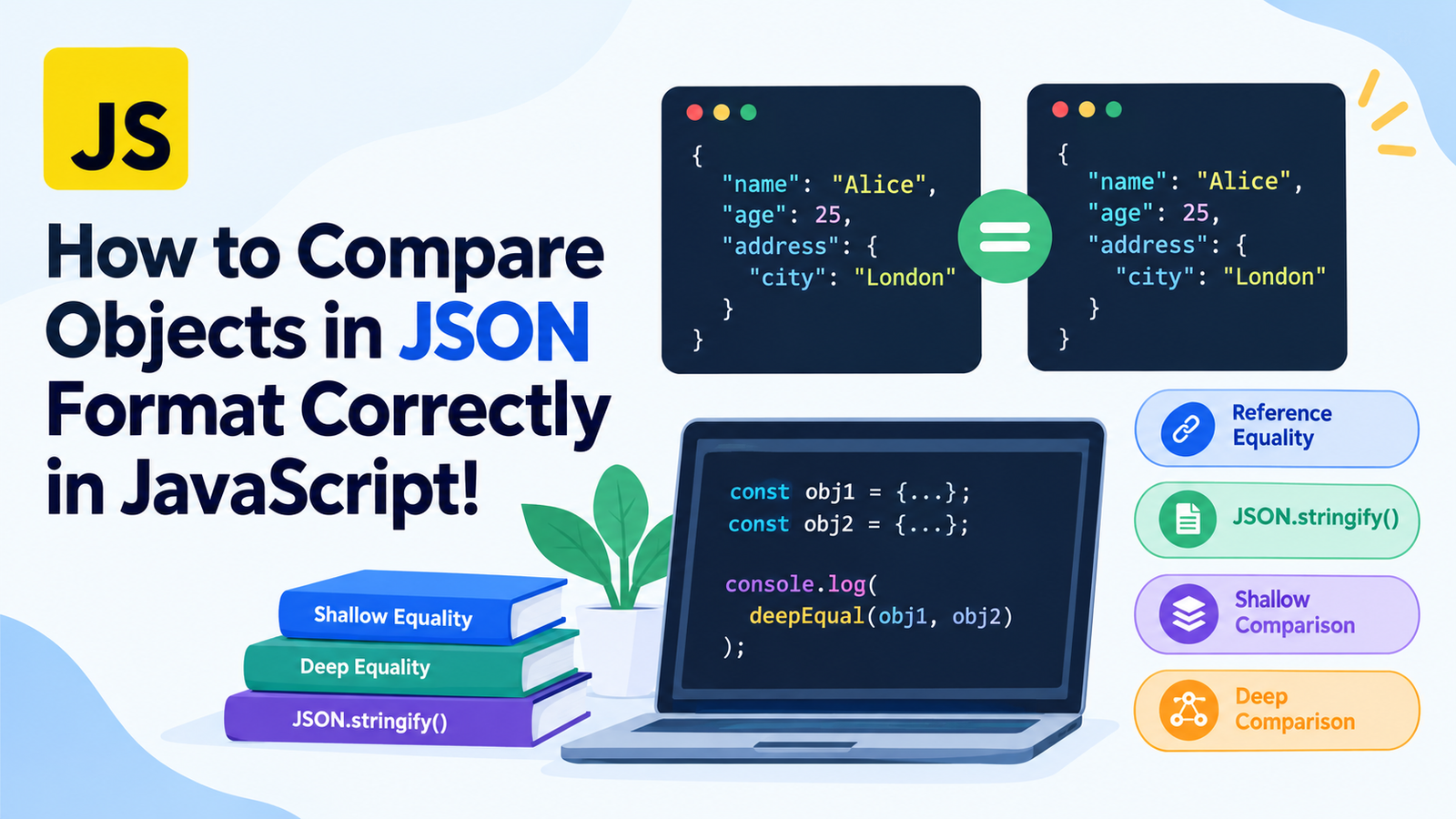
How to compare Objects in JSON format correctly in JavaScript!
It can be confusing to compare two JSON objects in JavaScript, because they may share certain data but the data is stored at various addresses in memory. This can cause a false result if the comparison method is not the proper one, even if the two objects appear to be identical.
There are simple methods of comparing primitive values in javaScript but objects need variation. A comparison between reference equality, shallow equality and deep equality, will aid to select the appropriate equality method for your project.
In this tutorial, you’ll find out how to compare JSON objects properly in JavaScript, learn to look at real world code samples, common pitfalls, and when to do a built-in function or find a full deep-equality library.
Whether you’re dealing with API response bodies, configuration files, form data, or ‘nested’ JSON data, this article will guide you to reliably compare objects.
Key Takeaways
- In JavaScript, when you compare two objects with === and/or == operator, you are comparing by reference.
- JSON.stringify() can compare a good number of simple JSON-compatible objects and comes with significant caveats.
- shallow comparison – compares properties in the same level of an object, ignoring objects within other objects.
- Deep comparison does checks nested properties within an object and the values.
- Comparisons may be influenced by property order, undefined property values or special values, and/or cyclic references.
- In case of complex objects, it’s best to use a separate deep-equality function or library.
- There are different comparison methods and this will be based on the structure of your data, and the needs of your application.
To understand JSON Objects in JavaScript.To grasp the concept of JSON Objects in JavaScript.
JSON = JavaScript Object Notation. It’s a text-based format for interchange and storage of structured data among applications.
Objects, arrays, strings, numbers, booleans, and null are common entities represented by JSON. An application written in JavaScript frequently transforms the results of the arrival of JSON data into JavaScript values by using JSON.parse ().
For example:
const jsonData = '{"name":"Alice","age":25}';

const user = JSON.parse(jsonData);

console.log(user.name); // Alice
console.log(user.age);  // 25
Once it’s been parsed, user is a regular JavaScript object.
Suppose that there are two objects that hold the same information:
const user1 = {
  name: "Alice",
  age: 25
};

const user2 = {
  name: "Alice",
  age: 25
};
You have the same properties and values in both objects. However, a comparison between them yields an unexpected result for beginners.
console.log(user1 === user2); // falseWhy is this?
JavaScript objects are reference types. The two objects have different memory addresses, and are therefore not equatable by reference.
A different technique is required to compare their actual contents.
2. How can we get object comparison with javascript to work in a way that we want it to?
To compare JSON objects correctly, it is crucial to first understand JavaScript’s concept of equality.
Comparing Primitive Values
Primitive objects are objects whose type is not defined by an object literal, and include strings, numbers, booleans, undefined, null, bigint, and symbol.
You can compare a many of primitive values directly in JavaScript.
const a = 10;
const b = 10;

console.log(a === b); // true
The same is true for strings and booleans.
console.log("hello" === "hello"); // true
console.log(true === true);       // true
Comparing objects by reference.
Objects behave differently.
const first = { name: "John" };
const second = { name: "John" };

console.log(first === second); // false
The objects are two different objects that have the same property and value.
But when two variables point to the same instance then two variables are strictly equal and thus it returns as true.
const first = { name: "John" };
const second = first;

console.log(first === second); // true
Both the variables refer to the same object.
Important: The === operator is used to check if two object references point to the same object rather than if their contents are the same.
This distinction is crucial if the JSON string you’re trying to compare is coming from an API or you need to compare a second string.
Comparing JSON Objects – JSON.stringify()
A very straightforward way of comparing JSON compatible objects is to convert them to strings with JSON.stringify().
Converts a JavaScript value to a JSON(text)-formatted string.
For example:
const object1 = {
  name: "Alice",
  age: 25
};

const object2 = {
  name: "Alice",
  age: 25
};

const result =
  JSON.stringify(object1) === JSON.stringify(object2);

console.log(result); // true
Both objects return the same serialized string which means the comparison will return true.
A comparison of the JSON.stringify() function.
For each object the method serializes it as a string.
const object1 = {
  name: "Alice",
  age: 25
};

console.log(JSON.stringify(object1));
Output:
{"name":"Alice","age":25}If you stringify both of these objects and compare the strings, JavaScript compares strings, not the objects’ references.
An example that demonstrates how to use Nested Objects.
This will also permit this for data nested in JSON where the same type of data is serialized.
const object1 = {
  user: {
    name: "Alice",
    age: 25
  },
  active: true
};

const object2 = {
  user: {
    name: "Alice",
    age: 25
  },
  active: true
};

console.log(
  JSON.stringify(object1) === JSON.stringify(object2)
); // true
This may be convenient for simple (JSON-style) data which can always be ordered by property names.
Limitations of JSON.stringify()
This technique is easy, but it’s not a universal deep-equality solution.
Look at the objects below:
const object1 = {
  name: "Alice",
  age: 25
};

const object2 = {
  age: 25,
  name: "Alice"
};

console.log(
  JSON.stringify(object1) === JSON.stringify(object2)
); // false
The equality of the objects is based on the equality of their properties and values but not the order of their properties when inserted.
Hence, their serialised strings are different.
The impact is that the fact that an object’s properties are in a particular ordering does not typically play a role in determining whether two objects have equivalent data in them.
Other limitations include:
- Anything that doesn’t have a value can’t be serialized.
- When serializing NaN and Infinity, objects and arrays will be written as null.
- No ordinary JSON values for functions and symbols.
- JSON.stringify() will create an error if any circular references were used.
- Dates are converted to strings, leading to differences in value type being masked.
- The default is not the representation of the Map and Set values.
Thus it is not safe to rely on JSON.stringify() comparison unless the behaviour of the serialization is required.
JSON-Objects: Using Shallow Comparison
A shallow comparison compares the properties directly on the two objects without recursively comparing any other related objects.
This approach is appropriate when there is primitive data or when the objects in question are supposed to be shared by reference amongst the nested objects.
A very basic example is as follows:
function shallowEqual(obj1, obj2) {
  if (obj1 === obj2) {
    return true;
  }

  if (
    obj1 === null ||
    obj2 === null ||
    typeof obj1 !== "object" ||
    typeof obj2 !== "object"
  ) {
    return false;
  }

  const keys1 = Object.keys(obj1);
  const keys2 = Object.keys(obj2);

  if (keys1.length !== keys2.length) {
    return false;
  }

  return keys1.every(key =>
    Object.hasOwn(obj2, key) &&
    obj1[key] === obj2[key]
  );
}
The function can be used in the following manner:
const object1 = {
  name: "Alice",
  age: 25
};

const object2 = {
  age: 25,
  name: "Alice"
};

console.log(shallowEqual(object1, object2)); // true
Checks if the number of own enumerable properties in two objects is the same and that each of the properties has the same value in both objects.
The order of properties is arbitrary.
Rah Swop is where Shallow Comparison Fails
There are two “nested” objects:
const object1 = {
  user: {
    name: "Alice"
  }
};

const object2 = {
  user: {
    name: "Alice"
  }
};

console.log(shallowEqual(object1, object2)); // false
The comparison is false because object1.user and object2.user actually are two different objects.
The function doesn’t look at the nested name property.
Shallow compare if equality at the top level is sufficient. Use a deep comparison method, if the application requires the comparison of the nested JSON data.
Comments and requests will be addressed soon.Remarks and queries will be replied back fast.
Deep equality means that it will check the contents of objects recursively.
Unlike the top level, it looks at properties of nested objects.
For example:
const object1 = {
  name: "Alice",
  details: {
    age: 25,
    city: "London"
  }
};

const object2 = {
  name: "Alice",
  details: {
    age: 25,
    city: "London"
  }
};
A deep equals should return true, as both would have the same nested data.
There is no single built-in equality operator in JavaScript for deep-equality. Write a function to convert data to be JSON compatible, or trust a library.
A recursive function to deep compare two objects.
The recursive function below compares objects and arrays that are JSON compatible.
function deepEqual(a, b) {
  if (a === b) {
    return true;
  }

  if (
    a === null ||
    b === null ||
    typeof a !== "object" ||
    typeof b !== "object"
  ) {
    return false;
  }

  if (Array.isArray(a) !== Array.isArray(b)) {
    return false;
  }

  const keysA = Object.keys(a);
  const keysB = Object.keys(b);

  if (keysA.length !== keysB.length) {
    return false;
  }

  return keysA.every(key =>
    Object.hasOwn(b, key) &&
    deepEqual(a[key], b[key])
  );
}
This implementation checks that both the values are equal by the reference first. If they are different objects, it checks their types, arrays status, then it checks how many properties each object has, and then it checks value of those properties recursively.
Example:
const object1 = {
  name: "Alice",
  details: {
    age: 25,
    city: "London"
  }
};

const object2 = {
  details: {
    city: "London",
    age: 25
  },
  name: "Alice"
};

console.log(deepEqual(object1, object2)); // true
The function returns true despite a different order of properties being passed.
Comparing Nested Arrays
This simple implementation even supports arrays.
const object1 = {
  scores: [10, 20, 30]
};

const object2 = {
  scores: [10, 20, 30]
};

console.log(deepEqual(object1, object2)); // true
But order of arrays is important.
console.log(
  deepEqual([10, 20, 30], [30, 20, 10])
); // false
Arrays are ordered collections and changing their order typically alters their meaning.
Restrictions of a Custom Deep Comparison
The above function is for regular data that can be serialized using JSON. Does not implement a full-fledged equality for all JavaScript values.
For instance it doesn’t cope well with:
- Circular references.
- Special types of objects such as Date, Map and Set.
- Custom-made instances and classes prototypes.
- Properties keyed by symbols or properties that aren’t enumerable.
- All edge-cases with unconventional values in JavaScript.
It is also recursive, meaning that very complex and/or large structures might need further protection.
However, if you have code that needs to work with random JavaScript objects, you have to use a well tested deep equality library.
This chapter explains how to compare JSON objects by using a Library.
For projects using more complex data structures, their own library can minimize the likelihood of comparison bugs.
One way is to use Lodash, which has the isEqual() method.
Compare object, using Lodash isEqual()
Install Lodash in your project:
npm install lodashNow import the method:
const import isEqual from "lodash/isEqual";

const object1 = {
  name: "Alice",
  details: {
    age: 25,
    city: "London"
  }
};

const object2 = {
  details: {
    city: "London",
    age: 25
  },
  name: "Alice"
};

console.log(isEqual(object1, object2)); // true
The isEqual() method does a deep comparison and recognizes many common javaScript variations of types, not just simple json types.
It is more than a short recursive function, but the equal rules are still based on the types.
So When To Use Lodash?
Use a special library only if:
- Your app is comparing complex nested objects.
- You’re dealing with dates, maps, sets or other special values.
- *You have to do consistent equality comparisons across numerous data structures.
- You don’t want to have your own comparison implementation.
If the JSON data you are dealing with is relatively small, a small custom function might be enough. If the application is going to be large, having one with an existing library can help you keep your code more manageable.
8. Comparing the JSON Objects of API Response Jirachareonrath and Sandeenrath.
A popular scenario where developers might need JSON object comparison is comparing API responses.
An app might, for instance, call two APIs to retrieve user data and there might be a need to know if the data changed.
const response1 = {
  id: 101,
  name: "Alice",
  preferences: {
    theme: "dark",
    notifications: true
  }
};

const response2 = {
  id: 101,
  name: "Alice",
  preferences: {
    theme: "dark",
    notifications: true
  }
};
To determine if there is common data between two answers can be checked with a deep comparison.
console.log(deepEqual(response1, response2)); // trueThis can help with:
- Recognizing changes to the application’s state.
- Comparing data from the cache to data retrieved from the API.
- Verifying that configuration values are changed.
- Identifying a distributed or changed form.
- The creation of unit tests for responses to the API.
You can pick the configurations you need to compare.
In some cases, the response may include a time stamp, a request ID or any other fields that may vary from one request to the next.
In this case, comparing the complete object might not be helpful.
Rather, compare the properties that are applicable to your application.
function sameUser(a, b) {
  return (
    a.id === b.id &&
    a.name === b.name
  );
}
This function is case-sensitive and will skip any properties that are unrelated.
Comparing all the fields indiscriminately is often less reliable than setting up meaningful business rules.
Comparing Dictionaries (Objects) using JSON can be tricky, as outlined below.
Even for experienced developers, it is possible to get trouble while picking an equality approach.
Some errors to avoid are:
Mistake 1: Separate Objects (== 3 equals)
const a = { value: 10 };
const b = { value: 10 };

console.log(a === b); // false
Checks whether two objects are equal according to reference, and not deep equality.
Solution: When comparing the contents of objects, use the correct deep-comparison technique.
Mistake 2: Using JSON.stringify() All the Time
const a = { x: 1, y: 2 };
const b = { y: 2, x: 1 };

console.log(
  JSON.stringify(a) === JSON.stringify(b)
); // false
Order of properties in the property influences the way the output is serialized.
Use a comparison function that looks at the membership and at the value of each property, which doesn’t depend on the order of serialization.
Mistake #3: Not Addressing Nested Objects
const a = { profile: { age: 25 } };
const b = { profile: { age: 25 } };

console.log(a.profile === b.profile); // false
Different references to the nested objects.
Solution: employ recursive comparison, or such a deep-equality library.
Mistake #4: Overlooking The Order of The Array
console.log(deepEqual([1, 2, 3], [3, 2, 1])); // falseElements in the same order but their position changed.
Solution: Make a decision about whether or not there’s meaning in the order of your app. If ordering is not a concern, make a separate order independent comparison according to the rules of your data.
Mistake 5: Not sexily taking care of missing and undefined properties.
Consider these objects:
const a = {};
let b = { value: undefined };
While the number of keys is important to them, JSON serialization will render both types of object as {}.
console.log(JSON.stringify(a) === JSON.stringify(b)); // trueA thorough compare and contrast exercise focusing on the student’s own attributes will usually be able to make the difference.
Resolution: Make a choice in your application that decides whether a missing property and a property explicitly defined as undefined should be considered different.
An undefined value is not used for JSON values, but may be used in JavaScript objects prior to serializing it.
Facebook Database Ostrich: Using the RDBMS as an unordered data store in all cases.
The order of ordinary object properties is not ordinarily considered for object equality. However, arrays are ordered and property ordering may be significant for serialization or for application specific behavior.
Solution: You should compare the data based on the meaning and not always rely on the same rules for ordering the data in each collection.
In this section, we explore some of the best practices for comparing JSON objects in JavaScript.
The selection methods depend on the data at hand and the definition of equality that is sought.
Here are some tips that will help you out.
Do not use shortcuts when comparing primitive data.Do not use shortcuts with primitive data comparisons.
In the case of strings, numbers, and booleans, you’ll most likely want to use ===.
const age1 = 25;
const age2 = 25;

console.log(age1 === age2); // true
Also note NaN === NaN will equal false for special numeric situations like NaN. Please think of using Object.is() if you want to compare NaN to NaN.
For “Simple”, “Controlled” Data, use JSON.stringify()
A comparison of serializations may be useful when:
- These two values are JSON-compatible.
- They use a uniform order of properties.
- Serialization differences are similar to the differences you wish to detect.
Don’t presume it can be a universal substitute for deep equality.
Repair using Deep Equality for Nested Structures
If your data consists of array values or nested objects, you can write a recursive comparison function specifically built for this data, or use a library.
Compares without causing problems of reference-equality encountered with ===.
State the meaning of equality in your application
Equivalence can hold for some purposes for a pair of objects, and not for others.
Two user records might have the same ID, but different display names and be considered equal. If the two product lists are equal, even though they’re ordered in different ways, but are sets of products as opposed to ordered listings of products, then they may be so.
You should look for a comparison method that is appropriate for your requirements.
Test Edge Cases
Test if you write your own comparison function:
- Empty objects & arrays.
- Different property counts.
- Different property values.
- Objects and arrays within others.
- Property insertion orders that are different.
- Missing properties.
- null values.
- Array of different orders of elements.
- Deeply nested data.
These cases can be tested so that it can be prevented if there are unexpected results in the production.
10. Comparing JSON Objects; What’s your good way?
The principle methods are outlined below.
| Method | Compares contents? | Handles nested data? | Best use |
|---|---|---|---|
| Nop | No, compares references for objects | No | Same-reference checks |
JSON.stringify() | Compares serialised strings | When you have simple controlled JSON data, often you’ll find a match between serialisation and re-serialization. | |
| Deep comparison | Yes, recursively | No, not recursively | Shallow objects |
| Can compare custom types | No | Yes, if their values are supported | Controlled JSON structures |
| .each() | Yes | Yes | Simple JavaScript data |
Most beginners would find the secret to lie in their refrain from assuming that two objects with identical properties are equal with ===.
For trusted data, when comparing simple JSON data, JSON.stringify() might be enough. Use appropriate deep-equality implementation for nested data. If you’re dealing with complex values in the JavaScript, then check out a library like Lodash.
Frequently Asked Questions (FAQs)
In the JavaScript world, how to compare two JSON objects?
For simple objects that can be serialized to JSON format, you can compare the strings to each other:
JSON.stringify(obj1) === JSON.stringify(obj2);But, some equality requirement can get wrong answer using this approach due to different serialization behavior and property order. For objects that can be constructed with different orders of property insertion, a deep-equality function would be more suitable.
2. Why is different string produced by JSON.stringify for the same objects?
JSON.stringify() implements JavaScript’s rules for property enumeration and serialization. The order of properties in two objects can be different, in which case the strings emitted by their serializers will output different strings.
const a = { x: 1, y: 2 };
const b = { y: 2, x: 1 };

console.log(JSON.stringify(a) === JSON.stringify(b)); // false
A deep comparison can be used to determine if the properties and their values are equal regardless of the order in which they are inserted.
3. Is it possible to use the operator === for comparison of JSON objects?
No, not when you wish to compare two distinct objects you’ve created. The === operator tests for equality between two variables based on the fact that they have the same object value.
Generally returns false if two objects contain the same elements and returns true if both variables refer to the same object.
4. In what way can you distinguish between shallow and deep comparison?
Shallow comparison: checks top level properties & values of an object. By default, a property that includes other property compares the reference of the nested object.
Deep comparison recursively evaluates the contents of nested objects and arrays, being able to tell whether the supported contents are equal.
6. How to compare nested JSON objects in javascript?
To check recursive deep-equality, refer a function or library like lodash’s isEqual().
If nested JSON data, the comparison needs to include property names, property values, nested object and arrays. It also needs to take into account array order if it has meaning.
6. Is JSON.stringify() array comparison correct?
Can compare arrays when the arrays are serialized the same.
JSON.stringify([1, 2, 3]) === JSON.stringify([1, 2, 3]); // trueBut strings of elements that occur in the same sequence but are arranged differently in array will give rise to different strings. There are also problems with unsupported values, which are possible with serialization, and special JavaScript types.
7. Does JavaScript have built-in deep-equality method?
There are no extensions to the built-in methods in JavaScript that can compare all types of objects and nested values to a set depth.
A function can be used for certain data type or a library like Lodash. Object.is() can be used to compare a single value, however, it doesn’t compare objects recursively.
8. How to compare JSON objects without their property order?
Apply a comparison method that verifies that the properties exist, and compares the corresponding properties recursively based on the number of properties.
You can’t do this as well with a deep-equality library as with JSON.stringify(), though.
9. Are two JSON objects with identical properties, but in different orders, equal?
Yes. Thus, the order of properties does not necessarily mean that objects have equivalent information, except in the case of ordinary JSON object data.
But the order of arrays is significant and property ordering may impact strings to be serialized. Consider the meaning of the data before deciding which comparison method you want to use, and not just serialization alone.
10. What if to have the best way to compare JSON objects?
A single method is not best for all circumstances.
Always check for reference equality with ===, for controlled data use JSON.stringify(), for flat data, shallow data, for nested objects use deep equality. For complex JavaScript values, a well-tested library may be the most viable option.
Final Thoughts
Compare JSON objects properly in javascript involves knowing the difference between comparing the objects and comparing the data contained within the objects.
The equals equals operator is used to test if two variables refer to the same object (element) and not for testing different object values.
In some simple cases JSON.stringify() can be helpful, and for structures that are flat, shallow comparison would work. Avoid flaky equality on data with nested objects and arrays.
The key takeaway is that you need to select a method of comparison that is appropriate to the structure of your data/collection and the particular operations you want to perform on it. Knowing the weaknesses in each technique and important edge cases will help you to write more reliable JavaScript code and avoid some of the potential pitfalls for object comparison.