How To Show Backticks In Markdown Code Blocks
In technical writing, programming tutorials, or Markdown guides, there might be a need to show backticks within Markdown code blocks. This is a bit confusing because Markdown uses backticks to create code in-line and fenced code blocks. Your code examples may not work if used incorrectly, and the formatting may not be as you might expect.
Fortunately, there are a few easy solutions to getting backticks right in Markdown. For longer backtick fences, or tilde fences or inline code formatting when the need arises.
Knowing some of these tricks will help you write better documentation, teach Markdown, and avoid surprise formatting issues. display backticks inside Markdown code blocks
In this guide, you will learn how to use backticks in Markdown code blocks, see some examples, and discover some pitfalls along with tips for when to use them.
What do Backticks in Markdown do?
Markdown uses special characters to tell the renderer how to display text, and backticks are used to specify that text is to be rendered as code. Press ‘ to get the backtick character.
It is typically located on a keyboard close to the 1 key, but it will vary depending on the keyboard layout.
In the world of Markdown, there are two common uses of backticks:
- Inline code: Enclose a word, command, or short phrase between two backticks.
- Fenced code blocks: Three or more backticks on a line above and below a block of code.
Example of Inline Code
Use inline code to refer to a programming function, variable, command, or small code snippet in a sentence.
For instance, you can write:
Use console.log() to print a message in JavaScript.
To create this formatting, the Markdown source looks like this:
Use `console.log()` to print a message in JavaScript.These backticks indicate that console.log() should be interpreted as code in Markdown.
Fenced Code Block Example
Fenced blocks of code can be used when you want to include multiple lines of code, or if you want to show a full example of Markdown.
For instance, you can write:
```javascript
console.log("Hello, world!");
```
This results in a JavaScript block of code:
console.log("Hello, world!");Three backticks on the left and right form a fence. The word javascript is used to denote the language and can enable syntax highlighting in certain Markdown renderers.
Where it goes wrong is when you need to show these backticks in a literal sense within another code block. They can be interpreted as closing delimiters rather than normal text by Markdown.
What is the reason for this issue with backticks in Markdown code blocks?
Markdown allows for certain formatting elements to be denoted with backticks. If the same characters are contained within an example, the renderer might assume they are formatting commands.
Let’s say you’re creating a tutorial on Markdown and you want to teach your users how to create a fenced code block. You have to have three backticks at the start and three at the end of your example.
When enclosing the whole example with another set of 3 backticks, the inner set can be mistakenly recognized as the end of the outer code block.
For instance, this Markdown structure poses issues:
```markdown
The following code block is provided:

```javascript
console.log("Hello");
When the inner triple backticks collide with the outer fence, the Markdown renderer can’t infer that they are regular text.
This means that part of your sample may not show up in the code block, formatting may be incorrect, or the remainder of the article may not display.
Thankfully, it’s not necessary to never use backticks again. All you have to do is select characters that do not interfere with what you wish to show as delimiters.
Use Longer Backtick Fences: Method 1
The most convenient way to use backticks in a Markdown code block is just to have a longer fence than the backticks in your example.
Markdown fenced code blocks can start with three or more backticks. The closing fence must have the same delimiter character as the opening fence, and have at least as many backticks as the opening fence.
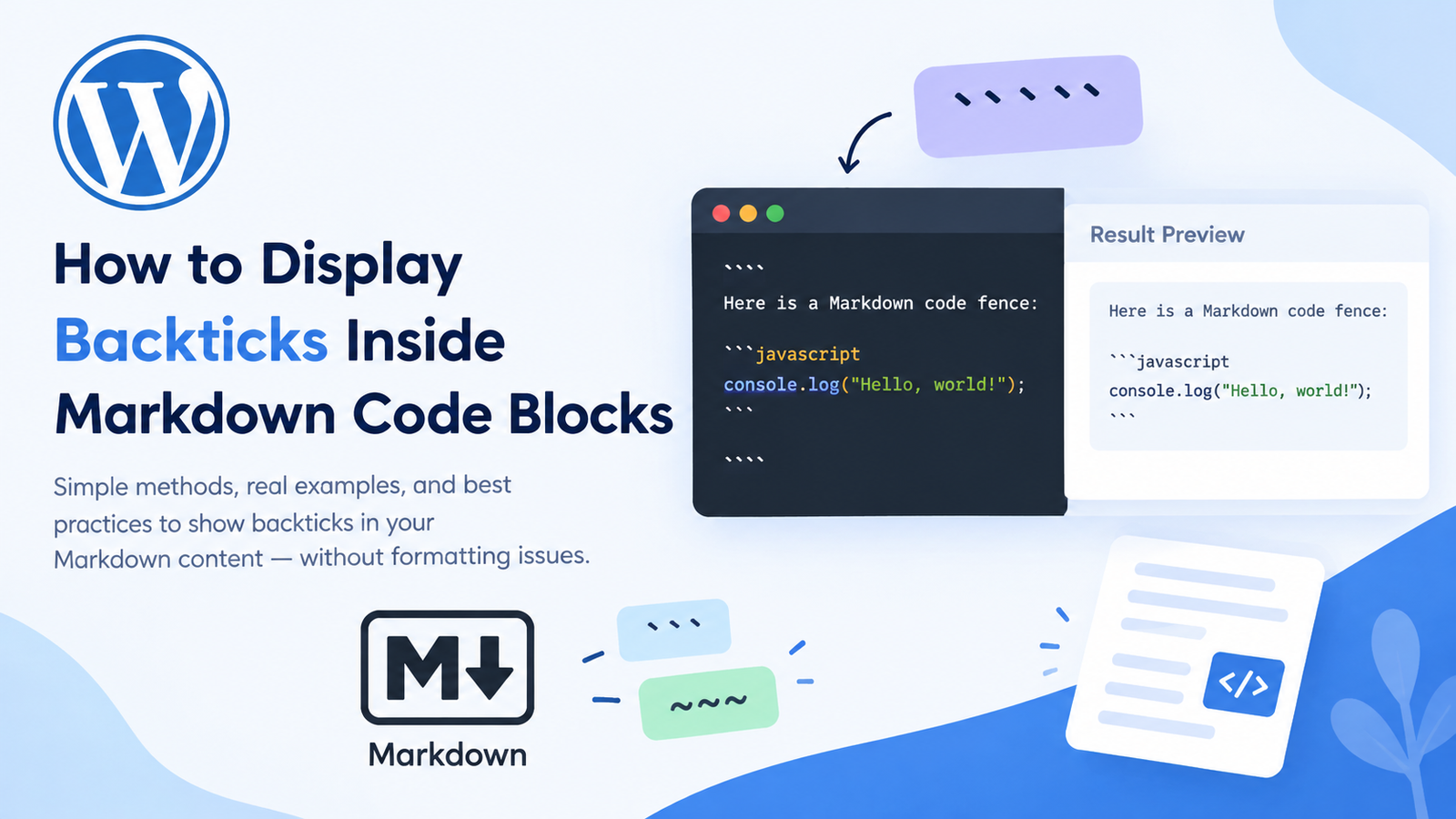
For instance, if you have three backticks in your inner example, you can have four backticks in your outer fence.
The following is the Markdown source:
Below is a Markdown code fence:
console.log("Hello, world!");The outer code block is enclosed in four backticks at the beginning and at the end. The inner example is not terminated with a triple backtick, and thus does not terminate the outer block.
The inner example Markdown is rendered as literal text:
Here is a Markdown code fence:
console.log(“Hello, world!”);
This technique is particularly handy for tutorials that describe the Markdown syntax, in which the Markdown in the inner example type cannot be altered.
How Many Backticks Do You Need?
Number of backticks required depends on longest possible/required sequence of backticks within your example.
For instance:
- If the content has three consecutive backticks, then use four or more outside.
- If it has four consecutive backticks, then it must have five or more outside the four backticks.
- When there are 5 consecutive ‘
’ in the content, use 6 or more ‘’ on the outside.
The basic guideline is that the outer fence should be longer than the longest run of backticks in the content.
When to consider longer fences?
Longer backtick fences are helpful when:
- Writing Markdown tutorials.
- Demonstrate Code Blocks with fences.
- Talk about Markdown formatting instructions.
- Documenting code examples within code examples.
- Defining and publishing technical guides with Markdown source code.
Hint: When picking the outer fence, first count the number of consecutive backticks in your example. This little trick can save your rendering from any problems.
Alternatively, you can use Tilde Fences rather than Backticks, as explained in method 2.
Another surefire method is to use tildes (~) to define the outer code block.
Markdown supports fenced code blocks, which are blocks of code that are preceded by at least three tildes. The outer block is given another character so you can put triple backticks inside it without having the delimiter conflict.
For example:
```markdown
Here is an example of a Markdown code block:

```javascript
console.log("Hello, world!");
```
```
In this instance, the outer code block is indicated with three tildes and the inner with triple backticks.
The output is rendered as text:
Here is an example of a Markdown code block:

```javascript
console.log("Hello, world!");
The benefit is that one doesn't have to worry about the number of backticks or adding more to the outer fence.

### What's the Point of Tilde Fences?

Tilde fences can be particularly useful when you have multiple blocks of Markdown code in your example, or when you want to retain the exact look of the original Markdown syntax.

This is a good way to do it when:

- Writing documentation about Markdown.
- Displaying code examples that are nested.
- Explaining how fenced code blocks work.
- Making tutorials that have multiple inner code fences.
- Maintaining an easily readable and maintainable Markdown source.

But, different platforms and renderers might have different support for Markdown features. Tilde fences are supported in most places but it is advisable to test the output in your publishing environment.

## Method 3: Display Individual Backticks with Inline Code

Sometimes it is not necessary to show all of the code in a code block. You may only want to show a single backtick character in a paragraph.

If this is the case, then inline code formatting is typically the easiest choice.

But, if you surround a single backtick with single backticks, you get a delimiter conflict. This can be achieved by wrapping the code with double backticks for inline code.

For instance the Markdown source is:

```markdown
`` ` ``
This shows only one backtick:
`
The two backticks on either side of the text indicate the ends of the code block, and the single backtick in the middle is rendered literally.
Show Backticks in a Sentence
Same trick can be used when describing the Markdown syntax in an article.
Now you may write, for instance:
If you want to show a literal backtick, then use double backticks on either side of it.
If you need to display a short text snippet that includes backticks, select an inline delimiter sequence that won’t interfere with the text.
This technique can be useful for:
- Explaining individual Markdown characters.
- Writing of short programming notes.
- Explain the Markdown syntax in paragraphs.
- Displaying commands or expressions that use backticks.
However, for longer examples, the fenced code blocks are easier to read.
If you have an extensive code snippet, you can use the longer delimiters for inline code.
The same as for fenced code blocks is true for inline code spans: use delimiters that don’t interfere with the content you are displaying.
When you want one backtick in your text, use two backticks in front of and after the backtick. If it includes two consecutive backticks then use three surrounding backticks (as long as the content is formatted correctly).
For instance, if you want to show a short expression with backticks, you can do so:
``Use `code` in your Markdown file.``The result after rendering is:
Use code in your MD file.
Single backticks around the code will be displayed as literal ticks in the code span because the outer pair of double-backtick delimiters are ignored.
Spaces in Inline Code
If necessary, it is possible to use spaces inside inline code delimiters. When the span starts and ends with spaces, a single space can be stripped out of each end of the text being displayed, depending on the content and renderer.
For example:
`` ` ``This is handy for itemizing single characters or for formatting rules.
The gist is that the opening and closing delimiters must be the same number of backticks, and the sequence cannot appear in the content to form the closing delimiter before the matching span is closed.
This quick guide outlines some common pitfalls for using backticks in Markdown.
Any one of these minor formatting issues could make part of a code example appear wrong. Knowing how to spot a common issue will mean that you do not have to troubleshoot the issue and waste time.
No.1: The fence length is the same in both the interior and exterior of the cage.
It is a common mistake to put triple backticks around an example of code with triple backticks.
A closing fence on the inner block can start the closure of the outer block of code.
Solution: Change outer fence to four backticks or change to tilde fences.
You may forget to Close the Code Block.
If you leave a code block fenced without closing it at the end, this could make the remainder of your article appear as code.
For instance, if an opening fence is encountered with no closing fence, the following headings, paragraphs, lists, etc., in the document will be impacted.
Fix it: Ensure that each code block with a fenced start has a matched fenced end. The closing fence must have the same skip character, and have the same or more skip characters than the opening fence.
3. Using Backslashes Unnecessarily
One other frequent error is to put backslash in front of backticks inside a fenced code block.
The backslashes will not be removed when a block of code is enclosed in ‘fences’ and normally (in most situations) the backslashes will be output literally.
The Solution: Don’t be needlessly running around in fenced areas. When content contains backticks that may be mistakenly ending the block, lengthen the outside fence.
4. Selecting outer fence that is too short.
If your example uses four backticks, but your outer fence uses four backticks, this inner fence might break out.
Solution: Select the longest run of a single delimiter character in the content, and select an outer fence that is longer.
That every Markdown Renderer is the Same.
Various platforms may have various Markdown implementations or extensions. Basic fenced code blocks are supported by all, and some cases with syntax highlight, whitespace and fenced are still in the fence might render differently.
How to fix it: Always test your Markdown on the site you are publishing it to. This is especially true for WordPress articles, documentation sites and tutorials explaining Markdown syntax.
Markdown Code Block Backticks Best Practices
To use Markdown in a useful way for example documents, try these tips:
- If an example includes triple backticks, then enclose it by quadruple backticks. There is a very easy and effective way to do this for nested code blocks.
- Even if it is required, opt for longer fences. The length of the outer fence cannot be shorter than any equal length sequence on the interior of the content.
- Use tilde fences when appropriate. These enable you to retain inner backticks unaffected.
- Take care to protect individual back tick char’s with double back ticks. This is very effective when using inline examples.
- Avoid unnecessary escaping. Backslashes are not usually needed inside fenced code blocks.
- Maintain open / close of fences as consistent. Keep the opener and closer delimiters the same and the closer delimiter must be long enough.
- Assign yourself a test on your rendering. Read your article first, before you publish.
- Keep examples simple. When explaining the Markdown syntax, show 1 rule per demonstration.
By following these guidelines, you will help write better Markdown documentation which will avoid any potential formatting issues.
Some answers to common questions for using backticks in markdown code blocks
How to use triple backticks inside a Markdown code block.
Wrap the outer set of fences around with four backticks. This means that the inner set of triple quotes will not terminate the outer set of quotes. Tilde fences can be used for the outer block as well.
2. Does tildes work for mark down code blocks?
Yes. Markdown allows you to use at least three tildes to fence in a code block. Tildes can be used for the outer block and backticks for the inner block, so can be convenient for an example of a nested markdown section.
3. How to show a single backtick in Markdown?
To use inline code delimiters, surround the code with double backticks with the single backtick character in between. This shows the character without considering it to be the closing delimiter.
4. In a fenced code block, does a backslash escape backticks or not?
The backslash is typically not needed in a “fenced” code block, as the contents of the block are interpreted as raw text. Generally, a backslash will be shown up as a regular character if it is included in the string.
5. How come my Markdown code block is closed prematurely?
It is easy to include a series of backticks in your content that triggers your codeblock’s end, causing premature code closure. To avoid such issues, make sure to use a longer outside fence or make the transition to tildes.
How many backticks can I use to make a mark down Code fence?
Three or more consecutive backticks can be used. If the content includes a set of backticks that might be the closing fence, then use another outer fence that’s longer than the inner one.
8. Do Markdown code blocks work as expected to enable “Markdown within Markdown”?
Yes. Put the Markdown between a pair of fences. The syntax will be displayed as text rather than being interpreted as title, link, emphasis or depth of contents, if the outer fence is set up.
8) How can you easily render nested Markdown code blocks?
Typically, you can use four backticks for the outer block when the inner block uses three backticks. Or use tilde fences for outer block, so that the inner and outer don’t clash with each other.
9. Is it possible to combine backticks and tildes in Markdown?
Yes. Backticks are to mark one code section while tildes mark another. Different fence characters come in particularly handy if there are examples of the former within the latter.
10. Backticks are appearing wrongly in my Markdown Article.
It can occur when the starting or ending fence is not provided, when there is no outer fence or when a fence delimiter sequence is misinterpreted by the Markdown renderer. Check the Markdown source code in the right side of the editor and preview the article in the left side to see the problem.
Final Thoughts
Now that you know how markdonw renders delimiters, it is much simpler to display backticks in the context of a code block.
In most cases, the easiest option is to increase the length of outer fence. Tilde fences are another safe fence; they will be used when you need to show only one backtick in line.
Use the approach that is most appropriate in your example, be consistent in open and close your fences and preview your work before showing it to someone.
These techniques will help you produce clear, accurate and professional Markdown documentation, sans breaking code examples by backticks.