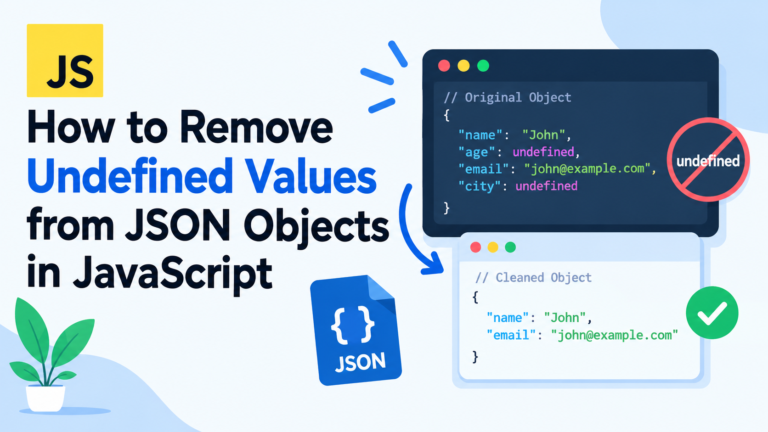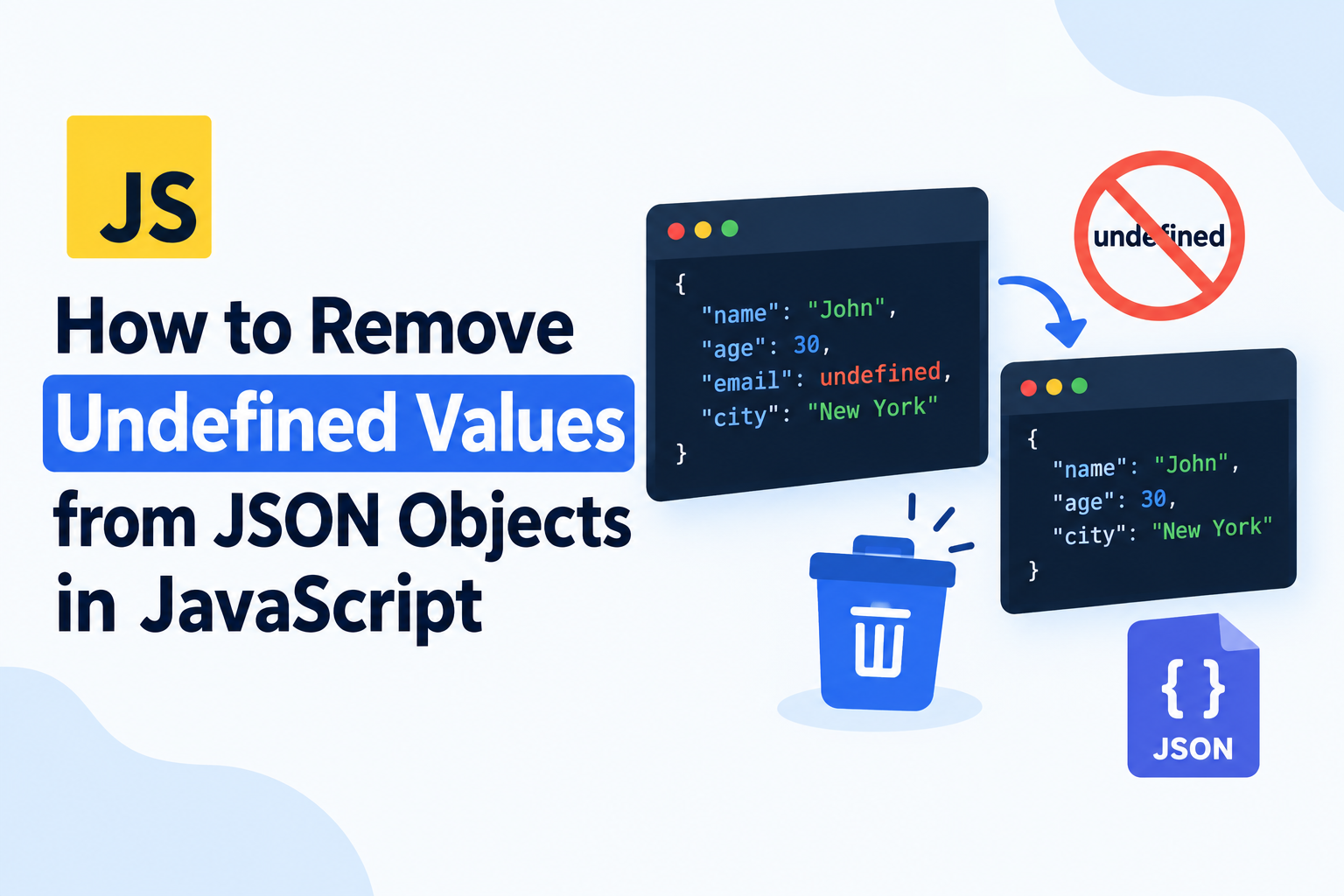
How to get rid of undefined values from JSON objects in JavaScript
In working with objects in JavaScript you will sometimes come across some object properties that have values undefined. These properties may produce surprising consequences when you transform an object to JSON, deliver data to an API or store data in a file. Knowing how to get rid of undefined values in JSON objects in JavaScript can help you provide clean, predictable and manageable data.
However, there are a number of ways of handling undefined values in JavaScript, such as: (1)JSON.stringify(), (2)delete, (3)Object.entries(), and (4)Object.fromEntries(). The answer will vary depending on the problem, whether you wish to delete undefined properties or retain them, or whether you need to deal with undefined properties in properties of other objects and in array elements.
In this guide, you will know how to remove the undefined values in JavaScript objects, how JSON serialization will treat the undefined values and some practical examples and avoiding some common pitfalls.
What does Undefined Mean in JavaScript?
In JavaScript, undefined is a primitive value that usually indicates that a variable has not been assigned a value or that an object property does not contain an explicitly assigned value.
For example:
const user = {
  name: "John",
  age: 30,
  email: undefined
};

console.log(user);
Output:
{
  name: "John",
  age: 30,
  email: undefined
}
This means that “email” is a property of the javascript object but does not contain a value.
This might be an issue while preparing data to use for an API call or if serializing the object to JSON.
In JSON, there is no such thing as a data value undefined. It can hold strings, numbers, boolean, null, array, objects and other valid JSON.
So, JavaScript treats undefined values differently in various parts of the JSON serialisation process.
Why You May Want to Clean Out Undefined Values in JSON Objects.
Cleaning up undefined data can support clean data for applications, APIs and databases.
Here are some instances why they need to be removed.
To ensure that API requests are clean.
Consider it a good idea to not be sending JavaScript objects to an API that have properties with no value.
For example:
const user = {
  name: "John",
  email: undefined,
  age: 30
};

const jsonData = JSON.stringify(user);

console.log(jsonData);
Output:
{"name":"John","age":30}Notice that the email field is not contained in the JSON string.
It does this because JSON.stringify() ignores any undefined value in an object’s property.
2. To prevent Surprising Data Management
Different apps may handle properties not specified as null differently than they handle properties that are actually null.
For instance, an API might assume that not providing an email means that the user does not care about changing the email, while email being valued “email: null”, it means that the user does want to clear it.
The elimination of undefined values ensure that you are able to control what your application sends.
3. To load data in the store.
When you store JSON data in local storage, a file, or other system, not having to worry about undefined data properties can simplify inspecting and dealing with the information.
4. To Make objects easier to Debug
That the resulting JSON string doesn’t contain these properties does not mean that they are not stored in the objects.
You may want to clean an object prior to serialization simply to better understand the properties that will be output.
JSON.stringify() and Undefined values
The easiest method of omitting undefined properties from output JSON is to use the handy provided function and object, JSON.stringify.
If a property is undefined, then it is not included in the JavaScript serialization.
Consider this example:
const product = {
  name: "Laptop",
  price: 1200,
  discount: undefined,
  category: "Electronics"
};

const jsonString = JSON.stringify(product);

console.log(jsonString);
Output:
{"name":"Laptop","price":1200,"category":"Electronics"}The JSON string doesn’t contain a discount property.
If you don’t want to delete the property, as you would if you just wanted to write JSON without needing to specify undefined object properties, manually, you don’t need to.
But keep in mind that the result of JSON.stringify() is a string. Does not delete the value from the original JavaScript object.
It is possible to verify this by verifying the original object:
console.log(product.discount);Output:
undefinedThe property is still present in the original object.
This approach can be used if the desired output is only clean JSON, and if the original object does not need to be changed.
Method 1: Using Object.entries() and Object. to remove Undefined Values.fromEntries()
You can use the combination of Object.entries(), filter() and Object.fromEntries() to create a new JavaScript Object without properties whose value is undefined.
Can be used when we want to pass a cleaned object to another function or to further process it.
Example
const user = {
  name: "Alice",
  age: 25,
  email: undefined,
  city: "London",
  phone: undefined
};

const cleanedUser = Object.fromEntries(
  Object.entries(user).filter(([key, value]) => value !== undefined)
);

console.log(cleanedUser);
Output:
{
  name: "Alice",
  age: 25,
  city: "London"
}
We removed the email and phone properties from the new object.
How This Code Works
This occurs in three stages.
Step 1: Object.entries()
Object.entries() returns an array whose elements are arrays. The resulting array contains one element for each own enumerable property of the object with properties whose names are strings, in the same order as you would see the keys in a for-in loop or via Object.keys().
Object.entries(user);Output:
[
  ["name", "Alice"],
  ["age", 25],
  ["email", undefined],
  ["city", "London"],
  ["phone", undefined]
]
Step 2: filter()
The filter() method only passes through those properties that do not contain the value undefined.
Object.entries(user).filter(
  ([key, value]) => value !== undefined
);
This will delete the record for email and phone.
Step 3: Object.fromEntries()
Finally, the data is converted back to an object with the Object.fromEntries() method.
const cleanedUser = Object.fromEntries(
  Object.entries(user).filter(([key, value]) => value !== undefined)
);
This yields a new object where the vector fields with undefined values are gone.
Is it a Modification of the Original Object?
No. This method creates a new object and leaves the original object unchanged.
console.log(user.email);        // undefined
console.log(cleanedUser.email); // undefined
console.log("email" in user);   // true
console.log("email" in cleanedUser); // false
Both property lookups result in undefined, but the property is only a member of the former.
This determination is crucial if you are dealing with application state or data that may still be required by the rest of your application.
Method 2: Undefined Properties with delete operator
The delete operator is used to delete a property of an object.
You can remove undefined-valued properties from the existing object, if you want to modify its value in-place, by using delete.
Example
const user = {
  name: "David",
  age: 28,
  email: undefined,
  city: "New York"
};

for (const key in user) {
  if (user[key] === undefined) {
    delete user[key];
  }
}

console.log(user);
Output:
{
  name: "David",
  age: 28,
  city: "New York"
}
email has been taken off the original object.
How It Works
The for…in statement iterates over enumerable string-keyed properties (those of the Object.prototype).
For this reason, when one only requires to process the object’s own properties then it’s better to use Object.keys().
This is the updated version:
const user = {
  name: "David",
  age: 28,
  email: undefined,
  city: "New York"
};

for (const key of Object.keys(user)) {
  if (user[key] === undefined) {
    delete user[key];
  }
}

console.log(user);
This version scans the object’s own enumerable string-keyed properties and deletes those that are undefined.
When to use the delete?
If you’re thinking of making a change to the original entity, use delete instead.
But be aware that modifying the original object may lead to issues in other parts of your application if the structure of the object is the basis for other operations within your application.
Alternatively, if you should preserve the original data, then inject the “Object.entries() and Object.fromEntries()” method.
Method #3: Using Array.filter() to Filter out Undefined Values
One way for cleaned object is to use Object.keys() or Object.entries() with filter() function.
Using the filter() method alone will not return an object. It’ll return an array, thus if you wish to search the array for a particular value, you’ll need to convert that value back to an object.
For example:
const settings = {
  theme: "dark",
  language: undefined,
  notifications: true,
  timezone: undefined
};

const cleanedSettings = Object.keys(settings)
  .filter(key => settings[key] !== undefined)
  .reduce((result, key) => {
    result[key] = settings[key];
    return result;
  }, {});

console.log(cleanedSettings);
Output:
{
  theme: "dark",
  notifications: true
}
How this Method Works
First, Object.keys() returns an array of string keys property names in the object.
Then only keys with keys whose values are not undefined are kept by filter().
Finally, the remaining keys+values are used to generate an object from them using reduce().
It can be used in cases where you don’t want to use Object.fromEntries(), but is a bit messier to use than the more contemporary alternative.
You can also remove Undefined values from Nested Objects.
In the real world, the JS data will often be nested.
For example:
const user = {
  name: "Emma",
  contact: {
    email: undefined,
    phone: "123456789"
  },
  address: {
    city: "Paris",
    country: undefined
  }
};
Simple top-level filtering approach is used to strip properties out of user but not from properties contained in contact or `address.
A recursive function is used for nested object.
Example: Recursive Undefined Removal
function removeUndefined(obj) {
  if (Array.isArray(obj)) {
    return obj.map(removeUndefined);
  }

  if (obj !== null && typeof obj === "object") {
    return Object.fromEntries(
      Object.entries(obj)
        .filter(([key, value]) => value !== undefined)
        .map(([key, value]) => [key, removeUndefined(value)])
    );
  }

  return obj;
}

const user = {
  name: "Emma",
  email: undefined,
  contact: {
    email: undefined,
    phone: "123456789"
  },
  address: {
    city: "Paris",
    country: undefined
  }
};

const cleanedUser = removeUndefined(user);

console.log(cleanedUser);
Output:
{
  name: "Emma",
  contact: {
    phone: "123456789"
  },
  address: {
    city: "Paris"
  }
}
The function strips the object of properties whose values are undefined at each level.
It also recursively processes arrays, useful if nested objects are among their elements.
Understands the recursive function
So first the function will check to see if the array passed is an array.
if (Array.isArray(obj)) {
  return obj.map(removeUndefined);
}
The function works recursively for each element of the array if value is an array.
It then tests if it is an object, and if so, not null.
if (obj !== null && typeof obj === "object")The null check is significant because, JavaScript returns the typeof null as object.
Then, the function accesses the enumerable string-keyed properties of the object using Object.entries(), removes all the occurrences of undefined, and recursively handles the rest of properties.
Lastly, primitive values and the value of null are returned unaltered.
Note: This function does not modify the passed object and/or array, but makes fresh ones. It is designed for regular data objects and arrays—not all types of JavaScript objects. Some objects like Date, Map, Set and class instance and objects with special prototypes may require different processing.
Remove Undefined Values from Arrays (Method #5)
While an undefined value works like a null value inside an object, it is considered a true value inside an array.
Consider this example:
const data = {
  name: "John",
  scores: [10, undefined, 20, undefined, 30]
};

console.log(JSON.stringify(data));
Output:
{"name":"John","scores":[10,null,20,null,30]}Undefined elements of an array are serialized to the null value, unlike other undefined values of object properties.
To filter out any undefined values from an array, you can use filter().
const scores = [10, undefined, 20, undefined, 30];

const cleanedScores = scores.filter(
  value => value !== undefined
);

console.log(cleanedScores);
Output:
[10, 20, 30]This will only take out undefined values.
What If Null Values are in the Array?
The following code will keep the value null:
const values = [10, undefined, null, 20];

const cleanedValues = values.filter(
  value => value !== undefined
);

console.log(cleanedValues);
Output:
[10, null, 20]It’s usually better because null could be used to indicate that the value is deliberately empty.
Consider avoiding the use of filter(Boolean) if you only want to drop undefined value.
For example:
const values = [0, false, "", null, undefined, 10];

console.log(values.filter(Boolean));
Output:
[10]This eliminates over undetermined values. Also filters out 0, false``, an empty string and null`.
When there is a need for precise behavior, use an explicit comparison.
Additionally, you can also remove undefined values before sending JSON to an API using Method 6 in this case.
One typical use case is preparing an object prior to sending it to a server.
For example:
const userData = {
  name: "Sophia",
  email: undefined,
  age: 26,
  city: "Toronto"
};

const cleanedData = Object.fromEntries(
  Object.entries(userData).filter(
    ([key, value]) => value !== undefined
  )
);

fetch("/api/users", {
  method: "POST",
  headers: {
    "Content-Type": "application/json"
  },
  body: JSON.stringify(cleanedData)
});
The cleaned object does not have an undefined property called email when it is to be serialized.
The body of the request includes:
{
  "name": "Sophia",
  "age": 26,
  "city": "Toronto"
}
You may have noticed that we don’t have to worry about undefined-valued attributes of objects when calling JSON.stringify.
Explicitly cleaning the object may be helpful, however, if other parts of your application may need the cleaned version of JavaScript Object before serialization.
In production code, be sure to detect and respond to network failures and improper HTTP connections.
Method 7: Use a JSON.stringify() Replacer Function
You can also control stating and serializing JSON data with the replacer parameter in JSON.stringify():
A replacer function can be used to examine property values and decide if they will be added to the output.
For example:
const user = {
  name: "Michael",
  email: undefined,
  age: 32,
  address: {
    city: "Berlin",
    country: undefined
  }
};

const jsonString = JSON.stringify(
  user,
  (key, value) => value === undefined ? undefined : value
);

console.log(jsonString);
Output:
{"name":"Michael","age":32,"address":{"city":"Berlin"}}In the case of Object properties, if a replacer returns undefined then the property will not be included in the resulting JSON text.
In this case, however, the ordinary JSON.stringify() also does not include undefined-valued object properties, giving no benefit to this particular replacer.
This is where the replacer can be useful when you have multiple rules to apply while serializing, such as replacing selected key names, or some of the selected values.
For example:
const user = {
  name: "Michael",
  password: "secret",
  email: undefined,
  age: 32
};

const jsonString = JSON.stringify(
  user,
  (key, value) => {
    if (key === "password" || value === undefined) {
      return undefined;
    }

    return value;
  }
);

console.log(jsonString);
Output:
{"name":"Michael","age":32}This includes exception of undefined valued properties, i.e. excepts password property.
Note that the properties that are not included in the serialized output will not be removed from the original object.
In addition, you cannot use this mechanism to deny access to a field in a JSON string as a replacement for proper security controls and authorization.
Undefined vs Null: What Are the Differences?
It’s important to recognise the distinction between undefined and null when performing object cleaning in JavaScript.
| Feature | undefined | null |
|---|---|---|
| Value is undefined or not there in some contexts | The value is deliberately missing in some contexts | |
| Elements that are not single-quoted | No | Yes |
| Object serialization | Property is omitted by default | Property is included |
| when the element is not defined | when the element is not defined | |
| Can only be determined indirectly | value !== undefined | value !== null |
Suppose the following scenario:
const user = {
  name: "Olivia",
  email: undefined,
  phone: null
};

console.log(JSON.stringify(user));
Output:
{"name":"Olivia","phone":null}email not included, but phone still included.
This can be significant for using forms, APIs, database updates, and partial updates.
Removing null values may alter the results of your request if the API takes null values to be an instruction to remove a value. Never deviate from the data structure expected to be the API.
When removing undefined values, the following are common mistakes:
Although the process to remove undefined values is rather simple, there are some common errors that can result in some weird behavior.
This is the mistake most often cited as the primary reason against using JSON.stringify()
In this code the list of properties to be removed from the JavaScript object is omitted:
const data = {
  name: "John",
  age: undefined
};

JSON.stringify(data);

console.log("age" in data);
Output:
trueThe method JSON.stringify() will generate a string in the JSON format. Does NOT clean the original object.
2. Using filter(Boolean)
As noted previously, filter(Boolean) does not just remove undefined values, it removes all falsy values.
This can unintentionally strip valid values: zero, false and empty strings.
Use this instead:
values.filter(value => value !== undefined);Note: only the top level object is cleaned.
A top-level filter will not ignore undefined properties of embedded objects.
If you have nested objects in your data, either call a recursive function, or clean each nested object individually.
4. Ignoring Items of an Array are not Independent of Each Other
Object properties that are not defined are omitted from JSON serialization; Array elements are not defined are serialized as ‘null’.
If you need to get rid of undefined elements in arrays altogether, filter arrays before serialization.
5. Unintentionally Deleting Null Values.
In other cases developers may wish to exclude any empty values and therefore reject both undefined and null.
That isn’t always the right thing to do.
Unless your needs explicitly require it, don’t convert a null value to something else if it substantially means something in your application.
6. Unintentional changes to the Original object
The use of delete alters the original object.
Use a method which creates a new object to preserve the original data if required.
Which Method to use?
There are several approaches to achieve your desired results.
| Requirement | Recommended method |
|---|---|
| Converts an object to a JSON string (ignoring the undefined properties) | JSON.stringify() |
| Remove any properties that are not defined | Object.entries() + filter() + Object.fromEntries() |
| Deletes the original object from memory; that is, it is no longer available for use. | |
| Recursive function | Clean nested objects recursively |
| Filters out “undefined” array values | |
| Skips selected properties when stringifying | replacer for JSON.stringify() |
Clearly, for most modern JavaScript apps, we can use Object.entries(), filter() and Object.fromEntries(), and it will yield a cleaned object.
When only a JSON string is required, the easiest thing to do is typically to call JSON.stringify() directly.
It makes it easy to remove the values that are not defined in JavaScript.
Here are some practices to ensure your data handling is always predictable:
If you need to convert an object to a string, but you don’t need to handle any processing, then use JSON.stringify.
- When removing undefined values, but not other ‘falsy’ values, use value !== undefined.
Keep null as long as it is not required by your needs to remove it. - When undefined value may be found in nested objects and arrays, recursive processing may be used.
Do not try to change the original object if this was not wanted.
Test your cleaning function on empty entities, on arrays, on nested entities and on mixed entities.
Notice that, like symbols, functions will not be encoded as value properties of objects by JSON.stringify() either, and are processed a bit differently when giving them to JSON.stringify() as array elements. - obey API’s guidelines for missing properties, null, and partial updates.
- Clean and validate data as two different stages.
These practices will help avoid some unsuspecting bugs when preparing JavaScript data for its JSON serialization.
Frequently Asked Questions (FAQs)
Q1. How to get rid of undefined values in a JSON object in JavaScript?
Use Object.entries(), filter and Object.fromEntries() to make an object with no undefined properties.
const obj = {
  a: 1,
  b: undefined,
  c: 3
};

const cleaned = Object.fromEntries(
  Object.entries(obj).filter(
    ([key, value]) => value !== undefined
  )
);

console.log(cleaned);
Output:
{ a: 1, c: 3 }- When you wrap your object in JSON.stringify(), does it automatically remove undefined values?
Yes, JSON.stringify() omits the properties of the object which have undefined values.
For example:
JSON.stringify({
  name: "John",
  age: undefined
});
Output:
{"name":"John"}But the original object is not changed.
- How can I exclude undefined values of a nested JS object?
Write a recursive function that will visit each of the nested objects and arrays. Recursive remove of object properties can be done that are not defined throughout the structure of an object, instead of simply cleaning the top level.
Ensure that your function has the right kind of objects for your application.
- How to clear out an array from undefined values?
Apply the filter() method.
const arr = [1, undefined, 2, undefined, 3];

const result = arr.filter(value => value !== undefined);

console.log(result);
Output:
[1, 2, 3]undefined and null – what’s the catch?
The difference between null and undefined is that null is an empty value, while undefined is an unknown, or unassigned, value. Serialization of JSON excludes properties in an object that are not specified with values, but not properties that have been specified to be null.
Only values which your application deems unnecessary should be deleted.
- Undeined value, is it possible to remove without changing in the original object?
Yes. Use Object.fromEntries(), and remove entries with undefined values.
This way, you will get a copy of the original object, eliminating its unwanted property while maintaining the original properties.
- Will filter(Boolean) strip out undefined values?
Yes, but other falsy values like 0, false, “” and null are also removed.
To filter out undefined values, you can use filter(value => value !== undefined).
- Do I need to exclude undefined data before passing data to an API?
This depends on your needs, but JSON.stringify() is already doing this for any object properties with undefined values. Sometimes, it is useful to explicitly clean the object, such as if the cleaned javascript object has to be used for serializing, or the same data-cleaning rules should be consistently applied.
Be aware of the receiving API’s parsers semantic on dealing with nulls and missing fields.
- Is it possible to have undefined values in JSON?
undefined is not the valid JSON value. Objects in JavaScript can have undefined values for properties, but the properties are not necessarily serialized when that occurs. If an element of an array is undefined, the element is serialized as the PHP 5.5 literal null.
- How do you do to remove properties in JavaScript that aren’t already there?
For purposes of only getting the content back in a JSON format, use JSON.stringify(). To clean JavaScript object, use Object.entries(), filter(), and Object.fromEntries().
Depending on whether you are looking for a JSON string, a new object, or modification to an existing object, select either method.
Key Takeaways
A property in a JSON object cannot be undefined as they are in a JavaScript object.
Properties of objects that have undefined values are automatically skipped by JSON.stringify.
A simple solution is Object.entries(), Object.fromEntries() and filter() to create a new object that contains no undefined properties.
- delete will delete the undefined properties from the original object.
If you need to remove undefined values at every level, then this nested object will need recursive processing.
Elements of undefined array are set tonullwhen array is to be serialized to JSON, usefilter()if you wish to remove such elements.
Use/Bypass filter(Boolean) when value should be retained, such as a 0 or false, or empty strings or null.
When creating API requests, be mindful of the difference betweenundefinedandnull.
Select a cleaning method appropriate for the application and to maintain the interpretation of the data.
It is a simple but very useful data-cleaning technique to remove undefined values from JavaScript objects. Knowing the way JSON serialization works (and what method to use for your use case) gives you a strategy for creating cleaner JSON output, prevent any surprises, and dealing with app data in a reliable way.