Understanding why one might need additional backslashes in a regular expression in JavaScript / JSON
The use of regular expressions (regex) for matching, searching, validating, and replacing text has powerful capabilities. In use in JavaScript applications, APIs, in configuration files and JSON based systems. One common problem, however, that developers may encounter is that a regex pattern may require additional backslashes to function properly.
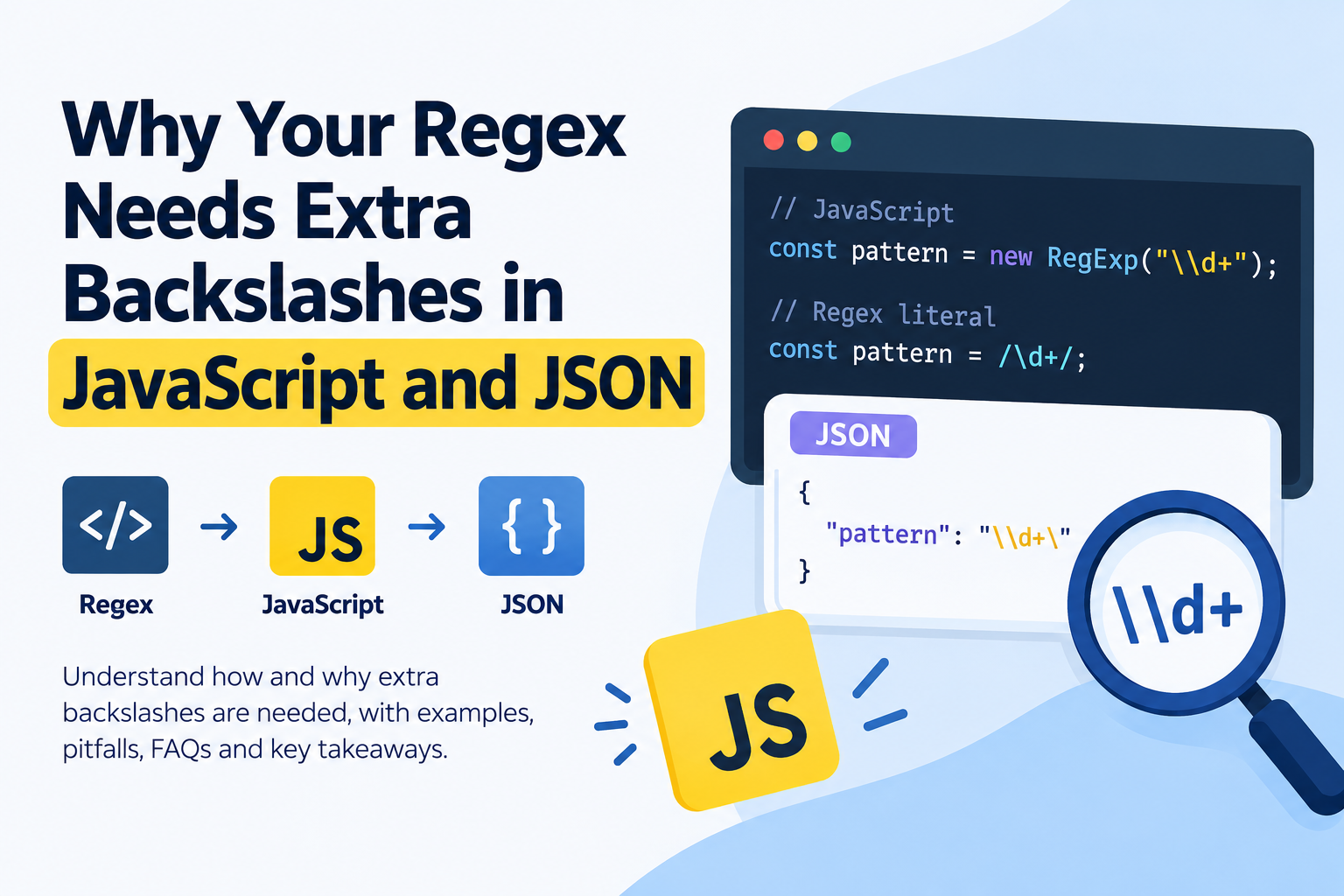
For instance you can match a number with the regex pattern \d+. If you use the same pattern within a JavaScript string, you might need to use "\\d+". As part of the JSON string, the backslashes need to be escaped as well.
Why is it that this happens? The answer is it takes differently depending on the platform: JS strings, JS regexp’s, and JSON standalone have their own way to interpret special characters. The backslash may be significant to more than one of these layers, and the number of backslashes required is dependent on the pattern your pattern is written in, and where your pattern is stored.
This tutorial will cover the need for regeneration of backslashes with regex in JavaScript and JSON, show how backslashes are escaped in various scenarios, highlight some pitfalls, and demonstrate the proper way to create regex patterns safely and correctly.
Regular Expressions: What does a backslash do?
The backslash (\) is special character in the regular expressions. Can alter the interpretation of the succeeding character, to make specific matching rules.
Some examples of these include: the digit \d, the word character \w (in many regex modes) and the whitespace pattern \s.
Consider these examples:
\d+is for one or more digit.\w+matches one or more word characters.
The patterns are as follows: \s' matches whitespace characters, and \s+ matches one or more whitespace characters.
\.matches a literal period and not the pattern wildcard.\\represents a literal backslash.
Some characters have different meaning if not preceded by the backslash. To match any other single character except line terminators, you can use a period (.) in a JavaScript regex. In order to match an actual period you need to escape it, using the pattern: \..
The backslash hence helps to clarify the difference between the regular expression operator and literal character.
It’s a pity though that a regular expression is embedded within a string or a JSON structure in JavaScript. Additionally, the same character can be escaped more than once since these formats recognize backslashes.
Why sometimes you need extra backslash in JavaScript!
There are two common methods for making regular expressions in JavaScript: using a JavaScript regex literal and using the RegExp() constructor.
This distinction is the reason why some patterns need additional backslashes and some don’t.
2. Using a Pattern Literal
A regex literal is specified by a pair of forward slashes.
For example:
const pattern = /\d+/;

console.log(pattern.test("123")); // true
console.log(pattern.test("abc")); // false
In this case, \d+ is treated as a pattern. It is not treated as a normal string by JavaScript.
That’s because there’s only one backslash needed in front of d.
Regex literals are probably the easiest option to use, if you know a pattern beforehand and you never need it to change.
Let’s discuss the RegExp() Constructor.
The RegExp constructor takes a string as argument that defines the pattern.
For example:
const pattern = new RegExp("\\d+");

console.log(pattern.test("123")); // true
console.log(pattern.test("abc")); // false
Notice the two backslashes used in the string: "\\d+".
This is required since JavaScript does pre-processing on the string before passing it to the regular expression engine.
A double backslash (\) in the middle of a java script string is treated as a single backslash. Once the string is processed by the javaScript, the regex engine gets \d+.
The process is as follows:
- The string
"\\d+"is read by JavaScript. - The string parser will convert
\\to a single backlash. \d+is sent to the regex engine.- The regexp engine sees
\das the digit character class.
Different lookups generate the same pattern in both examples; the difference is in the source code, due to the fact that the pattern undergoes varying phases of parsing.
3. What if you use a single backslash?
Consider this example:
const pattern = new RegExp("\d+");

console.log(pattern.test("123"));
This may appear to be a correct code, but does not produce the desired digit-matching pattern.
The string “\d” is not recognized as a string escape in a JavaScript string. In this instance, JS sees the backslash as redundant and the string would simply be: “d+”.
The text d+ is thus sent to the regex engine to match one or more letters d rather than one or more digits.
Here are a few examples to show the difference:
console.log(new RegExp("\d+").test("ddd"));   // true
console.log(new RegExp("\d+").test("123"));   // false

console.log(new RegExp("\\d+").test("123"));  // true
All in all, there is a very simple lesson to take from this lesson: If you are going to use a string to create the pattern for a regular expression, escape every backslash so that the regex engine gets the pattern you have in mind.
Extra Backslashes are Necessary for JSON
JSON adds another level of escaping. The backslash must be used in accordance with json’s string escaping conventions if one stores a regex pattern within a json string.
JSON strings allow using escape sequences like \", \\, \n and \t which are always preceded by backslashes. Unsupported escape character in a JSON string with a backslash before it makes the JSON string invalid.
This is not a valid JSON, for instance:
{
  "pattern": "\d+"
}
The issue is \d is not a valid JSON escape.
To represent the regex pattern \d+, you must escape the backslash in JSON:
{
  "pattern": "\\d+"
}
Having parsed the JSON, the resulting string includes the chars \d+, which can then be handed to the regex engine by javaScript.
For example:
const json = '{"pattern":"\\\\d+"}';
const data = JSON.parse(json);

const pattern = new RegExp(data.pattern);

console.log(pattern.test("123")); // true
The JavaScript source string contains four backslash characters because the two backslashes in the JSON text must be represented by four backslashes in the source string.
Let’s break down the layers:
- The JavaScript string parser will escape
\\\\to\\. - The JSON parser converts the JSON text’s
\\into\. - The resulting string contained in JavaScript is
\d+. \d+is would be considered one or more digits by the regex engine.
That’s part of the reason many backslashes are required when writing and using regex patterns in JSON within JavaScript source code.
JSON Text is NOT JavaScript Strings!
It’s important to note that it’s not the same thing as a JavaScript string that holds JSON text.
A JSON document may consist of:
{
  "pattern": "\\d+"
}
However, this whole JSON document as a JavaScript string, requires the backslashes to be escaped once more:
const jsonText = '{"pattern":"\\\\d+"}';When the JSON comes from a file or via an API you don’t usually have to double quote the value after you’ve been given the double quoted JSON.
For example:
const data = JSON.parse(jsonText);

console.log(data.pattern); // \d+
After parsing, use the resulting string in javaScript, and do not count the characters in the source string in JSON.
The concept of the various ‘escaping layers’ should be understood.
The best method to grasp extra backslashes is to determine how many parsers are handling your pattern.
The no.1 question folks have is: Regex Literal or JavaScript String or JSON?
Take a look at a regexp to match one or more digits.
| Context | Representation |
|---|---|
| Regex literal | /\d+/ |
| JavaScript string | "\\d+" |
| string values that represent a JSON number in a JSON document | "\\d+" |
| JavaScript string containing JSON text | "{\"pattern\":\"\\\\d+\"}" |
This representation will vary according to the context. In particular, the last example features a JavaScript string which is run as a full JSON string, therefore escaping of the JSON quotes and backslashes for the JavaScript string is needed.
Another such example is this one that includes a literal period.
| Context | Representation |
|---|---|
| Regex literal | /\./ |
| Evaluate as a RegExp | new RegExp("\\.") |
| Regex to be matched in json property; | |
| JavaScript string containing JSON text | "{\"pattern\":\"\\\\.\"}" |
regex engine requires \. to match a literal period. That backslash has to be retained by the string orjson parser, so the pattern could be processed by the regex engine.
An easy formula to follow
The escaping rules are different for each individual layer.
- Regex escaping is responsible for telling the regex engine what is a special character.
- The JavaScript string escaping specifies backslashes and other characters in strings.
- JSON escaping defines the representation of strings in JSON document.
- An extra layer may be added with the embedded of json inside a Windows string (known as source escaping) in JavaScript.
Avoid the random use of backslashes. Rather, find out which representation each parser is looking for!
How to Match a Literal Backslash
One of the most obvious examples of the challenges of escaping is matching an actual backslash.
The backslash in the syntax of regex is a special character. To match a literal backslash, you usually have to escape it in the regex pattern, and escape it when you’re putting it in your Java code:
\\In javascript, if you’re using a regex literal, you can write:
const pattern = /\\/;

console.log(pattern.test("folder\\file")); // true
In the source representation of string, there are four backslashes if you use the RegExp() constructor.
const pattern = new RegExp("\\\\");

console.log(pattern.test("folder\\file")); // true
Why four?
- The JavaScript string parser escapes
\\in string literals to\\. \\is considered to be a literal backslash by the regex engine.
When the same pattern is stored in JSON, the value to return must be a JSON string that contains two backslashes/double quotes for the resulting string. That is, four backslashes appear in the JSON text:
{
  "pattern": "\\\\"
}
If you enclose this entire JSON file with JavaScript string quotation marks, then you’ll need to escape the backslashes inside the JSON string once more.
How to Avoid Double-Escaping Problems
It can be as baffling having extra backslashes as it can be having too few. If over-escaped the pattern may be changed so it would match with the wrong text.
The most sensible way would be to determine the last string to end up at the regular expression processor.
1. Use Regex Literals for patterns which are not going to change.
If you know the pattern in advance, then a regex literal is more likely to be readable.
const emailPart = /\w+/;
const numberPart = /\d+/;
const escapedDot = /\./;
No escaping of the strings is necessary in these patterns.
But, if the pattern needs to be dynamically built from user inputs or other variables in Java, then we can’t use regex literals.
Combine RegExp() with Dynamic Patterns
Use the constructor in the construction of a pattern from a string.
const patternText = "\\d+";
const pattern = new RegExp(patternText);

console.log(pattern.test("2026")); // true
Note that the string is different from the regex. Must use backslash as the regex engine requires.
Check that the resulting string meets the requirements.
When a pattern does not match a string, examine the string passed to RegExp().
const patternText = "\\d+";

console.log(patternText);
console.log(JSON.stringify(patternText));

const pattern = new RegExp(patternText);

console.log(pattern);
These outputs are used for differentiating between the actual string and escape representation of string.
JSON.stringify() returns a string, escaped in a JSON-compatible way. Its output could thus contain more backslashes than the original string seems to contain when it is printed directly.
As part of the initial data processing, the JSON will be parsed prior to performing the needs analysis.
If it’s part of a JSON scraped response, then first parse the JSON, and then build the regex.
const jsonText = '{"pattern":"\\\\d+"}';

const config = JSON.parse(jsonText);
const pattern = new RegExp(config.pattern);

console.log(pattern.test("456")); // true
This is more intuitive than having to convert a JSON text at some given point in time to a regex pattern for parsing.
Don’t allow users to repeatedly escape from the system manually.
Don’t keep on adding backslashes until the pattern seems to work.
Write the desired regex first, however, and then figure out what to write in each layer.
For instance, the JavaScript string needs to be ‘ “\d+”‘ if the regex engine requires “\d+”. If the same pattern is encoded as a string value in a JSON object, then the JSON text will also contain the pattern string "\\d+". If this JSON representation is used in a JavaScript source containing embedded JSON, it must be further escaped.
This method is more reliable than guessing.
Most frequent pitfalls in escaping regexp in Javascript and JSON
There are number of common pitfalls that can cause a seemingly valid regex to fail.
Mistake #1 — JavaScript’s Single Backslash in a string:
Incorrect:
const pattern = new RegExp("\d+");Correct:
const pattern = new RegExp("\\d+");The correct version keeps to backslash for the regex engine.
Mistake #2: Usin’ Improper JSON Escape Sequences.
Incorrect:
{
  "pattern": "\w+"
}
Correct:
{
  "pattern": "\\w+"
}
The backslash needs to be escaped because \w is not valid as an escape sequence in JSON.
Mistake 3: Mixing-up Regex-Escaping and String-Escaping
Pattern: . means exactly the same as the char . In JavaScript, the pattern represented by the string "\\." is .
You can get clogged up if you mix up the two layers, either given exactly the same character or by producing an invalid pattern.
Mistake 4 – Avoid parsing already-parsed pattern
If an API returns a parsed JavaScript object, then the string values have already been JSON parsed.
For example:
const config = JSON.parse('{"pattern":"\\\\d+"}');

console.log(config.pattern); // \d+
Don’t assume that the string returned can’t also be escaped. The decision as to whether or not there is a need for an escape is dependent on the intended use of the project.
Mistake #5: Creating a Regex Pattern From Untrusted Input
What happens when you want to search for a given word supplied by the user as an exact match and not as a regex pattern? Some special characters (like ., +, ?, (, and [`) alter the meaning of the regular expression.
This code, for instance, is interpreted as regular expression:
const userInput = "a.b";
const pattern = new RegExp(userInput);
It matches a.b but it can also match axb as the period is a regex wildcard.
If the input needs to be matched literally, make sure to escape it before forming the regex. If it is available (which is the case in modern JavaScript environments), RegExp.escape() was meant for this:
const userInput = "a.b";
const pattern = new RegExp(RegExp.escape(userInput));

console.log(pattern.test("a.b")); // true
console.log(pattern.test("axb")); // false
If you want to support older runtimes, look to your intended JavaScript targeting environment for RegExp.escape() support.
Real-life Regex escapes!
Let’s take a look at some common patterns and how they can be represented.
Matching Numbers
Regex pattern:
\d+JavaScript regex literal:
const pattern = /\d+/;JavaScript string:
const pattern = new RegExp("\\d+");JSON:
{
  "pattern": "\\d+"
}
Copying a File Extension.
To match a name that has a literal part with the extension .txt:
const pattern = /\.txt$/;

console.log(pattern.test("notes.txt")); // true
console.log(pattern.test("notesxtxt")); // false
Using the constructor:
const pattern = new RegExp("\\.txt$");The period is escaped and the JavaScript string’s also escaping the backslash.
To match a URL Query Params Separator
The ‘?’ is a special character when using regex. Escaped question mark is necessary to match a literal question mark.
const pattern = /\?/;

console.log(pattern.test("https://example.com/?q=test")); // true
Using a string:
const pattern = new RegExp("\\?");Other metacharacters – parentheses, square brackets and braces, plus, asterisk – work on the same basis.
All the tips and tricks you need to work with Regex in JSON and JS.
Here are some practical tips on how to create patterns that are easier to work with!
- If the pattern does not have to be dynamically created, use regex literals.
- When pattern needs to be built from strings or configuration values, use RegExp().
- i.e. to escape backslashes correctly, do so for the layer that is containing the pattern.
- Don’t attempt to use the JSON contents to create a regex without validating.
- Don’t check the number of backslashes in the original source.
- In these cases use RegExp.escape(), given that it is supported.
- Do not use same escape value repeatedly by hand, without knowing the current value of the selected escape.
- Try with normal values and edge cases and also with characters that serve special purpose in reading regular expressions.
- When using regex patterns in configuration files, ensure that they are clearly documented and there is a description for what they are doing.
If you understand the different syntactical approaches between regex, string and JSON, the debugging will be much easier.
FAQs
In JavaScript, why is there a need for additional backslashes in a regex pattern?
Some characters in the pattern require additional backslashes, because javaScript strings use backslashes as escape characters, before the regexp engine receives the pattern it has to try to figure out which characters are escaped and which are not. For instance, "\\d+" will get translated into \d+, which allows the regex engine to match 1 or more digits.
Why is it that JSON must use double backslashes in pattern for regex?
JSON will need backslashes to denote special characters in strings. Note that \d is not a valid JSON escape sequence, to get a single backslash in the string you get when the text is parsed, you need to write \\d.
3. What is the difference between /\d+/ and new RegExp("\\d+")?
Both write a regular expression that will match 1 or more digits. Note that the code regex litteral /\d+/ is taken as a regex literal, but new RegExp(“\d+”) is first parsed as a JavaScript string.
4. How many \ are used to display a single ?
A single backslash is required in general to match one backslash in a pattern. When you pass a string to RegExp(), the string in JavaScript needs to contain four backslashes, but the regex engine will interpret it as 2 so you must write \\ in the string in JavaScript.
5. Is there a way a regex can break with too many backslashes?
Yes. The presence of additional backslashes may alter the meaning of the pattern or whereas it might match a thing that you did not expect. Always verify actual string passed to the regex engine; event number of backslashes in source code.
6. Which is better, a regex literal or the RegExp() constructor?
Pass a regular expression literal if the regular expression pattern is a constant string. Use the RegExp() constructor for dynamically created patterns, string passed in as a configuration value, or received as a string.
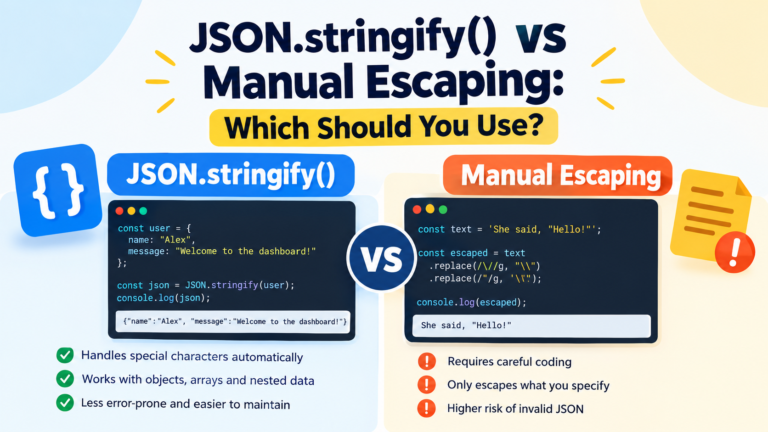
7. Is regex pattern escaping done by JSON.stringify()?
The JSON.stringify( ) method can be used to convert a JavaScript value to a JSON string, escaping variables as necessary for JSON string syntax. It is convenient for looking at the string representation of a regex pattern, but does not automatically entail making the construction of an arbitrary regex safe.
8. How can I attempt to debug my regex pattern (that is inside of an JSON)?
First of all: Parse the JSON; then: Check the string you got; then: Make the regex; then: Test with representative inputs. This identifies if there is an issue with the JSON syntax itself in the file or parsing the JavaScript string into the regex.
9. Do all regex special characters need to be escaped?
No, only those characters need to be escaped in the specific regex context that have special meaning and you want to match them literally. The specifics of the rules vary between character, character location, and the syntax of the regex.
10. How about sanitizing user input and escaping a regex?
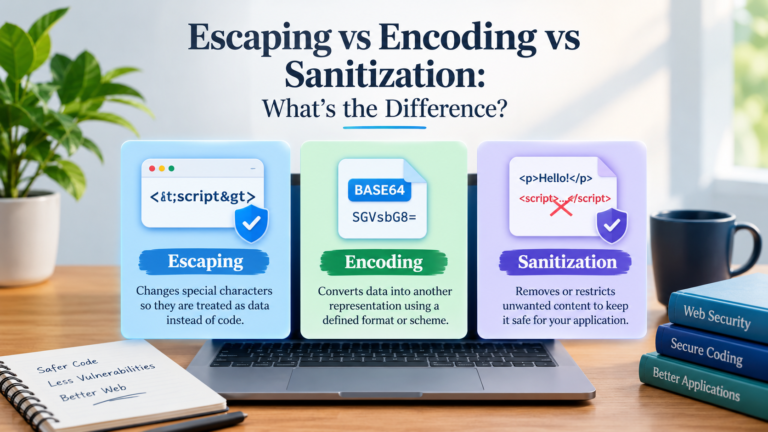
No. They do different things — escaping a pattern, and sanitizing input. A way of ensuring text is interpreted literally in a Regex. It’s important to note that input validation, HTML escaping, and other security measures are not the same things and don’t apply in the same situations.
Key Takeaways
The backslash is used to assign a special meaning to the character that follows it and/or to match the literal metacharacter that follows it in Regex.
- It uses string literals in JavaScript, which means backslashes are processed prior to the pattern being passed to the regex engine.
- A regex literal like /\d+/ requires less backslashing than a string argument to RegExp().
- Note that in JSON, backslashes are escaped within string values, e.g. a regular expression pattern of
\d+is written as\\d+in a JSON string. - When JSON is escaping inside a JavaScript string, the escaping is doubled.
- You will need to control the escaping of the backslashes when matching literal backslashes either in the regex or in the text.
- Check the value to be parsed and test the resultant regex instead of speculating on the number of backslashes.
- Use RegExp.escape(supported) if you have to directly specify arbitrary text in a regex.
The crucial thing is to know what parser is called at every step of your pattern. Additionally, if you remove regex escaping, string escaping in JavaScript and JSON escaping, the excess backslashes get that much easier.