Escaping vs Encoding vs Sanitization: What’s the Difference?
The concepts of escaping, encoding and sanitization are central to web development and cyber security. These three can all affect the way that data is represented or manipulated, but each has a different purpose, which can often lead to confusion.
The distinction is useful for creating safer websites, for avoiding injection attacks of user input in applications and for safe handling of user input.
1. What Is Escaping?
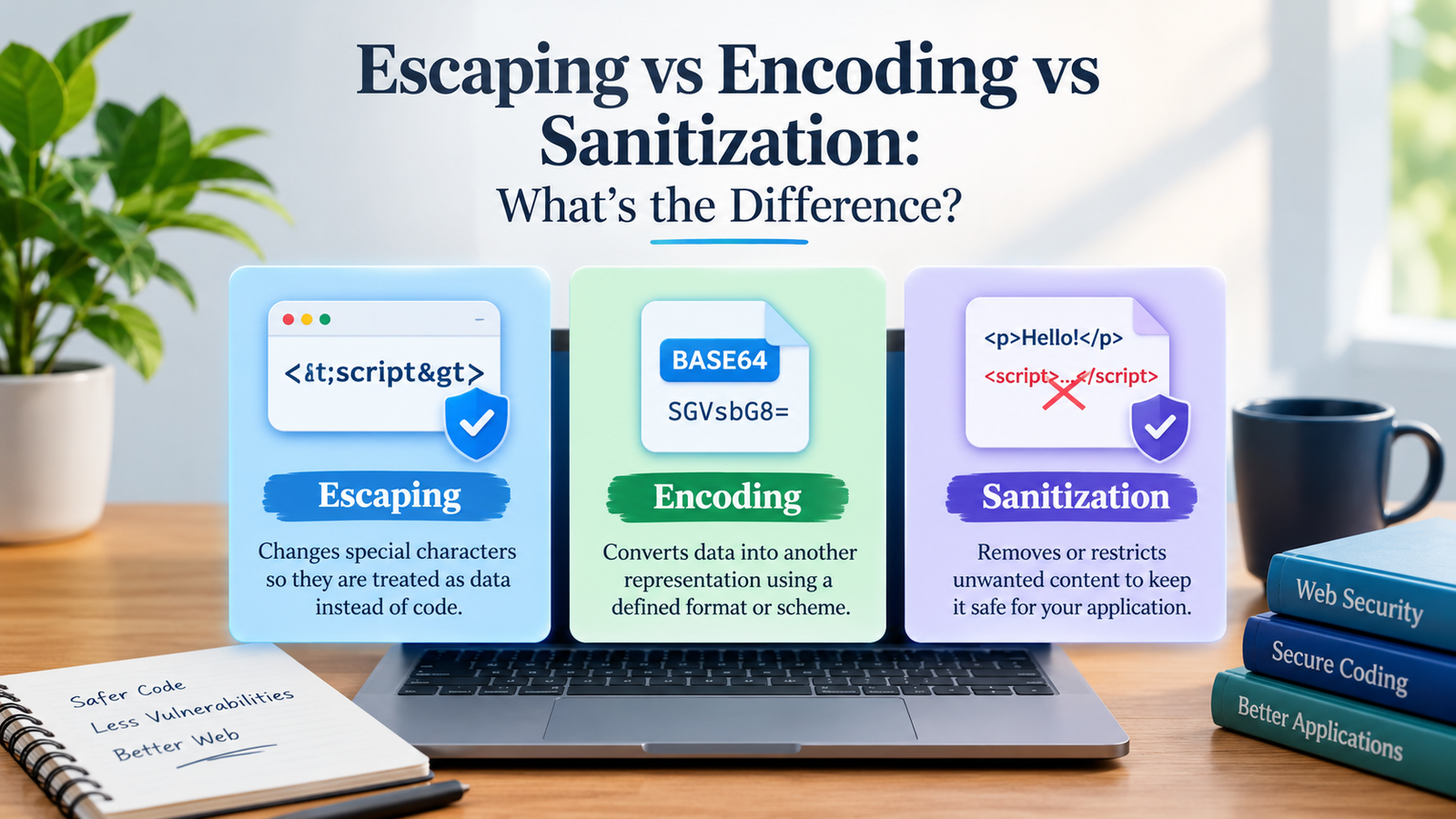
If you want to use a special character in the form of data and not as instructions in a given context, you have to escape it.
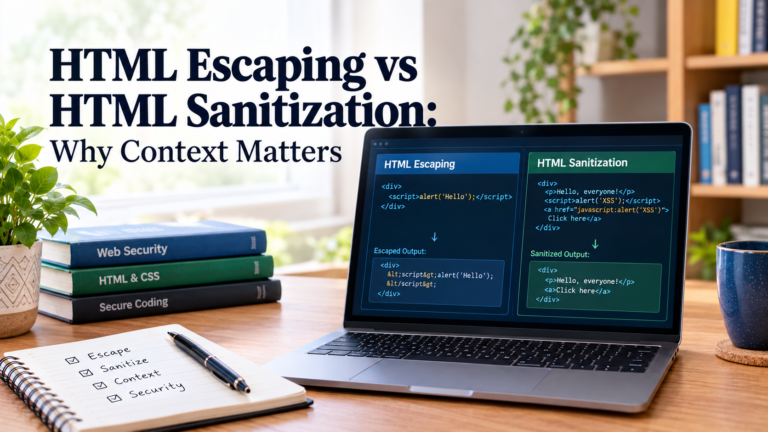
For instance, in html, the less than symbol (<) may be the first character in an html tag. To use it as regular text, it needs to be escaped as <.
Example:
Original input:
<script>alert(‘Hello’)</script>
Escaped for HTML text:
<script>alert(‘Hello’)</script>
When it is placed in the proper HTML text context, the browser can render the text without interpreting it as being part of a script element.
Why escaping matters
With untrusted data in a context with special meaning for some characters, escaping prevents vulnerabilities for injection.
Common examples include:
HTML escaping: Keeps text from being treated as HTML markup in an HTML text context.
JavaScript string escaping: Safeguards characters that can escape from a JavaScript string literal.
SQL escaping: Escapes special characters as per a specific SQL dialect; usually, parameterized queries are safer.
URL component escaping: Reserves characters in individual URL components.
Please note: Escaping depends on the context. Data is not necessarily safe for every context of a URL, JavaScript, CSS or SQL.
2. What Is Encoding?
Encoding is the process of transforming data into another representation, following a predetermined format or scheme. It is generally used to exchange, store, or convey information accurately between systems.
Unlike escaping, encoding is usually not used for purposes of preventing the code from running.
Percent encoding of, for instance, a space can be %20.
Original text:
hello world
URL-encoded value:
hello%20world
An example is the Base64 encoding.
Original text:
Hello
Base64-encoded value:
SGVsbG8=
These transformations are rule-based and an original data set can usually be recovered from the transformed data set through decoding.
Common types of encoding
URL encoding: encode bytes in URL components to percent-encoded characters.
Base64 encoding: A way of using a limited set of printable characters to represent binary data.
Character encoding: Converts text characters to bytes like UTF-8 does.
HTML entity encoding: Converts some characters to HTML entities: & for an ampersand in the right context.
Why encoding matters
Encoding is used to facilitate data transfer between applications, represent special characters, and to process text in a uniform way.
But just encoding makes untrusted input untrusted. For instance, Base64 may be used to encode data, but is not encryption, nor does it protect against malicious code when the Base64 data is processed further in an unsafe manner.
3. What Is Sanitization?
Sanitization refers to the act of examining and modifying input to remove, limit or neutralize unwanted data for a specific use.
Sanitization can remove unwanted elements or attributes from the document, while escaping will retain the data even if it needs to be converted to other representations of special characters.
If, for instance, a web page accepts formatted HTML comments, for example…
Original input:
<p>Hello!</p>
<script>alert(‘XSS’)</script>
<p>Hello!</p>
Once sanitized by using an HTML sanitizer with an appropriate setting:
The paragraph is maintained, and the script element is deleted.
Depending on the sanitizer and its configuration, the exact result will vary.
Common sanitization tasks
Cleaning up prohibited HTML tags.
Stripping away potentially unsafe HTML elements, like event handlers.
Allowing only the approved tags and formatting.
Limiting file type for upload and checking file contents.
Data normalisation or data validation based on the rules of an application.
Why sanitization matters
Sanitization may be very helpful if applications receive rich text, user-generated HTML or other data that needs a set of rules to be followed.
For instance, with a blogging platform, paragraphs, links, and bold text can be used, but other unwanted markup, such as scripts, cannot be used.
Note: There is no such thing as a foolproof sanitization, it is only as effective as the way it is used and configured. Use a trusted and well-maintained sanitizer for HTML; don’t attempt to scrub out the bad stuff with some regular expressions.
4. Differences between escape, encoding, and sanitization
Feature
Escaping
Encoding
Sanitization
Main purpose
To avoid special characters from being treated as syntax, you must choose other characters.Other characters must be selected to avoid treating them as syntax.
Represent data in alternative ways
Remove or limit unwanted material
Changes representation?
Yes
Yes
Often
Removes content?
Usually no
Usually no
May do so
Reversible?
In many cases, as a result of the method
Depending on the scheme, often
Not necessarily
Security role
Prevents context injection.Prevents context injection.
Can be used to represent data safely when it’s used properly.
Enforces content restrictions
Typical example
In HTML text, < is replaced by <.
A %20 is replaced by a space in a URL
Deleting forbidden <script> element
The difference here is that escaping modifies the interpretation of the characters, encoding modifies the representation of the data and sanitization modifies the content that is accepted.
5. A real-life example: Processing user input on a website
Suppose you are creating a website for people to post comments on.
This content is submitted by a visitor:
Hello! <script>alert(‘XSS’)</script>
Let’s take a look at the difference between the three techniques.
Escaping
Treats the input as text instead of HTML markup.
Hello! <script>alert(‘XSS’)</script>
Encoding
Represents the data according to an encoding scheme.
Base64: SGVsbG8hIDxzY3JpcHQ+YWxlcnQoJ1hTUycpPC9zY3JpcHQ+
Encoding does not remove the script, it changes the representation.
Sanitization
Strips out blocked HTML, but keeps allowed HTML.
Hello!
The examples are not equivalent security guarantee approaches but rather they show some of the approaches. The right choice will depend on whether you’re displaying plain text, moving data, or accepting a limited amount of HTML.
6. When to use each technique?
In cases where the data source is not trusted, use escaping to prevent SQL injection attacks.
If a web client’s name, comment, or search query is displayed on a website, make sure its value is treated safely for the output context.
In an HTML text context, for instance:
Giving user input: <img src=x onerror=alert(1)>
The escaped value will be shown in the browser as text, not as an image element.
Use safe DOM APIs (e.g., textContent) over unsafe DOM APIs (e.g., innerHTML) in JavaScript applications.
Use of encoding when data requires a specific format.
Use encoding when:
Passing values in URLs.
Text Representation of binary data.
The ability to send text messages from one system to another.
Translation of text from an unknown to a known character set.
Use a correct library for building a URL or an appropriate component encoder for URL parameters—don’t replace characters.
When there is a requirement to leave certain content unaltered, sanitize it.
Sanitization is helpful when users have to submit rich content, like:
HTML blog posts.
Product descriptions.
Comments made on the forum with accepted links.
Rich-text editor content.
In such instances, create a list of allowed elements, attributes, and URL schemes, and use a trusted sanitizer.
7. Common Errors to Be Avoided
Mistake 1: Believing that encoding keeps data safe.
Note that Base64 encoding is not a barrier to SQL injection, cross-site scripting (XSS) or other injection attacks. Even if the malicious content is not understood, it can cause harm if it is used improperly.
Bad Habit #2: HTML escaping in all instances
HTML escaping is not a cure-all solution. There are different rules for each of these elements (JavaScript, CSS, URLs, and SQL) and they need to be handled accordingly.
Error #3: Input sanitization alone.
There is no replacement for context-aware output handling with input filtering. What is safe in one environment could be unsafe in another.
Mistake 4: Overlooking safer APIs is one of the common pitfalls.
Avoid creating SQL statements by stringing together user input. If needed, use trusted HTML sanitizers and safe APIs to render text.
8. How these techniques are used together
All of escaping, encoding and sanitizing can be done on the same flow in a secure application.
For example, a blogging site could:
Make sure that data received is in the proper format and follows company policy.
If rich text is enabled, sanitize HTML submitted.
Store content that comes out of a file as per data model of the application.
Whether rendering to the output context or otherwise, handle content safely from the output context.
If using individual values in the URL, then use URL encoding.
All five steps are not required for all applications. The order will be different depending on the data, context and libraries used.
Also, try not to encode and unencode data unnecessarily. There is a possibility of bugs in double-encoding and unintentional interpretations of the content with too early decoding.
9. Frequently Asked Questions
Does escaping equal encoding?
No. Escaping should be used to avoid characters being interpreted as special syntax in a specific context. Encoding: Representation of data, following a defined scheme. The concepts may overlap as some escaping techniques involve encodings.
Do Sanitize or Run?
There is no one right or wrong answer. If you are displaying data you don’t know to be safe, escaping is appropriate. Sanitization can be helpful when you want to allow some content (e.g. approved HTML) while excluding unwanted content (e.g. disallowed HTML).
Will URL encoding stop XSS?
Not by itself. The security effect of URL encoding relies on the place in which the encoded value is used; it is a formatting effect. Applications should still be content with the safety of the URL, its permitted schemes, and its output handling.
Is HTML sanitizing the cure for all security problems?
No. While risks from user-supplied HTML can be mitigated by the correct configuration of a sanitizer, a number of other factors contribute to application security, such as handling of URLs, JavaScript code behavior, dependencies, etc., and how the resulting content is used.
Which technique is best for beginners to learn first?
Begin with context-aware output escaping, safe DOM APIs and parameterized SQL queries. Then understand the rules of encoding and sanitizing HTML in cases where it is needed.
Final Takeaway
Escaping, encoding, and sanitizing are different, but related issues.
Escaping: In a specific context, makes special characters act like data.
Encoding: Transforms data to a specific representation.
Sanitization: Trims or filters information that does not abide by the application rules.
The best way to do it is to make sure you know the context in which you will be using your data, know what the right technique is, and use the proper security libraries that come from a well-maintained security library, not assuming that some transformation will secure all parts of your application.