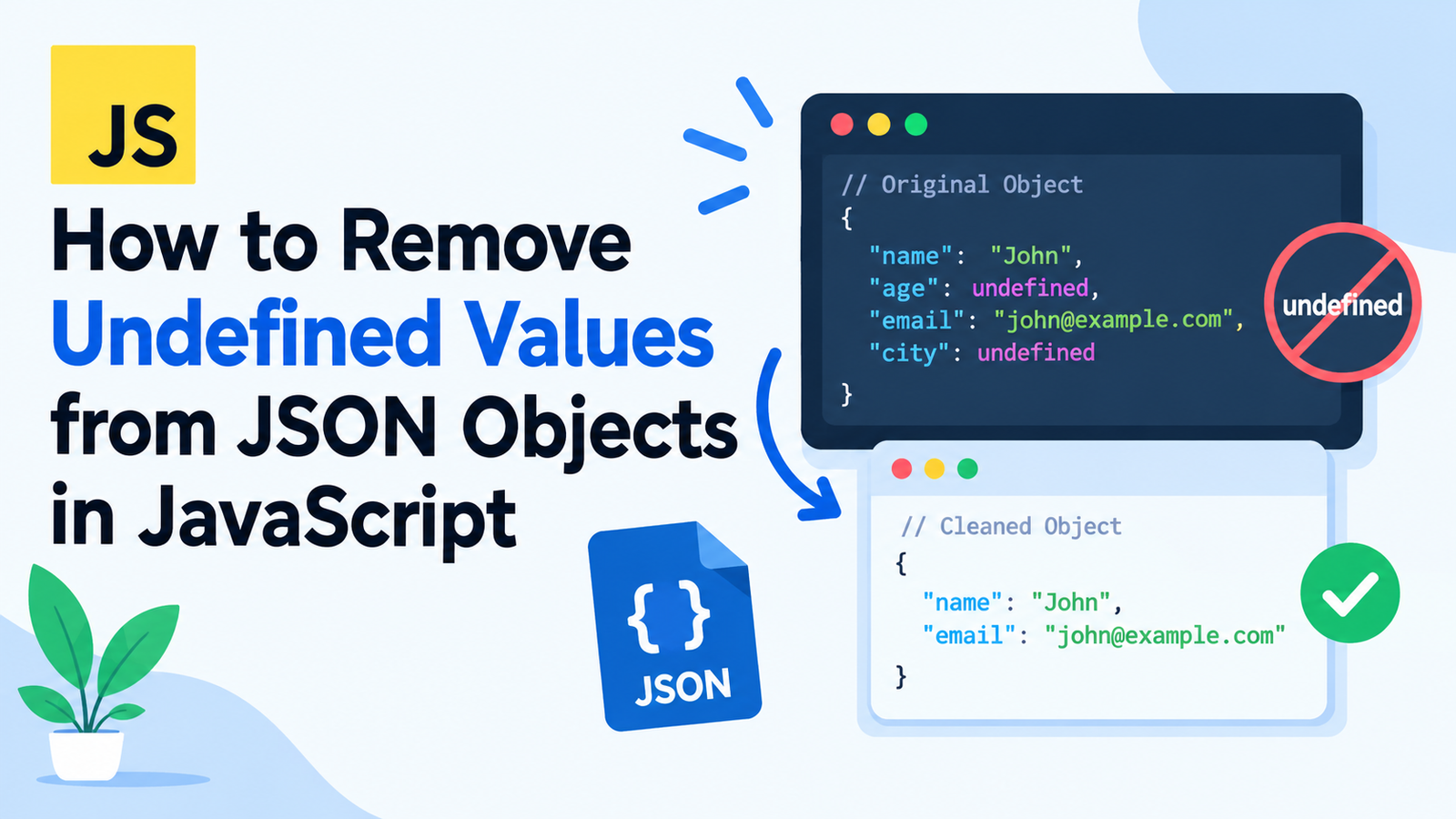
All possible ways to remove undefined values from json objects using javascript.
A reason you might want to use JavaScript objects sometime is that the properties may be undefined in some cases. When processing for APIs, storing data or converting JS objects to JSON strings, these values can cause confusion.
Removing any undefined values from JSON objects in JavaScript can help ensure your data is always clean, predictable, and more manageable.
JavaScript offers several options to deal with undefined value like JSON.stringify(), Object.entries(), Object.fromEntries(), delete etc. There are multiple ways to do this, each of which acts differently, depending on what you want to accomplish (remove undefined properties, retain the original or clean nested data structure.
Below you will learn about undefined values in JS objects, deletion syntax, how to handle objects and arrays with undefined values within them, and which way is best, depending on your situation.
Key Takeaways
- In javascript the values that are undefined will be omitted while they are being stringified with JSON.stringify()
- When serializing to json, any undefined values in arrays are set to null.
- the
Object.entries()andObject.fromEntries()methods can filter out undefined property values when constructing a new object. - The delete operator is used to delete a property directly from the object.
- If you want to remove undefined objects at every level, it will take extra processing to be performed for nested objects.
- A recursive function is a function that can be reused to remove undefined values on complex objects and arrays.
- Data needs to be differentiated based on
undefined,null, empty string, zero and false before data is removed.
What is Undefined in javaScript?
undefined is a primitive value in JavaScript which is used to show that a variable hasn’t been assigned a value or that a specific property doesn’t have a defined value.
For example:
let username;

console.log(username);
// undefined
There are also properties of an object that have an undefined value.
const user = {
    name: "John",
    age: undefined,
    email: "john@example.com"
};

console.log(user);
Object has 3 properties but the value of the age property is undefined.
This may occur when values are provided in optional text fields, from API responses, conditional assignments, or when functions return no data.
Although JavaScript supports undefined values, JSON does not have an undefined data type. JSON allows strings, numbers, booleans, null, arrays and objects.
Due to this difference, your data may require undefined value removal during processes or to share your data.
Why to remove Undefined values in JSON objects?
You may find it easier to understand your data and make the data less cluttered without unnecessary properties in your application logic if you remove undefined properties.
Here are some typical examples of why to clean JavaScript objects before serialized into JSON.
The Consideration of Data Preparing for APIs
Let’s say, you are passing some user data to an API.
const user = {
    name: "John",
    email: "john@example.com",
    phone: undefined
};

const jsonData = JSON.stringify(user);

console.log(jsonData);
Output:
{"name":"John","email":"john@example.com"}A JSON string is then generated, omitting the undefined value of the property phone().
If the original JavaScript object needs to be cleaned for use with another function, though, the property will need to be explicitly removed.
2. Keeping Objects Clean
Objects can have properties added onto them and have them become undefined if they are added only under certain conditions.
const product = {
    name: "Laptop",
    price: 1200,
    discount: undefined,
    category: "Electronics"
};
With the undefined properties removed, a person views and works easier with the object.
3. Undesirable Data Acts
There are some applications, which differentiate between missing and the property explicitly set to null.
For instance, an API might read a no value as a “leave value alone” hint, and read null as a “clear value” hint.
It may be advisable to remove undefined properties when updating records, or when sending partial data, so that the record won’t change behavior that’s not intended.
4. Simplifying Data Processing
Validating, comparing, storing and transforming things can be more straightforward if they are clean. It can be helpful when developing applications which work with lots of structured data.
Method 1: Remove Undefined Values Using JSON.stringify()
One of the easiest solutions to getting rid of undefined values when we are converting them to JSON is to use JSON.stringify()
Normal objects get automatically filtered during serialization to remove properties whose values are undefined.
Example
const user = {
    name: "John",
    age: undefined,
    email: "john@example.com",
    city: undefined
};

const jsonString = JSON.stringify(user);

console.log(jsonString);
Output:
{"name":"John","email":"john@example.com"}The JSON string doesn’t contain the properties “age” and “city”.
How Does It Work?
An array of characters in JSON format providing information about a value in the same way as the string attribute.
If it comes across a property of an object for which no value has been provided, it ignores the property.
But this approach won’t make any changes to the original object.
const user = {
    name: "John",
    age: undefined
};

JSON.stringify(user);

console.log(user.age);
// undefined
The original age property still exists.
When is the best time to employ this?
For transforming an object into a JSON string without undefined object properties, use JSON.stringify.
This is particularly handy when you want to prepare data for persistence, for requests over the network and for any other system that is able to consume a stream of data in JSON format.
Important: According to this approach, the original object is not cleaned. It simply modifies the way in which the object is represented in the json string.
Method 2: Use Object.entries and Object to delete Undefined values.fromEntries()
When you want to exclude properties from a JavaScript object that are not in a specific array but are also not “undefined” (or have been excluded from the object already), use Object.entries(), filter and Object.fromEntries.
This allows you to have direct control over what properties you still have.
Example
const user = {
    name: "John",
    age: undefined,
    email: "john@example.com",
    city: undefined
};

const cleanedUser = Object.fromEntries(
    Object.entries(user).filter(([key, value]) => value !== undefined)
);

console.log(cleanedUser);
Output:
{
    name: "John",
    email: "john@example.com"
}
All the undefined properties have been deleted from the new object.
How To Does This Method work?
The following example combines the efforts of three JavaScript methods.
Object.entries()
This approach returns an array of key-value pairs for enumerable own properties of an object that have string keys.
For example:
const user = {
    name: "John",
    age: undefined
};

console.log(Object.entries(user));
Output:
[
    ["name", "John"],
    ["age", undefined]
]
filter()
The thing the filter method does is return a new array — only the entries which are true are included.
const entries = [
    ["name", "John"],
    ["age", undefined],
    ["email", "john@example.com"]
];

const filteredEntries = entries.filter(
    ([key, value]) => value !== undefined
);

console.log(filteredEntries);
Output:
[
    ["name", "John"],
    ["email", "john@example.com"]
]
Object.fromEntries()
This is a way to convert an array of key-value pairs back to an object.
const cleanedUser = Object.fromEntries(filteredEntries);

console.log(cleanedUser);
Output:
{
    name: "John",
    email: "john@example.com"
}
Benefits To This Methodology
- The original object remains unchanged.
An object that is produced will not have any properties that are undefined.
Code is concise and comprehensible.
Filter function criterion can be configured.
You can modify the condition, for instance to remove empty strings as well. But be careful and don’t remove any meaningful values like 0 or false.
When a shallow copy of an object is required and the object has no references, this approach is adequate.
Undo Delete Undefined Values with the delete Operator
The delete operator removes properties from an object, which is sort of adding to the list above.
A good method to use when you wish to alter attributes of an existing object directly.
Example
const user = {
    name: "John",
    age: undefined,
    email: "john@example.com",
    city: undefined
};

if (user.age === undefined) {
    delete user.age;
}

if (user.city === undefined) {
    delete user.city;
}

console.log(user);
Output:
{
    name: "John",
    email: "john@example.com"
}
The delete operator is used to delete properties of an object.
Dynamically remove all the properties with undefined values.
The keys in the object can be iterated, rather than using the delete operator on each one.
const user = {
    name: "John",
    age: undefined,
    email: "john@example.com",
    city: undefined
};

for (const key of Object.keys(user)) {
    if (user[key] === undefined) {
        delete user[key];
    }
}

console.log(user);
Output:
{
    name: "John",
    email: "john@example.com"
}
Important Considerations
This way differs from the first one to do that because this way modifies the object itself.
Any other sections of your application which reference the same object will see the changes.
If mutation is intended use delete. If you do wish to keep the data in its original format, it is better to make a new object using Object.entries() and Object.fromEntries().
Let’s try Method 4: Knowing how to remove undefined values from object keys().
Alternatively, you could access the keys to the object with Object.keys() and create a new object that only includes defined ones.
Example
const user = {
    name: "John",
    age: undefined,
    email: "john@example.com",
    city: undefined
};

const cleanedUser = {};

Object.keys(user).forEach((key) => {
    if (user[key] !== undefined) {
        cleanedUser[key] = user[key];
    }
});

console.log(cleanedUser);
Output:
{
    name: "John",
    email: "john@example.com"
}
Why Use Object.keys()?
Object.keys() returns an array containing the keys of an object, in the order that they were added.
Those keys can be iterated, and only the values you wish to keep will be copied.
This is handy if you want a simple copy loop or wish to insert some extra code during copy.
You can validate each value, transform some of the values, or use various rules on different names.
Once again, this produces a new object and does not affect the original object.
Notice that also this method is not possible for every object it can be used with.
The methods above are good for top level properties. But the real-life data can be like this:
Let us take up the following example:
const user = {
    name: "John",
    age: undefined,
    address: {
        city: "New York",
        postalCode: undefined
    },
    contact: {
        email: "john@example.com",
        phone: undefined
    }
};
If a shallow cleaning is performed, the result has the foreign key postalCode and phone removed from the nested objects, but not the former key age.
To clean all levels of a nested object you can write a recursive function.
Recursive Undefined Removal: An example where the undefined removal is recursive.
function removeUndefined(obj) {
    if (Array.isArray(obj)) {
        return obj.map(removeUndefined);
    }

    if (obj !== null && typeof obj === "object") {
        return Object.fromEntries(
            Object.entries(obj)
                .filter(([key, value]) => value !== undefined)
                .map(([key, value]) => [key, removeUndefined(value)])
        );
    }

    return obj;
}

const user = {
    name: "John",
    age: undefined,
    address: {
        city: "New York",
        postalCode: undefined
    },
    contact: {
        email: "john@example.com",
        phone: undefined
    }
};

const cleanedUser = removeUndefined(user);

console.log(cleanedUser);
Output:
{
    name: "John",
    address: {
        city: "New York"
    },
    contact: {
        email: "john@example.com"
    }
}
Removes properties from main object and its nested objects which are not defined.
What is the recursive function doing?
Step 2: If it is an array, go to Step 3.Step 3: If it is an array, determine if it is a sparse array.
if (Array.isArray(obj)) {
    return obj.map(removeUndefined);
}
Recursively processes each element of array if the value is an array.
This enables instruments inside arrays to be cleaned.
These are the steps to check if a value is an object: 1) Check if the value is null 2) Check whether the value is an object
if (obj !== null && typeof obj === "object") {This condition verifies that it is an object value, and not null.
You need the null check in JavaScript as typeof(null) returns object.
Next, step 3 highlights properties that do not have a value.
Object.entries(obj).filter(
    ([key, value]) => value !== undefined
)
Removes entries for which the values are undefined.
Step 4: Clean nested values
.map(([key, value]) => [key, removeUndefined(value)])The function can be recursive, meaning it recursively applies to any value.
Step 5: Do not change value of primitives,
return obj;All other values — numbers, strings, booleans, and null — are returned as is.
When is Recursive Cleaning Appropriate?
Go with recursive function if your data structure is nested objects or arrays and you have to remove undefined object’s properties in all levels.
Note: this example is just for normal json like data. It fails to deal with circular references and also transforms objects to plain objects. Special objects like instances of classes, Date, Map, and Set might need special treatment.
Use Undefined Values in Arrays
The undefined property exists differently for arrays than in objects.
Consider this example:
const values = [
    "Apple",
    undefined,
    "Banana",
    undefined,
    "Orange"
];

console.log(JSON.stringify(values));
Output:
["Apple",null,"Banana",null,"Orange"]Undefined array elements are converted to the value of null during serialization, while undefined properties of object are not.
To filter out undefined elements in an array prior to serialization, use the filter function.
Example
const values = [
    "Apple",
    undefined,
    "Banana",
    undefined,
    "Orange"
];

const cleanedValues = values.filter(
    value => value !== undefined
);

console.log(cleanedValues);
Output:
["Apple", "Banana", "Orange"]Those elements which are undefined are not considered in the new one.
Delete undefined values from array of objects
There can be arrays with objects that have undeclared properties as well.
const users = [
    {
        name: "John",
        age: undefined
    },
    {
        name: "Sarah",
        age: 28
    }
];
The recursive function in the last section can be used to clean the objects in the array.
const cleanedUsers = removeUndefined(users);

console.log(cleanedUsers);
Output:
[
    {
        name: "John"
    },
    {
        name: "Sarah",
        age: 28
    }
]
This method clears undefined settings in a case of an object that was passed back up the stack as well as keeping array elements and the order of the elements.
Notice: Don’t forget to note the distinction between undefined property deletion and array elements deletion. Array filtering is not necessarily a good technique to use for removing undefined object properties that results in modifying the array length and properties index.
JSON.stringify (& copy; 2012/02)
The JSON.stringify() method has an optional replacer argument. The replacer function can be used to specify name-value pairs for a different serialization.
This can be used to skip undefined values as well as to define other rules during conversion.
Example
const user = {
    name: "John",
    age: undefined,
    email: "john@example.com",
    city: undefined
};

const jsonString = JSON.stringify(
    user,
    (key, value) => value === undefined ? undefined : value
);

console.log(jsonString);
Output:
{"name":"John","email":"john@example.com"}In the particular case, the default behavior remains unchanged as an undefined property is already omitted when using JSON.stringify().
But, the replacer comes in handy when you need to use more complex serialization rules.
You might not want to include some specific fields for example, depending on their type name, or map some field values to other values in advance of serializing them.
Exclude Properties When Serializing
const user = {
    name: "John",
    password: "example-password",
    age: undefined,
    email: "john@example.com"
};

const jsonString = JSON.stringify(
    user,
    (key, value) => {
        if (key === "password" || value === undefined) {
            return undefined;
        }

        return value;
    }
);

console.log(jsonString);
Output:
{"name":"John","email":"john@example.com"}In this example, the password and any properties without a value are omitted in the serialize output.
Note that a replacer will modify the serialized form, but NOT the object itself. Further, the absence of any field from one JSON string does not make up for adequate access control (or secure handling) of sensitive information.
What is the Difference between Undefined vs Null?
The distinction between undefined and null is so fundamental that you must know it in order to understand how to clean JavaScript objects.
Both are types of nonexistent or unknown value, but there are differences.
| Feature | undefined | null |
|---|---|---|
| Meaning | Value is not defined | Explicitly represents no value |
| Name | No | Yes |
| Object serialization | Property is omitted | Property is retained |
| Serializing an array: | ||
| Can be verified directly |
Consider this object:
const user = {
    name: "John",
    age: undefined,
    phone: null,
    active: false,
    score: 0,
    nickname: ""
};

console.log(JSON.stringify(user));
Output:
{"name":"John","phone":null,"active":false,"score":0,"nickname":""}Only the property undefined is not included.
The property “phone” is still included since the value is “null”, indicating that there is no phone number. Values like false, string empty, and number zero are still there.
Such distinction is important as these values may contain meaningful data.
For instance, false can be a user’s notification disablement flag and 0 can be a nonexistent or acceptable quantity. It’s possible that the empty string is deliberate too.
Clears any value that has not yet been defined.
Use this condition:
value !== undefinedRemove both undefined and null value from the file.
When both values are to be written to, use:
value !== undefined && value !== nullNever choose the ones to be removed based on a general filter that may involve discarding correct information, but choose them instead according to what your application needs.
The removal of undefined values tends to have a number of common mistakes.
Although undefeated values can be simply removed, there are several common blunders that can lead to unexpected outcomes.
Mistake #1 – Thinking that JSON.stringify() will Change the Original Object
const user = {
    name: "John",
    age: undefined
};

JSON.stringify(user);

console.log(user);
The age property is still present in the original object.
Solution: You create a cleaned object—or use delete if you specifically wish to change the original object.
Mistake 2: Using a Truthy Filter
const user = {
    name: "John",
    age: 0,
    active: false,
    nickname: "",
    city: undefined
};

const cleanedUser = Object.fromEntries(
    Object.entries(user).filter(([key, value]) => value)
);
This code can eliminate the undefined values. It also clears 0, false and empty string, because they’re considered falsy.
Solution:
const cleanedUser = Object.fromEntries(
    Object.entries(user).filter(
        ([key, value]) => value !== undefined
    )
);
This is a condition to remove only undefined properties.
Don’t forget about Nested Objects!
With a shallow filter, only the properties of the outermost object are subject to the filter.
const data = {
    name: "John",
    details: {
        age: undefined
    }
};
With a shallow clean, undefined values are only removed from the top level, so details.age does not get removed.
Solution: When dealing with nested objects, wrap the clean function in a recursive clean function.
Mistake 4: Forgetting Undefined Array Elements
If any elements in an array are undefined, they will be represented as null when the array is converted to JSON.
Solution: In the case of removing those things, there’s a way to filter that array or a recursive cleaning function that works with arrays.
Mistake 5: Incidentally deleting nulls
An undefined value, may, or may not be removed by a broad filtering condition, depending on the writings.
Solution: Apply explicit comparisons to make a clear statement as to which values to remove.
What Method to use?
The best way will vary based on the outcome that is desired.
| Requirement | Recommended method |
|---|---|
| Serialize into a (JSON) string, omitting undefined properties | JSON.stringify() |
| Creates a new object excluding any properties with an undefined value | Object.entries() + filter() + Object.fromEntries() |
| Modify the existing object | delete |
| Creat object poluttura in loop | Object.keys() |
| Remove undefined properties from nested objects | Recursive Function |
| Remove undefined elements from arrays | filter() |
| Provide custom rules in JSON conversion | JSON.stringify() replacer |
In the case of shallow objects, Object.entries() + filter() + Object.fromEntries() might be a good option for most use cases.
If you have nested objects, or arrays, then a recursive function provides the full solution.
Since the semantics of undefined-valued object properties are that they are simply not included in the JSON string, you should have no need to remove them manually if they are just not there to start with, and you’re trying to send a simple JSON string.
This is a list of best practices for removing undefined values.Here are some best practices for removing undefined values.
Use these techniques to create more robust JavaScript code.
Select the appropriate approach to your objective.
Never include unnecessary cleaning of an object when all you really want to do is serialize it. Apply the simplest technique that suits your needs.
2. Preserve Meaningful Values
Unless it’s deliberate, do not use a filter that excludes all falsy values. Values such as false, 0, and "" may be valid.
3. Consider Nested Data
If your application processes API payloads, configuration objects or form data, see if there are undefined values at multiple levels.
4. Avoid Unintended Mutation
Create a new object if the data in the original object needs to be kept for other operations.
5. Test Edge Cases
Against empty objects, nested arrays, null objects, empty strings, zero and false.
6. Understand Serialization Behavior
Please note that JSON serialisation is also special for other JS-values. For instance, ordinary things that are functions or symbols don’t get handled by JSON.stringify(), and BigInt values throw unless you take some care with them.
7. Be aware of the Application Requirements.
There are some APIs that demand an absent field and others that need a null value to clear a field. Undefining properties should be to assist the datacontract expected and not alter it accidentally.
Here are some frequently asked questions (FAQs):
2. How to filtration out undefined values from a JSON Object in JS?
Another way to get a new object without undefined properties is to use Object.entries(), filter(), and Object.fromEntries().
const obj = {
    name: "John",
    age: undefined,
    city: "London"
};

const cleaned = Object.fromEntries(
    Object.entries(obj).filter(
        ([key, value]) => value !== undefined
    )
);

console.log(cleaned);
Output:
{
    name: "John",
    city: "London"
}
2) Does JSON.stringify() de-deal undefined values by itself?
Yes. An ordinary object passed to JSON.stringify() is serialized with all of its properties excluded that have a value of undefined.
Undefined array elements, however, get set to null, and the original JavaScript object is not touched.
3. How to filter out undefined values in deeply-nested objects?
Use a recursive function to verify each object and array and exclude (delete) undefined properties of objects during processing of nested values.
A recursive function is able to traverse deeply nested JSON-like data without having to use a separate filtering operation at each level.
4. How to remove undefined value from array?
Apply the filter() method.
const values = [1, undefined, 2, undefined, 3];

const cleaned = values.filter(
    value => value !== undefined
);

console.log(cleaned);
Output:
[1, 2, 3]This will generate a new array, but not change the original array.
6. What’s the difference between undefined and null value in JSON?
JavaScript has another value other than JSON that is undefined. When serializing, undefined object properties are ignored and undefined array elements are inserted as null.
I have tested the value=null and it also exists in the outbound serialization.
6. Is it possible to remove undefined value without altering the original object?
Yes. Create a new object from an object by using Object.entries(), filter(), and Object.fromEntries().
This is useful if you want the same data for use elsewhere in your application; the original object is not modified.
7. Is the delete operator undoable?
The delete operator is an unary operator which removes a property from a specific object in which it is used. The change will persist on the object until it is added again or other changes in the object occur.
It is not going to change separately acquired objects with the same value, but other variables to the similar object will notice the change.
8. Remove null along with undefined?
That depends on what it is you are looking them to accomplish.
It is okay to store null values if they represent an intentional empty value or should be emptied. Only remove both values when your data contract needs so.
9. Why is there a the undefined array value that is turned into ‘null’ by JSON.stringify()?
The positions of elements in JSON arrays are maintained. Unlike JSON, JavaScript doesn’t ignore undefined values but instead serializes them as null.
If those are the ones you don’t want, remove them from the array before you serialize it.
10. What is the simplest method to tidy up a thing prior to posting it to an API?
If you just need a JSON string, JSON.stringify() will typically take care of undefined object properties.
When you have to send a cleaned JavaScript object to a function first, use Object.entries(), then filter and then create the cleaned object back using Object.fromEntries(). Use a recursive function and test your function with the structure your API expects – for nested data.
Conclusion
While performing any kind of operation with the APIs, it is crucial to remove undefined values from JSON objects in JavaScript to get the cleaned up JSON data and also to avoid any unpredictable data serialization.
If the object is very simple, you can use Object.entries(), filter(), and Object.fromEntries() to have a nice and understandable approach to create a new object without undefined properties. The other approach, in the case you need to change the already existing object, is the use of delete operator.
Recursive cleaning function can work on undefined values within a data structure, such as a nested object or array:
Also bear in mind that JSON.stringify() will not include undefined properties in an object to string, but it will include undefined elements in an array as the null value. Select your desired method according to what you want in return: JSON string, cleaned up object, or a changed original object.
Understanding these differences and being careful with data testing can help in more reliably handling undefined values in JS applications.