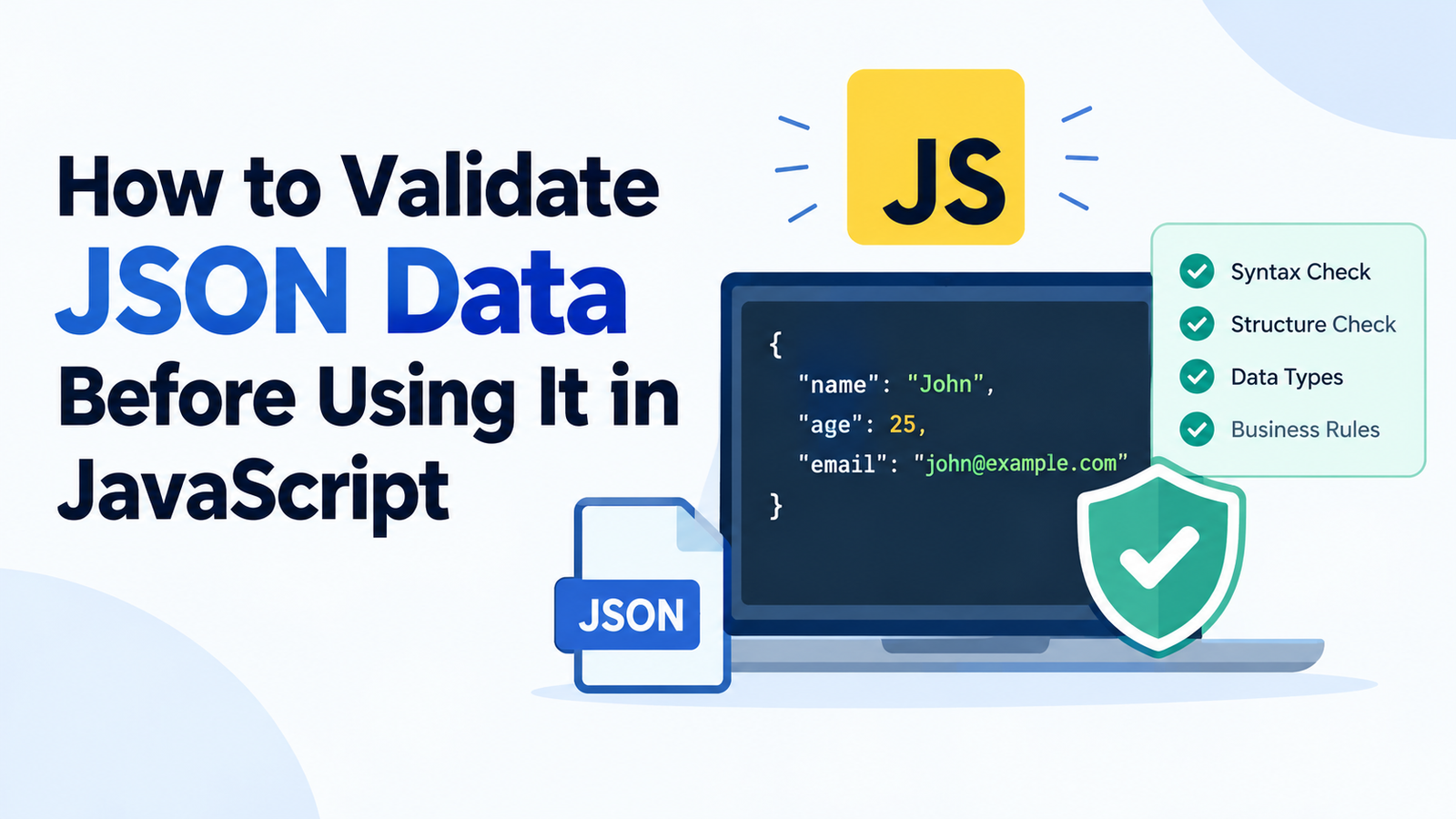
How to Validate JSON Data Before Using It in JavaScript
When working with JSON in JavaScript, you can validate the data before incorporating it into the application.
One of the widely used formats to communicate between applications is called JSON. Every day, JavaScript developers face a need to use JSON to receive responses from APIs, to read configuration files, to process form submission data, and to store data in the app.
Getting JSON data doesn’t mean that the data is valid, complete, or safe to use, though. A JSON string could be syntactically invalid, and even if a JSON string is well-formatted, the resulting JSONObject could be missing properties or have values of the wrong type or values that were unrecognized or not expected.
This is why it is very important for new as well as even experienced developers to learn how to validate JSON data before using it in JavaScript.
In this guide, you will learn how to check JSON syntax, validate object structure, validate data type, handle parsing error, apply JS validation methods, and use external libraries for more complex validation.
Practical examples are also seen that you can implement in your projects.
Key Takeaways
- Parse, then stringify, JSON: Use JSON.parse() to convert a JSON string into a JavaScript value and detect any parse errors; then use JSON.stringify() to convert the JavaScript value back to a JSON string.
Handle errors safely: JSON.parse() should be used within a try…catch block to deal with potentially faulty input.
Ensures that accessed properties exist in the structure being checked. - Use checks like typeof / Array to validate data types.isArray(), and Number.Use isFinite() to ensure that the values are of the expected type.
- Validate business rules: Verify that the email format, price, status value, etc. are valid.
If you have a large application, you may want to use schemas for complex data, which would be easier with libraries like Zod or Ajv.
Don’t confuse parsing with validation: Parsing is not an indication that content is valid for your application.
What is JSON Validation in JavaScript?
JSON validation is the procedure of verifying that the information abides by the believed guidelines prior to using it in your application.
The rules can apply to various parts of the data type, such as its syntax, structure, data types and actual values.
For instance, you can get this JSON string back from API while handling your application:
{
“name”: “John”,
“age”: 25,
“email”: “john@example.com“
}
The data is valid JSON and conforms to the proper syntax of JSON. However your application may also call for the subsequent situations:
Name: Must be a string.
- The age is required to be a greater than zero integer.
- Please enter a valid email address in the ’email’ property.
It must have all three of the above properties.
All such requirements are not enforced by a JSON syntax check.
The complete JSON validation process validates two important factors— (1) is it able to be parsed, and (2) is the data expected by the application.
Differentiating Parsing and validation.
Parsing and Validation are two processes that perform different work.
Parsing: Convert a string back to a JavaScript value.
Validation determines if that value complies with the rules that are needed within your application.
For example:
const jsonString = ‘{“name”:”John”,”age”:25}’;
const data = JSON.parse(jsonString);console.log(data.name);
console.log(data.age);This code is able to correctly read the json string and output the name and age.
But it does not check whether or not the age is positive or whether or not the job holder has an email address.
When your application involves an e-mail tackle, you want additional confirmation.
Knowing the difference among these can assist to keep away from many normal mistakes in JavaScript.
Check that a string is a usable JSON object with the parse method.
The first basic step for validation of the JSON data is to see if the JSON string is properly syntaxed or not.
There is a builtin method named JSON.parse() method in JavaScript that can be used for this.
If the input is valid JSON, the method parses it to a value in JavaScript. If the input is not syntactically valid JSON, it will throw a SyntaxError.
Example of Valid JSON
const jsonString = '{"name":"Alice","age":30}';const data = JSON.parse(jsonString);console.log(data);Output:
{ name: “Alice”, age: 30 }
The JSON string is correctly written, therefore, javaScript manages to convert the string to an object.
Example of Invalid JSON
Consider this example:
const jsonString = ‘{“name”:”Alice”, “age”:30,}’;
const data = JSON.parse(jsonString);This is a JSON with a trailing comma on the last property.
Unlike standard JSON, trailing (final) commas are permitted in some aspects of JavaScript.
This means that the call to JSON.parse() will throw a syntax error.
Common other JSON syntax errors are:
- Single quotes for the names of properties or strings.
Failure to use quotations around the property’s names. - Additional notes in json.
- Leaving a comma after the last array element or object property.
- Using an invalid escape sequence in a string.
- Forgetting a closing brace/bracket.
Always presume the JSON input has been wrongly attached while validating your JSON data coming in from an external source.
Use try…catch to Handle JSON Parsing Errors.
If the input is invalid, and the exception is not caught, then calling JSON.parse() directly on untrusted input can cause your program to stop following the current error path.
A try/catch block allows you to process parsing error without propagation of the parsing error from an ordinary problem in input causing failure of the operation that takes the input.
Example: Safely Parse JSON
const jsonString = '{"name":"Alice", "age":30,}';try {
const data = JSON.parse(jsonString); console.log("Valid JSON:", data);
} catch (error) {
console.error("Invalid JSON:", error.message);
}
If there’s a problem with the JSON string, the catch block “eats” the exception.
This is one of the techniques that is helpful for processing when:
- API responses.
- User-submitted data.
- Local storage values.
- Configuration files.
Data transferred via the WebSockets. - Imported JSON documents.
Develop a custom reusable JSON-Validation Function.
You can write a function that you can reuse if you have to validate multiple JSON strings in your application.
function isValidJSON(jsonString) {
if (!jsonString.string) {
return false;
}
  try {
    JSON.parse(jsonString);
    return true;
  } catch {
    return false;
  }
}
console.log(isValidJSON('{"name":"Alice"}')); // true
console.log(isValidJSON('{"name":"Alice",}')); // false
console.log(isValidJSON("Hello")); // false
True is returned if the string is a valid JSON, and false otherwise.
Important: This function ensures that JSON is syntactically correct alone. It does not guarantee a structure or data types that you may expect within your application.
A string of characters, for instance “hello” is a valid JSON because string is a valid JSON value. But it might not be a valid input for any application where user details is required.
Test if the Parsed JSON is a JSON Object.
Once a JSON string has been parsed, verify that overall the structure is correct.
There are many different kinds of values that JSON can represent:
- Objects.
- Arrays.
- Strings.
- Numbers.
- Booleans.
- null.
This implies that a given successful parsing is not necessarily a sign that you got an object.
Use the following examples to get ideas:
JSON.parse(‘{“name”:”Alice”}’); // Object
JSON.parse(‘[1, 2, 3]’); // Array
JSON.parse(‘”Hello”‘); // String
JSON.parse(‘123’); // Number
JSON.parse(‘true’); // Boolean
JSON.parse(‘null’); // null
Each of the six input is a valid json.
If your application is supposed to receive an object, then you must make that a specific request.
Let’s take an example: Validating an Object
function isJSONObject(value) {
  return (
    value !== null &&
    typeof value === "object" &&
    !Array.isArray(value)
  );
}
const data = JSON.parse('{"name":"Alice"}');console.log(isJSONObject(data)); // trueChecks if the value is not null, not an “array” and of the type “object”.
This is a handy initial test to use when the application is expecting the data to be a JSON object, not another JSON value.
But, an empty object like {} will also pass this test. It’s still necessary to verify the properties that need to be checked.
Identify if any Required Properties have incorrect data in the JSON data.
There are some applications which rely on a certain property existing in an object.
But a user sign-up process can be a name, email, and password.
An incorrect object with runtime errors or inaccurate results could occur in your application if the API returns an object not containing the desired properties.
If you selected the “IF” option, type Check Required Properties.”
const data = {
  name: "Alice",
  email: "alice@example.com",
  age: 28
};
if (
typeof data.name === "string" &&
typeof data.email === "string" &&
typeof data.age === "number"
) {
console.log("All required properties passed the test!");
} else {
console.log("Invalid user data.");
}This example validates data to ensure that the properties needed have values of expected types.
One thing to note, however: a property can be valid and yet have an invalid value.
For example, typeof(”), an empty string, returns true for string, as does typeof(NaN), a number.
To get more validation, verify the property type, as well as the valid values for the property.
Use Object.using hasOwn() to check Property Existence
JavaScript provides Object.hasOwn() to check if an object is directly property of a particular property.
const user = {
name: “Alice”,
age: 28
};
console.log(Object.hasOwn(user, "name"));  // true
console.log(Object.hasOwn(user, "email")); // false
This can be handy when you want to differentiate between a missing property and a property with an undefined or null value when checking if it exists.
Keep in mind, that JSON can’t represent undefined. Data can, however, be changed in the future by JavaScript code, making properties undefined.
Of course, you have the ability to validate data types prior to using JSON values.
One of the critical steps in validating JSON is checking the data types.
It is possible for an API to return data that appears to be correct but there are unexpected types.
For example:
{
“name”: “Alice”,
“age”: “28”,
“isActive”: “true”
}
The age is not a number but a string, and isActive is also a string and not a boolean.
Numeric ages and boolean status values may be expected by your application.
Check String Values
If data.name is a string, {
console.log(“Name” is a string);
}
It is possible to verify that a string is not empty:
if (
typeof data.name === “string” &&
data.name.trim().length > 0
) {
console.log(“Name is valid.”);
}
The trim() method trims out any spaces on the edges of the string before checking its length.
Check Numeric Values
if (
  typeof data.age === "number" &&
  Number.isFinite(data.age) &&
  Number.isInteger(data.age) &&
  data.age >= 0
) {
  console.log("Age is valid.");
}
Determines whether/and which it is a finite size number, an integer and a positive number.
Number.Function isFinite() is useful, since numbers such as NaN and positive and negative Infinity are all typeof “number”.
Check Boolean Values
if (typeof data.isActive === "boolean") {
  console.log("Status is valid.");
}
This returns true or false, but it doesn’t accept words like “true” and “false”.
Check Arrays
if (Array.isArray(data.products)) {
  console.log("Products is an array.
}
Use Array.Reliably check for an array using isArray() instead of typeof.
These checks will verify that your application processes the value as you’d like it to be.
6. Provide validation for JSON Array and their elements.
In fact, JSON arrays typically include multiple records of an entity, like orders, users, products, comments, and so on.
It’s not sufficient to just check if the value is an array. Validation of the elements contained in this should be carried out as well.
Consider this JSON:
{
“products”: [
{ “name”: “Laptop”, “price”: 900 },
{ “name”: “Phone”, “price”: 600 },
{ “name”: “Tablet”, “price”: “300” }
]
}
The third product is a string price, that is, a text string that represents the price as a string.
Your application may exhibit some unpredictable results if it sums totals or sorts products by price.
Email sent to validate every product.E.g. Validate every product (via e-mail).
function isValidProduct(product) {
  return (
    product !== null &&
    typeof product === "object" &&
    !Array.isArray(product) &&
    typeof product.name === "string" &&
    product.name.trim() !== "" &&
    typeof product.price === "number" &&
    Number.isFinite(product.price) &&
    product.price >= 0
  );
}
const products = [
{ name: "Laptop", price: 900 },
{ name: "Phone", price: 600 },
{ name: "Tablet", price: "300" }
];const allProductsValid = products.every(isValidProduct);console.log(allProductsValid); // falseThe every() method is true if all array elements return true in the validation function.
Where you must identify the invalid entries, and you don’t necessarily need to check the entire array, you should use filter():
const invalidProducts = products.filter(
product => !isValidProduct(product)
);
console.log(invalidProducts);This will enable you to identify problematic records and determine what to do with them in your applications.
Validity Check JSON Data with Business rules
Data might be syntactically correct, structurally consistent and have the correct data types but still be inappropriate for your application.
A product can for instance be priced with -50 in numeric. It’s a legitimate number but perhaps negative prices aren’t supported in your system.
Just as an example, one order could have an order status that doesn’t exist, or the quantity could be set to 0, but there must be at least one item ordered.
Such conditions are referred to as business rules.
Example: Validate an Order
function isValidOrder(order) {
  const allowedStatuses = [
    "pending",
    "processing",
    "shipped",
    "delivered"
  ];
return (
order !== null &&
typeof order === "object" &&
!Array.isArray(order) &&
typeof order.orderId === "string" &&
order.orderId.trim() !== "" &&
typeof order.quantity === "number" &&
Number.isInteger(order.quantity) &&
order.quantity > 0 &&
allowedStatuses.includes(order.status)
);
}
const order = {
  orderId: "ORD-101",
  quantity: 2,
  status: "processing"
};
console.log(isValidOrder(order)); // trueThis function checks for all of the above: Overall structure, required values, quantity rules, allowed order statuses.
Apply the same pattern to validate dates, amounts in currency, usernames, e-mail addresses, and other requirements that are unique to an application.
When placing a financial value, a date or an identifier, set up rules that better reflect your solution data model, not a single generic check.
9. Validate JSON Data Received From an API – 0:45:08
In many JavaScript applications, you will find that you’re dealing with JSON returned from API responses.
The response to a call to fetch() can be often be parsed with response.json().
const response = await fetch(“/api/users”);
The data is then retrieved from the response via const data = await response.json();.
console.log(data);While this may be handy, don’t assume that the resulting data will be of the shape required by your application.
An API may provide an error object or an unexpected array, missing fields, or values of the wrong type.
Furthermore, response.json() reads the body of the response, and parses it. It does not have the ability to validate the schema per application.
Demonstrates how to validate an API response.
async function getUser() {
  try {
    const response = await fetch(" /api/users/1 ");
if (!response.ok) {
throw new Error('HTTP error: ' + response.status);
}
let user = await response.json();
    if (
      user === null ||
      typeof user !== "object" ||
      Array.isArray(user) ||
      typeof user.name !== "string" ||
      typeof user.email !== "string"
    ) {
      throw new Error("User data not valid received.
    }
    console.log("Validated user:", user);
    return user;
  } catch (error) {
    console.error("An error took place trying to get back the user, " + error.message);
    return null;
  }
}
This example handles a number of possible exceptions, including those caused by unexpected data forms, parsing errors and errors returned by the web server with an error code in the status line.
In a real application it might be desirable to differentiate these types of error, so that problems in the network, server failures, bad responses and problems due to validation failures can be logged and dealt with separately.
Security reminder: Client-side validation can be helpful in preventing application errors, but cannot replace server-side validation. Always verify the untrusted data on the server before doing sensitive operations.
10. What Are Advanced Validators (JSON Schema Libraries)?
Manual validation is good for small objects with simple requirements.
But with a large application, it can be tedious and hard to manage going through each property individually.
Validation libraries are added to define later a set of rules of the expected structure of your data that can be reused later.
There are two popular choices: Zod and Ajv.
Use Zod to validate JSON Data.
Zod is a type of validation library for JavaScript and TypeScript.
It is a process where a schema is defined to describe the expected data, and then validate values by the schema.
Once you’ve added Zod to your project, you can write:
import { z } from “zod”;
const UserSchema = z.object({
  name: z.string().min(1),
  age: z.number().int().min(0),
  email: z.string().email()
});
const input = {
name: "Alice",
age: 28,
email: "alice@example.com"
};const result = UserSchema.safeParse(input);if (result.success) {
console.log("Valid user:", result.data);
} else {
console.error("Validation errors:", result.error.issues);
}Schema lists out the mandatory properties and their validation rules.
The safeParse() method returns a result which says this data is valid or invalid. In the case of a failed validation, inspection of the reported issues can be performed.
This is particularly useful in TypeScript form, API and application development.
Use Ajv to validate JSON Data
Ajv is a JSON Schema validator, a standard to specify structure and constraints of JSON data.
A JSON Schema, for a user, could be like this, for instance:
const userSchema = {
type: “object”,
properties: {
name: {
type: “string”,
minLength: 1
},
age: {
type: “integer”,
minimum: 0
},
email: {
type: “string”,
format: “email”
}
},
required: [“name”, “age”, “email”],
additionalProperties: false
};
Once Ajv installed, one can compile and use the schema as follows:
const Ajv = require(“ajv”);
let import addFormats = require(“ajv-formats”);
let ajv = new Ajv();
addFormats(ajv);
const validate = ajv.compile(userSchema);const user = {
name: "Alice",
age: 28,
email: "alice@example.com"
};if (validate(user)) {
console.log("Valid user data.");
} else {
console.error("Validation errors:", validate.errors);
}The ajv-formats package contains common format validators, such as email related checks.
See that we have the property additionalProperties: false that means any extra properties that are not defined in the schema will fail.
This is helpful, if an object structure is required with an application. If extra properties are intended to be possible with your API, set it up as such.
Validation Methods – Which one to Choose?
Method Best for
try…catch in JSON.parse() Handling JSON syntax errors.
Manual checks JavaScript’s small objects, simple rules
Zod Readable schemas + JavaScript/Typescript applications.
Ajv with JSON Schema Common schemas and re-validated
Validating input on server to enforce rules before actions are taken on sensitive data
Select appropriate approach depending on the application complexity, performance requirements and maintenance needs.
Common Mistakes When Validation JSON in JavaScript.
While developers may be familiar with how to deal with JSON parsing, there are some common pitfalls that could cause trouble.
While parsing JSON is definitely part of your application, it’s not always valid.
const data = JSON.parse(‘{“age”:”twenty”}’);
This is a valid JSON, but it might be that the age value is not what you need for your application.
Have entity validation after parsing for structure, type and value.
Mistake 2: Not Handling Parsing Errors.
const data = JSON.parse(userInput);However if useInput is malformed, then it throws an exception.
Solution: Input that might be wrong: use try … catch.
Mistake 3: Verifying if a Property Exists.
if (Object.hasOwn(data, "price")) {
  console.log(data.price);
}
Property might be negate, string or null value.
Solution: Test for property existence and type and value.
Mistake 4: typeof and how to detect arrays
console.log(typeof []); // "object"This does not differentiate between arrays and regular objects.
Solution: Use Array.isArray().
Mistake #5: depending on client-side validation
Validation will NOT be done on the browser; it can be circumvented by a user or by direct request to your server.
Solution: Make important validations also on the server side, particularly with respect to authentication, payments, permissions, and accessing databases.
For the following example, remember that the tactic is to face the beast.In the following scenario, the strategy is to face the beast – silently.
An application may require a specific list of properties, but it’s passed extra properties.
If there are additional properties, they will not automatically be invalid JSON. It depends on the application on whether they should be accepted or not.
Solution: Explicit schema rules in instances where you must drop an unexpected field.
12. A Complete Example: Add Multi-File Support
You can use the following example as a reusable function, that combines parsing, structural validation and value checks.
function validateUserJSON(jsonString) {
When using typeof to check if jsonString is a string, the following is returned:
return {
valid: false,
Invalid input: “Input must be a JSON string.
};
}
let user;
  try {
    user = JSON.parse(jsonString);
  } catch {
    return {
      valid: false,
      Error: "The syntax of the JSON data is invalid.
    };
  }
  if (
    user === null ||
    typeof user !== "object" ||
    Array.isArray(user)
  ) {
    return {
      valid: false,
      A JSON object was expected, but found an object instead.
    };
  }
  if (
    typeof user.name !== "string" ||
    user.name.trim() === ""
  ) {
    return {
      valid: false,
      Name must be a non empty string.Name is an invalid parameter because it is an empty string.
    };
  }
  if (
    typeof user.age !== "number" ||
    !Number.isInteger(user.age) ||
    user.age < 0
  ) {
    return {
      valid: false,
      It is wrong: "Age must be a positive whole number.
    };
  }
  if (
    typeof user.email !== "string" ||
    !/^[^\s@]+@[^\s@]+\.[^\s@]+$/.test(user.email)
  ) {
    return {
      valid: false,
      ERROR: "The e-mail address is not specified correctly.
    };
  }
return {
valid: true,
data: user
};
}
const jsonString = JSON.stringify({
  name: "Alice",
  age: 28,
  email: "alice@example.com"
});
const result = validateUserJSON(jsonString);if (result.valid) {
console.log(result.data); // User data is valid: true or false
} else {
console.error("Validation failed:", result.error);
}This function has a defined procedure:
- Check if the input is a string.
- Try and convert the JSON.
- Check that it is an object.
- Validate necessary values and value types.
- Give back validated data or some helpful error message.
The email regular expression can only perform a basic check for the format, and cannot test for all of the valid email-address rules. If you require more robust email validation for your application, use a separate validator and validate email addresses via a suitable confirmation process.
You can further customize this function by adding other constraints to check for phone numbers, roles, timestamps, account status or any other constraints.
In bigger applications, manually controlled redundancy might be more appropriate by using a reusable schema.
Preguntas Frecuentes (F.A.Qs)
What is the process of validating JSON Data in JavaScript?
Validate whether a JSON string is syntactically valid, by using JSON.parse() within a try…catch clause. Next, use a validation process to ensure that the structure and the required properties, the data type and the business rules are valid about the parsed value.
2. Is JSON.parse() a good way to check the validity of JSON data?
The JSON.parse ( ) function checks JSON formatting as it is parsed. Does not validate if it meets your app’s needs.
For instance, the JSON object {“age”:”twenty”} may be valid JSON but your application may require age to be a numeric value.
3. Is there way to verify if a JSON string is proper?
This is done by creating a function that returns true or false based on the success or failure of JSON.parse().
function isValidJSON(value) {
if (value is not a string) it will return false.
  try {
    JSON.parse(value);
    return true;
  } catch {
    return false;
  }
}
Only checks syntax, not expected data structure.
4. How to check if the property of a JSON object is valid?
Once you’ve parsed the JSON, verify the presence of required properties and that they are of the correct type. Use Object.uses hasOwn() to see if property is present, checks typeof for primitives and other to see if it’s okay to use.
How to validate an array in the JSON?
Use Array.Use isArray() to test if the value returned by the parse is an array. Use every() or filter() for testing individual elements.
7. Is it possible for valid JSON to omit or mistype values?
Yes. It’s possible to have a syntactically correct JSON that has empty strings, null, unwanted numbers, or a shape that doesn’t fit the application.
Depending on the validation rules that you specify, a value may or may not be acceptable.
With fetch(), do we need to check for JSON validation?
The answer is yes, if your app requires a specific return structure, response.json(), will look at the body of the response, but will not confirm that the necessary fields or data are correct.
plus check the (HTTP) response status and network / parsing errors.
8. Is it logical to perform JSON validation on the client or on the server?
Both can be useful. Client side validation to help keep client feedback and reduce unnecessary mistakes. For security and business rules, it is important that the validation operations are done at the server side, as it is possible to ignore the client side checks.
9. Which is the best JavaScript library for validating JSON?
Zod is a widely-used and favored schema validation library for JavaScript and TypeScript applications. When using JSON Schema, Ajv can help out. For small objects (SHC), manual validation may be adequate.
This is the choice that would be best for your application, based on its complexity and requirements.
10. Is there a way to validate JSON without parsing it?
Preliminary checking can be done on string for validating simplified JSON grammar but in every case simple regular expressions will not be able to do it. When ordinary application development, use JSON.parse() to validate the syntax of the JSON string, and then validate the parsed value.
Conclusion
The process of validating JSON data prior to its exploitation in JavaScript can mitigate runtime error, unexpected behavior and issues resulting from unreliable data.
First, use JSON.parse() to parse JSON and use try…catch to handle errors. Afterwards, verify if the parsed value is of the structure required, is missing any of the properties, if the data types are correct, if values are acceptable, etc.
Simple projects can make used of reusable JavaScript validation functions. In bigger cases, you might want to use schema validation libraries like Zod and Ajv, which can help maintain your code.
Above all, keep in mind that the resulting JSON is not altogether valid application data. Reliable validation process ensures that data is valid both in terms of format and the rules which the application relies on, before it can be used.