How to render Unicode, emoji and Surrogate Pairs in JSON?
JSON is very popular as a way to communicate data that is exchanged between applications, APIs, websites and servers. While simple text inputs and outputs typically work well, it’s easy for the mix of Unicode characters and punctuation, emojis, special symbols, or characters from other alphabets to cause confusion.
For instance, a JSON string may include Chinese characters, Arabic numerals, English text or even emojis like 😀 and 🚀. These are characters that are recognized by JSON, but understanding their meaning, and how they are treated, could prevent encoding issues, parsing errors and potentially explain unforeseen results.
This guide will instruct you on Unicode within JSON, correct handling of emojis, definitively learning what surrogate pairs are, as well as taking you through some common pitfalls when dealing with JSON data.
What Is Unicode in JSON?
Unicode is a standard which maps characters from the various writing systems of the world, punctuation, symbols and emojis to a unique code point.
JSON is able to contain Unicode text in strings. That is, you can store other languages’ character without converting all content into regular English characters.
For example:
{
  "english": "Hello",
  "chinese": "你好",
  "arabic": "مرحبا",
  "symbol": "©",
  "emoji": "😀"
}
This is valid JSON. Each value is a string, and the characters may be literally written in the document.
JSON strings are Unicode characters; the decoding and encoding of strings is application dependent and is a function of the character encoding in use within the application. The most widely used UTF-8 for Web use is JSON.
A mapping between characters and code points.A mapping between characters and unicode code points.
Each Unicode character is associated with a code point which is typically expressed as U+XXXX.
For example:
Ahas the code pointU+0041.©has the code pointU+00A9.你has the code pointU+4F60.😀has the code pointU+1F600.
The Unicode code point represents a character rather than how many bytes or code units are needed to encode the character in some specific encoding.
This difference is significant for emoji and characters from planes other than the Basic Multilingual Plane.
How to encode Unicode characters in JSON.
Unicode characters may be embedded in a string in JSON, either directly or as Unicode escape sequences.
It is perfectly OK both methods to represent the same character.
You can use Unicode characters directly.You can directly use Unicode characters.
A simple method is to simply add the character to the JSON string itself.
{
  "message": "Hello, 世界!",
  "emoji": "😀",
  "currency": "€"
}
This is valid JSon, but does not mean there are not other syntax errors in the document; it does mean that the document is properly encoded.
Direct Unicode characters makes the JSON easier to read, particulary when dealing with multilingual content.
Be sure to use an editor, application, database, and transmission process that is compatible with the encoding you are using, though.
This section describes how to use Unicode Escape Sequences.
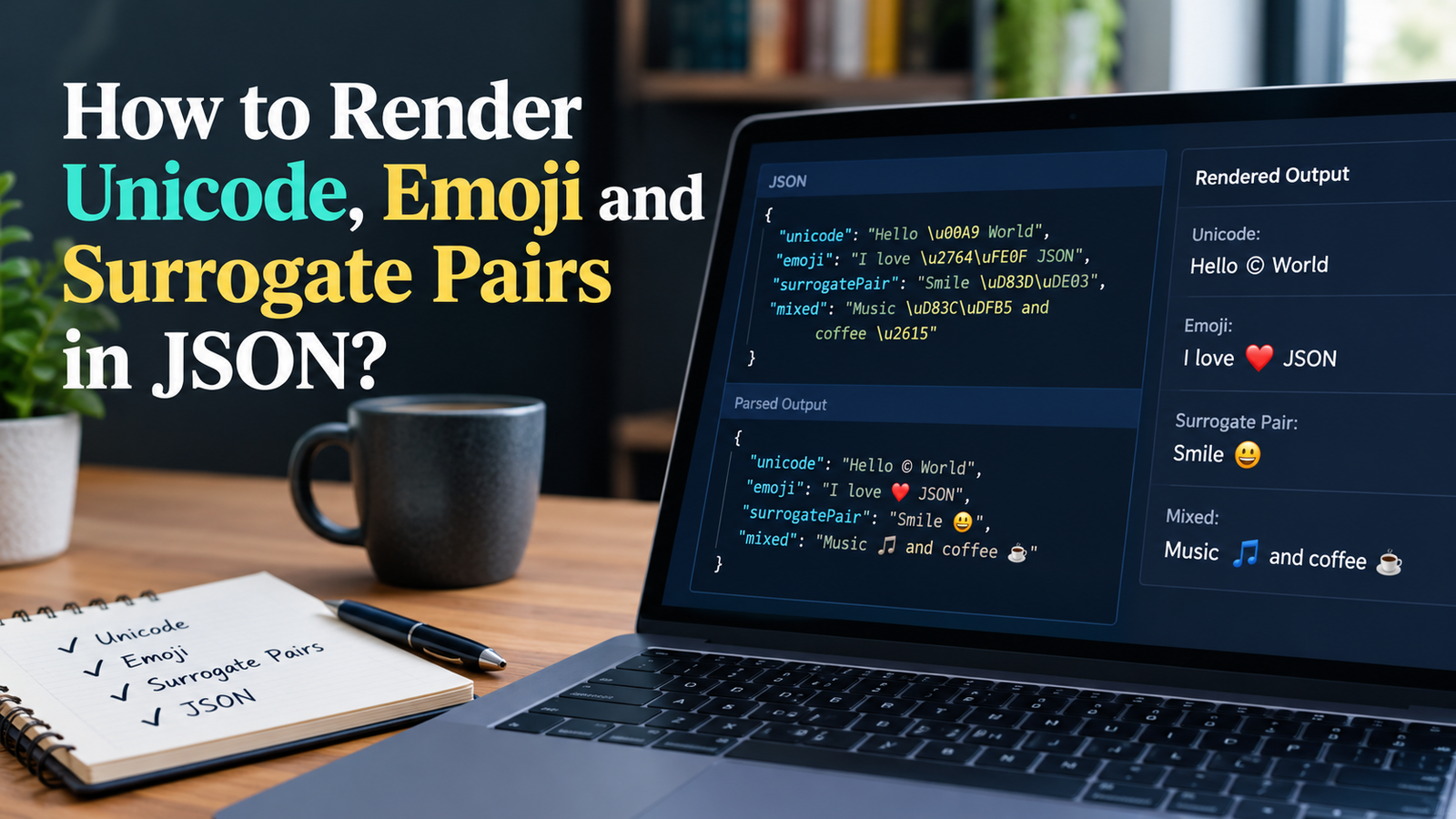
JSON can also use Unicode escapes, like those of XML, of the form \uXXXX, where each X is a hex digit.
For example:
{
  "letter": "\u0041",
  "copyright": "\u00A9",
  "chinese": "\u4F60\u597D"
}
These values are now interpreted as:
letter:Acopyright:©chinese:你好
An escape of the form \uXXXX corresponds to one (16-bit) code unit. The two Unicode escapes are needed to represent a single Unicode code point for characters not included in the Basic Multilingual Plane.
Unicode escapes come in handy when you want a JSON string that does not contain any characters from the English language to be stored as a string in ASCII format, but it is not necessary because a string has characters that aren’t English.
JSON Explanations to Get Emoji Wrapper in Hand!
Emojis are a sequence of the unicode code points or unicode characters. They can be stored in strings, just like regular text, with JSON.
For example:
{
  "reaction": "👍",
  "message": "Great job! 🎉",
  "status": "Working 🚀"
}
Having an emoji in the value doesn’t require special handling in the JSON syntax.
An application is more likely to fail if applications are using incompatible encodings, are processing the strings incorrectly, or are assuming that all characters take up the same number of bytes.
Are you able to insert emojis directly in JSON?
Yes. Emojis are perfectly okay to use within a JSON string provided the document is encoded appropriately and does not violate the JSON string syntax rules.
For example:
{
  "name": "Alex",
  "favoriteEmoji": "🌟"
}
This is valid JSON.
If your data comes to the application over an API, ensure that the characters in the requests and responses are in compatible character encodings. For most websites today, UTF-8 is the most secure option.
Use Unicode Escapes to represent Emojis.
Some emoji will need more than one Unicode escape sequence because code points are larger that U+FFFF.
The emoji face with grin, e.g. 😀 might be characterized as:
{
  "emoji": "\uD83D\uDE00"
}
The two escapes, when properly interpreted, are the same emoji as the direct character.
Some JSON outputs will use direct emojis and other will use escaped Unicode sequences – both may be seen in the same application. Representations can be valid and equivalent after parsing.
Now that some symbols include multiple digits (points), why is that?
Some emoji are made up of multiple Unicode code points.
There are some emojis that use several codepoints to specify a skin tone, linked relatives, families, flags, and other elaborate symbols.
One example is that a series of characters forming “a family” may consist of multiple uses of the same emoji character separated by zero-width joiners. Two regional indicator code points may be used to represent a flag.
Not all visible emoji have the same code point, code unit (UTF-16), or code unit (byte).
It is important to consider these differences if you need to limit characters in strings, count their length, or split texts.
JSON What Does It Mean by “Surrogate Pairs”?
In UTF-16, a pair of 16-bit code units to represent a Unicode code point in the plane above the Basic Multilingual Plane is called a surrogate pair.
The BMP spans the range of code points except the code point range of the surrogates. The characters beyond U+FFFF are represented differently in UTF-16.
A surrogate pair is composed of:
- A high surrogate (that is, the Unicode chars U+D800 to U+DBFF).
- A low surrogate (U+DC00 to U+DFFF).
These two code units are used to code one character or code point in Unicode.
A surrogacy case can be an example of a Surrogate Pair.
The emoji for “Grinning face” is U+1F600, or 😀.
In the UTF-16 encoding, it is represented with these two code units:
- High surrogate:
D83D - Low surrogate:
DE00
In JSON the escaping of the same string is:
{
  "emoji": "\uD83D\uDE00"
}
The parser that takes the JSON representation can decode this pair into the desired (Unicode) character.
The importance of surrogate pairs.
The reason for surrogate pairs is that for certain programming languages and APIs, strings are actually UTF-16 code units.
Your program might count, break or manipulate emoji and other supplementary characters as Latin characters, which can cause errors.
For instance, a JavaScript string which is coded as ‘😀’ has length 2, because javascript string length property calculates UTF-16 code units, not Unicode code points.
const emoji = "😀";

console.log(emoji.length); // 2
console.log([...emoji].length); // 1
The spread syntax will span over Unicode code points and treat this emoji as a code point. But not all emojis are a single code point, and counting the code points is not always in sync with how many characters to the user.
This technique is perfect for passing Unicode and Emoji in JavaScript JSON.This trick works great for transferring Unicode and Emojis in JavaScript JSON.
JavaScript offers the in-built functions to convert objects to JSON strings, as well as to parse JSON text.
They are commonly used to be JSON.stringify() and JSON.parse().
Using JSON.stringify()
The JSON.stringify() method serializes (or converts) a JavaScript value into a JSON string.
const data = {
  message: "Hello, 世界!",
  emoji: "😀",
  symbol: "€"
};

const json = JSON.stringify(data);

console.log(json);
The Unicode characters can be directly in the output:
{"message":"Hello, 世界!","emoji":"😀","symbol":"€"}Normally these characters are retained rather than automatically escaped when sending them back as JSON string with JavaScript.
May vary in actual output depending on a change in the output from the string explicitly into the serialize object, or from the serialization setting.
Use JSON.parse() to read and work with unicode JSON.
The JSON.parse() function transforms a value in JSON format to a corresponding JavaScript value.
const json = '{"message":"Hello, 世界!","emoji":"😀"}';

const data = JSON.parse(json);

console.log(data.message);
console.log(data.emoji);
The values obtained from parsing are still kept in Unicode.
You could also parse a JSON string that contains the information of an emoji in the form of a surrogate pair:
const json = '{"emoji":"\\uD83D\\uDE00"}';

const data = JSON.parse(json);

console.log(data.emoji); // 😀
In the JavaScript source text, make sure your notice that you double the backslash. This is required because string literals in JavaScript are evaluated before it is fed to JSON.parse().
Decoding Unicode Code Points in JavaScript
The string iterator can be used when you want to count code points not code units.
const text = "Hello 😀";

console.log(text.length); // 8
console.log([...text].length); // 7
The first result includes the number of UTF-16 code units. The second indicates a Unicode code point.
However, if you are working with an application that aims to display the number of characters that the user actually perceives/noses, then you might require grapheme-cluster-segmentation.
How to handle Unicode in Python JSON.
Python’s built-in module ‘json’ is available for using Unicode strings!
The functions json.dumps() and json.loads() can be used to serialize and parse Unicode data.
Using json.dumps()
The default behaviour of json.dumps() is to have the option of this parameter set as True, meaning that any non-ascii characters will be escaped.
import json

data = {
    "message": "Hello, 世界!",
    "emoji": "😀"
}

json_text = json.dumps(data)

print(json_text)
The result will be something like this:
{"message": "Hello, \u4e16\u754c!", "emoji": "\ud83d\ude00"}These escapes are equivalent to this Unicode text.
If you need to see non-ASCII characters in the JSON result, you can pass the flag ensure_ascii=False.
import json

data = {
    "message": "Hello, 世界!",
    "emoji": "😀"
}

json_text = json.dumps(data, ensure_ascii=False)

print(json_text)
The output will be the actual characters:
{"message": "Hello, 世界!", "emoji": "😀"}The two are valid JSON encoding of the same data structure
How to Use json.loads() to Parse Unicode JSON
Both of these representations are recognized by Python.
import json

json_text = '{"message":"Hello, \\u4e16\\u754c!", "emoji":"\\ud83d\\ude00"}'

data = json.loads(json_text)

print(data["message"])   Hello, 世界!
print(data["emoji"])     😀
Python will decode the JSON escapes to the Unicode strings.
For files containing JSON data, it is a good default to use UTF-8:
import json

with open("data.json", "r", encoding="utf-8") as file:
    data = json.load(file)
This way you can guarantee that the file will be read using the desired character encoding.
In this section, the common Unicode/ Surrogate Pair Errors in JSON are listed.
Unicode issues may not always result in the same error. Some break the JSON parsing while some others can generate unexpected parser characters or strange parser handling.
Below are some common problems that are to be suspected.
1. Incorrectly Escaped Backslashes
Backslash is the escape character in JSON.
Any sequence preceded by a backslash must match up the literal backslash character.
This JSON is valid:
{
  "unicode": "\\u0041"
}
It’s not the letter A, but the literal text \u0041.
By contrast:
{
  "unicode": "\u0041"
}
The value is A.
It is a good idea to avoid these two forms being confused in your application, and will cause different interpretations of text.
2. Bad Unicode escape sequences.
After the backslash the unicode escape of a JSON object should have exactly four hex digits.
For instance, this is allowed:
{
  "character": "\u00A9"
}
This no longer is valid JSON:
{
  "character": "\u00G9"
}
The letter ‘G’ is not a hexadecimal digit, therefore, the escape sequence is incorrect.
When manually typing Unicode escapes, always double check the spelling and amount of hex characters typed.
3. Unpaired Surrogates
A Unicode escape may not be made up of a single surrogate code unit and its pair, like:
{
  "emoji": "\uD83D"
}
It is a syntactically correct JSON representation of this example, but is not a complete supplementary Unicode character.
There are also differences in how unpaired surrogates are handled across different programming languages, JSON libraries and output encodings. They can be stored, substituted or removed during subsequent processing.
If a full emoji is expected or other supplemental character, always ensure they are in fact valid high/low surrogate pairs.
Say that each emoji is the same length.Suppose all the emojis are equal length.
An emoji can consist of a single code point, two code units in UTF-16 or combinations of code points assembled into a single emoji symbol that the user will see.
For example:
const examples = ["😀", "👍🏽", "👨👩👧👦"];
for (const emoji of examples) {
console.log(emoji, emoji.length, [...emoji].length);
}The values indicate that the length and the number of code-points of JavaScript’s UTF-16 codes may not be the same.
When processing text that includes emoji, keep in mind that string.length doesn’t represent the number of visible characters.
5. Wrong character encoding should not affect it.5. Wrong character encoding should not have an impact.
Any legit JSON data can be misinterpreted when someone reads out the bytes with an application based on a character encoding different from the original.
Accented letter characters and other non-latin characters could be interpreted as an issue in text if the wrong encoding is used; for instance, placing an accent on a letter.
To minimise this risk:
- Store and pass JSON data in UTF8 format.
- Set file readers and writers to the proper encoding.
- Do not unneededly convert between encodings.
- Test multi-lingual content through the application(s) that process it.
6. Splitting Strings in The Middle of a Surrogate Pair
There are string operations that operate with code units instead of with full code points of Unicode.
You can divide the string at an incorrect position and thus, you can separate low surrogate from high surrogate.
This could result in an incomplete string or in unexpected output.
If you need to operate on text with emoji characters, do so using iteration through the text at the Unicode level, and using the appropriate segmentation tools instead of the assumption that each UTF-16 code unit is a full-fledged character.
Here are best practices for using Unicode in JSON:
Some best practices can yield more reliable JSON data.
- Prefer UTF-8: If you have no specific requirements for compatibility, use characters in UTF-8 (other characters are OK for JSON files, APIs, and data exchange).
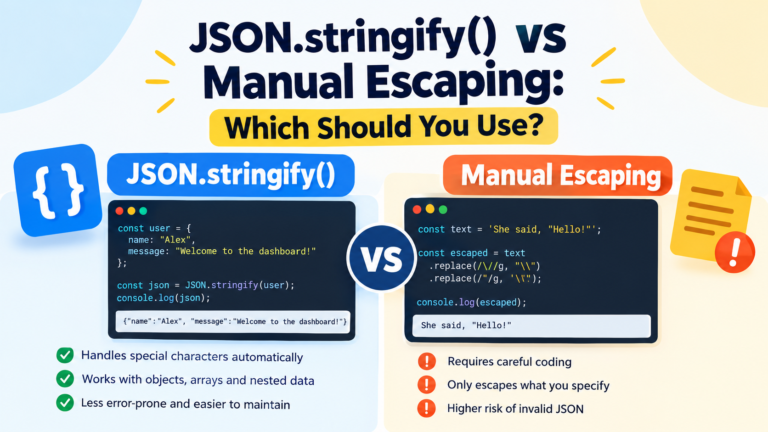
- Leverage built-in JSON libraries: Avoid creating JSON strings by hand; use
JSON.stringify(), JSON.parse(), python's json.dumps(), and json.loads()`. - If appropriate, retain the Unicode characters for the text, since Unicode is valid JSON.
- Utilize Unicode escapes where appropriate: Escapes can be useful to deal with systems that aren’t capable of handling Unicode, but in some cases they aren’t safer.
- Know about surrogate pairs: For some Unicode code points, the supplementary characters need to be represented by two code units in UTF-16.
- Do not use any unsafe string splitting, when splitting multilingual strings and emojis use code-point or grapheme aware string splitting.
- Test unusual characters: Test accented letters, alternative character sets, emojis and supplementary characters.
- Boundaries for encoding/decoding: Make sure files, databases, APIs, and/or applications are sure to agree on encoding/decoding boundaries.
- Be mindful of malformed input: When an escaped character is not followed by an equal sign, handle the malformed input with a purpose.
A comparison between Unicode in JSON and in escaped representation.
Either method is acceptable, but which works best for you is up to you.
| Description on direct Unicode | Description on Unicode escapes |
|—|—|—|
| Readability | Readable for people who are familiar with the characters | Unreadable without knowledge of characters |
| ASCII was used: | ASCII was used: | ASCII might have been used: | ASCII may have been used: |
| Validity of JSON | Valid if it is properly encoded | Valid if escapes are used as defined in the JSON format |
| Emojis that can appear directly | Emojis that may have to use surrogate pairs |
| Relatively compatible if you are using an ASCII-oriented character encoding; helpful for systems that only allow ASCII text |
| Manual editing | OK for visible characters | OK if needed |
It is reasonable for most practical applications to assume direct Unicode, using UTF-8. Use escapes when there is a clear purpose including necessity to represent special characters as such, and where the need of the system.
Frequently Asked Questions
Why does JSON have no support of Unicode?
Yes. JSON strings can contain Unicode text, such as multilingual characters, symbols, and emoji. A typical way to exchange JSON documents is with UTF-8 encoding.
Is it necessary to escape emoji in JSON?
No. You can use Emoji in the strings directly in JSON. You can write them as Unicode escape sequences as well – if necessary.
Why’s An Emoji 2 Long Words?
The length attribute counts code units (UFT-16) in JavaScript. An emoji 😀 is a surrogate pair meaning that it is actually
What is the difference between a Unicode code point and a surrogate pair?
A Unicode code point points to a character or symbol, in the Unicode standard. A surrogate pair is a UTF-16 representation that is two 16-bit code units long and that encodes one code point in the upper half of the BMP.
Is \uD83D\uDE00 the same as 😀?
Yes. If interpreted as a legitimate surrogate pair, then extending this to the full range of Unicode letters, characters, \uD83D\uDE00 would encode the grinning face emoji 😀.
Are surrogates allowed if there are no corresponding enclosing double quotes or parentheses?
The JSON grammar allows for escaped surrogate code units (surrogate pairs are not escaped, but if they were they would be listed for each implementation separately), but there are differences between programmers’ implementations. However, care must be taken to avoid generating surrogates that cannot be paired, unless it is desired to save them.
For JSON always should I use Unicode escapes?
No, it is usually easier to read and all the modern tools supporting JSON do support Direct Unicode characters. To represent characters explicitly, or perhaps include a character that doesn’t fit into any other format, Unicode escapes can be useful in some environment.
Final Thoughts
It’s easier to deal with Unicode, emojis and surrogate pairs in JSON once you’ve gotten the hang of the character representations.
Also, JSON can directly contain Unicode text, and you can get Unicode characters using Unicode escape sequences. This pairs are important for handling supplementary characters with UTF-16-based environments, especially for emoji handling.
Everyday use regular JSON libraries, prefer UTF-8, refrain from making up JSON strings manually and test what kinds of text your application end up processing. Avoiding these bad practices will ensure that your multilingual data remains secure between applications and APIs, and free of common encoding issues.