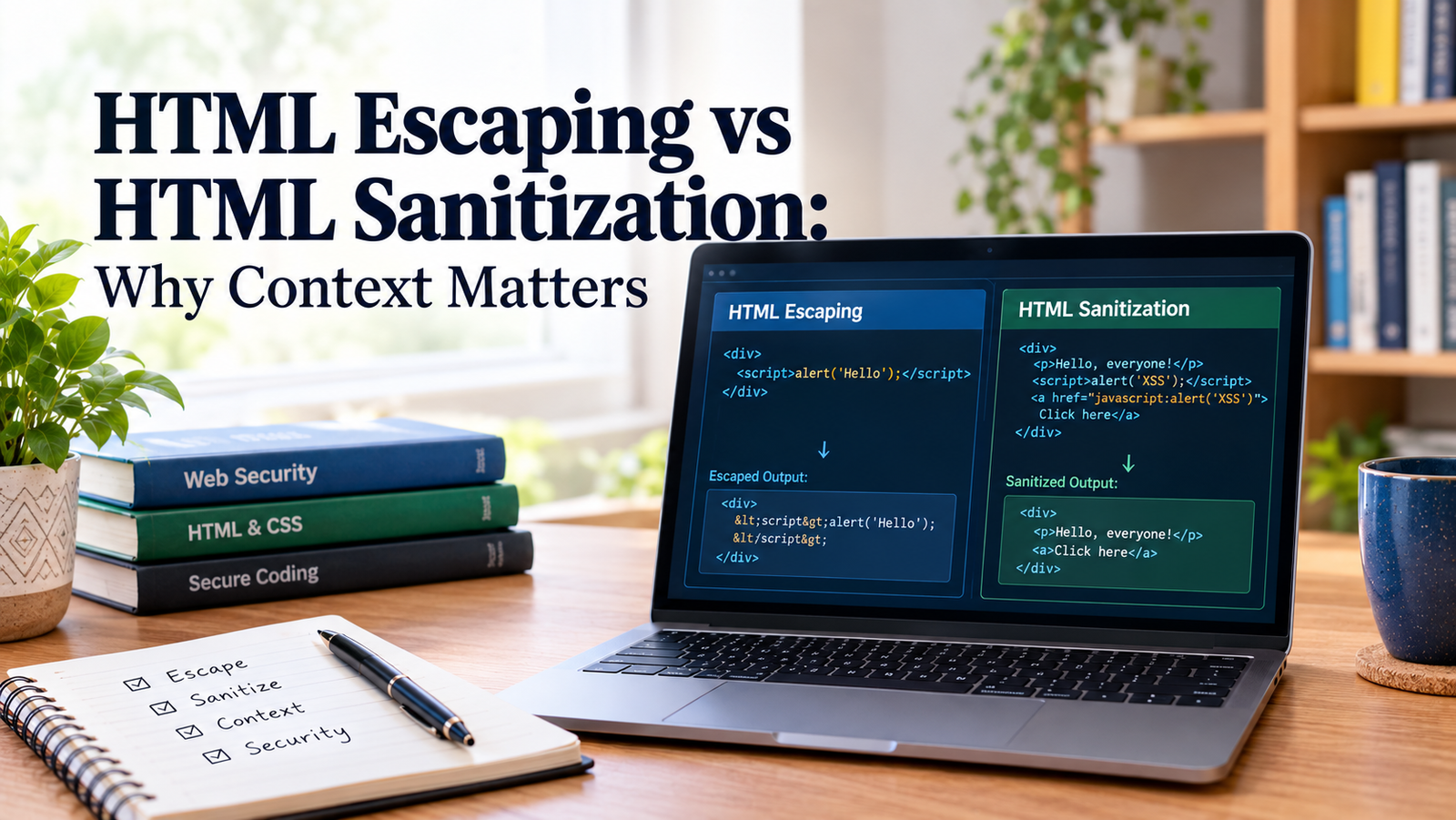
Beginner-friendly HTML/HTML5 developer tutorial post titled:
The difference between HTML escaping and sanitization—in these sometimes-confusing contexts.
Introduction
HTML escaping and HTML sanitization are two important techniques for protecting websites from cross-site scripting (XSS) attacks. Both offer some protection against the existence of unsafe content that has the potential to pose a security issue, yet both offer different solutions, and in different ways.
This is fundamental to distinguish whether user comments should be displayed as text, submitted as a form, formated HTML is processed or whether the user should be able to submit a formatted HTML document.
In this guide, you will learn about HTML escaping and sanitisation, the applications of each, and why the context of the data is important for preventing attacks on a web site.
What is HTML Escaping?
HTML escaping is an encapsulation in which special characters are replaced by characters that are denoted as text in HTML.
In HTML, the less than sign ( < ) has some specific meaning as does the greater than sign ( > ) as well. If they are in the user-provided content, they may be common characters used in HTML and may interpet as such if not handled properly.
Consider this input:
<script>alert('Hello');</script>As executable markup within a web page, the browser can execute the JavaScript.
If the same content is used as escape material in an HTML text context, it turns into:
<script>alert('Hello');</script>In a browser, the script markups are rendered as text, rather than as a part of the semantics.
Common HTML Characters to escape
| Character | Escaped representation |
|---|---|
| & | & |
| < | < |
| > | > |
| “ | “ |
| ‘ | &39; |
However, the escape rules can vary based on the location of the value in the table. As an example, HTML and HTML attribute value are different.
The situations in which HTML Escaping is apt.
HTML escaping is a good approach to use when you want to show untrusted content as a plain text.
Common examples include:
- Displaying user comments.
- Displays username or profile descriptions.
- Displaying search queries in the results pages.
-Displaying error messages with user input. - Highlighting portions of code within the HTML page.
The intent is to be able to preserve the information but not read it as markup.
HTML Sanitization: What is It?
HTML sanitization deletes or formats HTML that is considered unsafe for human reading (while retaining safe formatting).
However, sanitization can be helpful when a user submits an HTML form that you know the application needs to accept.
For instance, a blog editor could permit people to structure text with headings, paragraphs, links and lists. If you escape the entire submission, you’ll probably be showing the HTML tags rather than the formatting you intended.
Sanitisation, on the other hand, filters what it receives from the HTML against a list of permitted elements, attributes and URL schemes.
Example of HTML Sanitization
If a user sends in the following HTML:
<p>Hello, everyone!</p>
<script>alert('XSS');</script>
<a href="javascript:alert('XSS')">Click here</a>
A well adjusted sanitizer could generate:
<p>Hello, everyone!</p>
<a>Click here</a>
The body style of the paragraphs is maintained, and a script element and an unsafe destination for links are removed.
Actual output is dependent on the sanitizer and sanitizer set up.
When is HTML Sanitization Not for You?
If an application must take and display a select few pieces of HTML from the users, sanitization can be helpful.
Common examples include:
- Blog commenting editors which have formatting support.
- Rich-text Content Management systems.
- User-generated articles.
- Product descriptions that enable basic HTML.
- Discussion forums with formatted posts.
A sanitizer must be based on a properly maintained HTML parsing library and have a clear whitelisting of allowed HTML tags. A simple regular expression cannot be used as a replacement for a proper HTML sanitizer.
The difference between escaping and sanitizing HTML.HTML Escape vs HTML Sanitization: What’s the difference?
Both techniques increase security but of their function are different.
| Writing | Yes | Yes (°) Yes (o) |
| Use the tool for the most appropriate purpose | Use text to convey content rather than HTML | Accept limited HTML and block unsafe HTML |
| Emoticons | replaces with their codes like a question mark or colon %5F%3F | Remove disallowed markup or Change it to an allowed markup like escaping< or <> |
| Preserves HTML formatting | No | No, if it isn’t possible |
| Plain text | Best for rich text user-generated | |
| Common use-cases | Username and comments | Rich text blog post |
| Any considerations listed in the text above must be matched in the output context listed above | Must use an appropriate allowlist and parser |
The key difference: escaping alters the meaning of characters; sanitization defines the allowed html elements, attributes, and allowable values of those elements.
Both techniques cannot be viewed as alternatives to each other.
Why Context is an Important Part of HTML Security.
The key in escaping is picking the right context.
What may seem safe in one area can not seem safe in another. There are several contexts within a HTML document such as JavaScript, text nodes, attribute values, URL etc.
If HTML escaping is used everywhere without considering how it will be displayed, it can lead to security weaknesses.
1. HTML Text Context
Consider this example:
<div>USER_INPUT</div>If USER_INPUT includes information that you weren’t sure about, escape it with one of the escaping algorithms developed for HTML text.
For example:
<div><script>alert(1)</script></div>The browser sees the markup as text, not an element of <script>.
2. HTML Attribute Context
Look at an HTML attribute:
<input value="USER_INPUT">If the value is enclosed in quotation marks or other special characters, then it is possible that the value gets out of the attribute.
Make use of the output encoding service or code attribute encoder that is provided in a trusted framework, or use a suitable HTML output encoding attribute. Do not put untrusted content in event-handler attributes like onclick; always leave each attribute value quoted in the style of <a onclick=”alert(addClassEvent(21456; “full”) ; return true” href=”/”>ap@example.com</a>.
3. URL Context
Consider a link:
<a href="USER_URL">Open link</a>Not all URL’s are automatically safe if the HTML in the link is escaped.
The javascript: scheme is not necessarily safe, for instance if the application allows it. Ensure that the URL is valid given a suitable policy and only accept the schemes/destinations that your application supports.
URL validation and HTML attribute encoding are two different uses of user-controlled links, and they might need to be used together.
4. JavaScript Context
Avoid putting untrusted data directly into in-line JavaScript because this can lead to significant security risks.
For example:
<script>
  const username = 'USER_INPUT';
</script>
The result might be executable code if no characters in the input do not match JavaScript string and exceed the output size limit.The result could contain executable code if there are no characters in the input that don’t match the Java script string.
Instead, it’s safer to avoid creating JavaScript source code via string concatenation. Utilize different data channels or framework supplied bindings or well considered serialization and encoding for destination.
5. CSS Context
Also, some untrusted content may cause issues if inserted into CSS.
Prevent the inclusion of raw user data in style blocks, CSS statements and dynamically generated selectors. Always use safe APIs, check the format of the values and never assemble CSS from arbitrary input.
It is important to remember that HTML escaping is NOT an encodng for all JavaScript, CSS or URLs.
Guidance: Select the appropriate technique.Practical Example: Selection of suitable technique.
Suppose you have a blogging system in which people submit articles and comments in a prescribed format.
The way you approach the content is determined by the process of two different approaches.
Use a plain comment to display a message.A Plain Comment expression to output a message.
A user submits:
I am fond of <b>web development</b>!Escape content prior to rendering if the comments are to be rendered as plain text.
Literal tags will be displayed on the browser.
You can also show a Formatted Article.A Formatted Article can be shown as well.
A user submits:
I <b>fondly love Web Development</b>!If formatted articles are supported in your application, sanitize using the HTML-sanitizer removing unwanted tags that you allow.
The browser can then render a paragraph using bold formatting and reject unwanted formatting when it encounters it.
It’s determined by the functionality your app will offer.
Common HTML Escaping and Sanitizing Errors.
These techniques are often incorrectly used by even developers who have a basic grasp of how they work.
Yielding to all content irrespective of purpose.Giving in to content with no concern as to its purpose.
Escaping all HTML is ok for plain-text output, but not for intended formatting for rich text.
Select the approach if it is a Text-based destination or an approved HTML-based destination.
Thinking about Sanitization as a One and Done Security Promise.
Later, the sanitized content could be inserted into another piece of context, e.g., a JavaScript string or a URL.
Data sanitized is not necessarily safe for all future usages. Implement proper security at point where data is used.
Remove malicious HTML using Regular Expressions
A simple pattern to scrub out the script tags will not pick up other attack methods, malformed markup, unsafe attributes or unsafe URL schemes.
Use a trusted HTML sanitizer provided it implements the HTML parsing logic that is specific to the browsers that matter.
Nil the user input – If it goes through validation
Input validation can only determine if data conforms to method requirements and it cannot be used as a substitute for output encoding or sanitization.
For instance, a name could meet your length and character restrictions, but not meet the encoding requirements when displayed in HTML.
Changing Sanitized HTML afterwards
Sanitized HTML can be modified with string concatenation (post parsing) or by adding trusted attributes later on introducing new vulnerabilities.
Ensure that sanitizer’s security assurances are maintained until the final HTML document is produced, by staying away from unsafe post-processing and inspecting the final HTML’s full production.
Productive coding practices are created.Productive coding practices are developed.
Practices to take, when dealing with UGC:
- Connect with the output context. Solve for declaration of the data in HTML text, attribute, URL, JavaScript or CSS.
- Wrap the string in expression brackets.4. Enclose the string in function brackets. Use trusted template engines and frameworks that automatically escape normal plain text output.
- Limiting sanitizing to when formatting is necessary. Set up a maintained sanitizer and spell out your allowlist.
- Validate URLs separately. Limit scheme and destination per your application’s requirements.
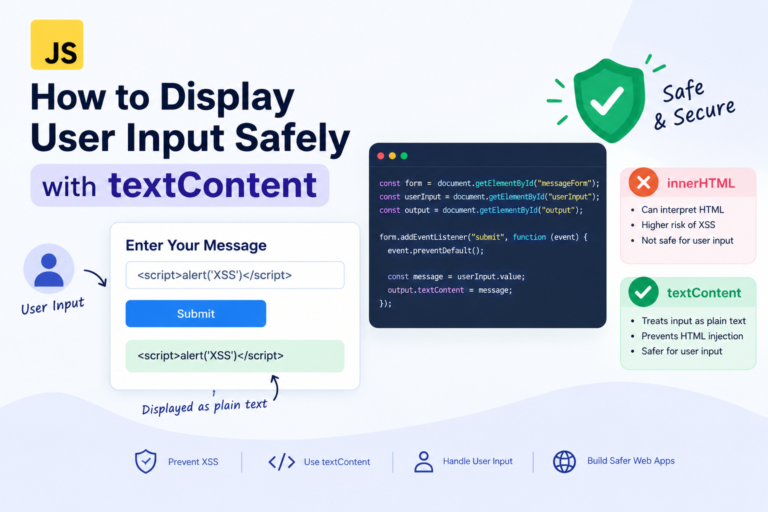
- Steer clear of dangerous DOM APIs. For simple text use textContent; For Untrusted strings use innerHTML.
- SECURITY: Implement Content Security Policy as a secondary measure. A well-designed CSP can neutralize some of the XSS vulnerabilities, but good coding and sanitation practices must also be followed.
- 7.Tests realistic attack cases. You can incorporate malformed markup, unexpected quotation marks, risky attributes, and risky URL designs in your Security tests.
These practices help minimize the risk of cross-site scripting, while enabling your application to treat user-generated content properly.
Frequently Asked Questions
Is HTML escaping better than HTML sanitization?
There is no one right or wrong answer. In general, you should use escaping instead of sanitization for plain text, and sanitization where you want to allow only a small set of HTML.
Are all XSS attacks averted by HTML sanitizing?
No. The effectiveness is dependent on the sanitizer, its configuration and subsequent use of the sanitized output. Other applications shall involve additional Security Controls.
Is it possible to use html escaping + sanitization?
Yes, if there’s a clear purpose for each operation. An application, for instance, could strip the rich-text HTML before saving and re-escaping a username added to a HTML text node before rendering.
Remember not to escape HTML blindly like that, because the following effect would be achieved by displaying the HTML tags as text and stripping the formatting.
Will HTML escaping be repeated for JavaScript escape sequences?
No, Javascript and html syntax and syntax parsing rule are different. Do not rely on any fixed encoding—use the one that is suitable for the exact destination.
In JavaScript, how you display a user’s input is the safest option?
Pass data (or pass a string as data, if it’s hard or impossible to pass the value as data). If an update you wish to show does not warrant the use of html formatting, then use textContent instead of innerHTML.
Conclusion
HTML escaping and HTML sanitization are answers to similar but different current web security issues.
Escaping allows browsers to treat untrusted markup as text; sanitization enforces a subset of formatting tags allowed, and assures that other pages do not contain disallowed content. The right way for you to do it will also rely on the location of where you’re forwarding the data or if you’re planning to output markup in your application.
With the proper technique for the right context, trusted libraries, and steering clear of unsafe DOM operations, you can create web applications with user-generated content that are safer.