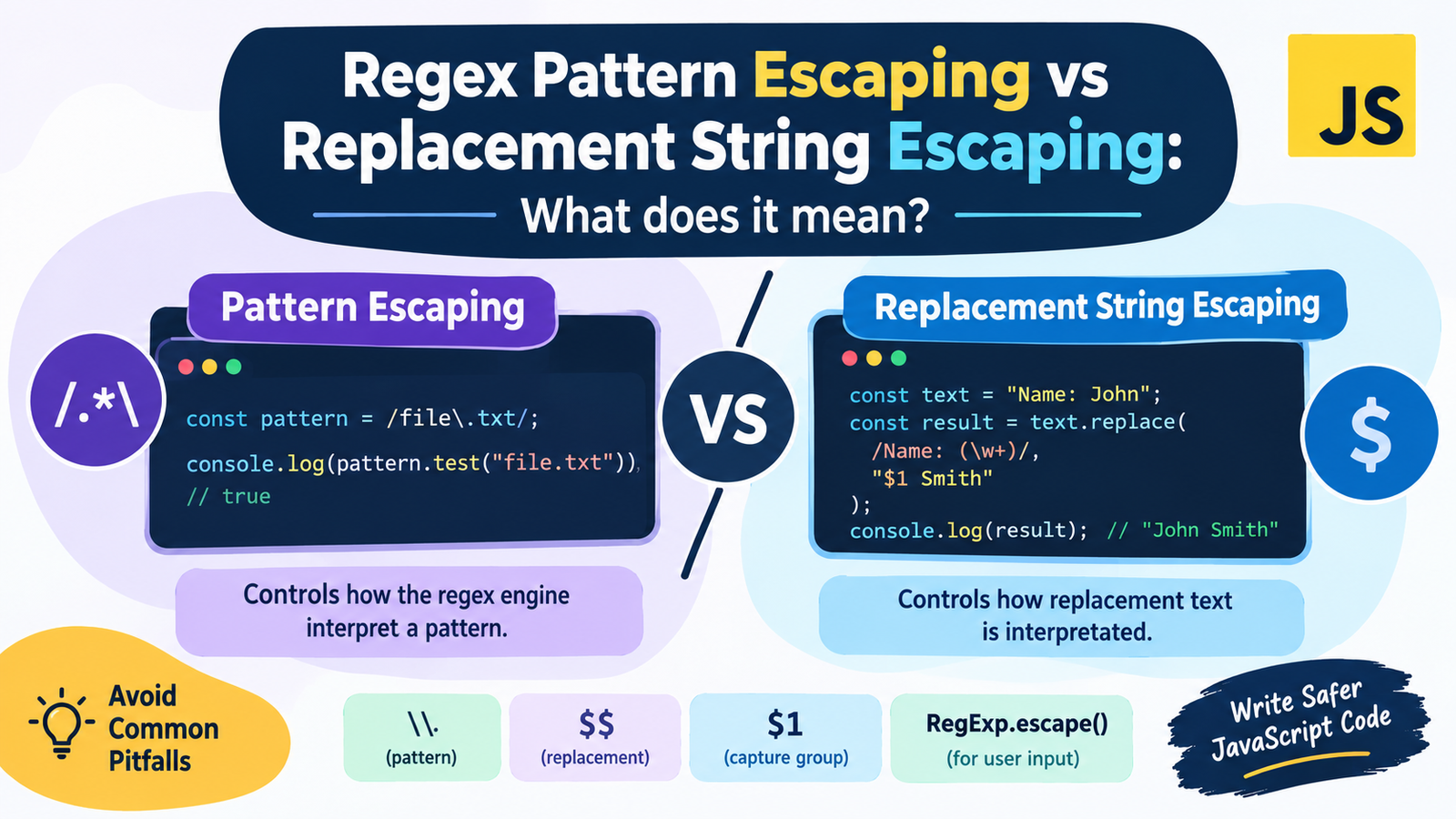
Regex Pattern Escaping vs Replacement String Escaping: What does it mean?
Regular expressions (regex) is a technique which is used for searching, matching, validating and replacing text in various computer languages including JavaScript, Python, PHP, java etc. However, when one or more special characters approach while searching or replacing, it gets confusing when it comes to using regex.
This is one common pitfall, that the way regex is escaped is the same way string replacement is escaped. It’s the same with the special characters; both have their own function, but are used in different ways and have varying rules.
For instance, a backslash () can alter the purpose of a character within a regexp pattern. In a replacement string, however, the special sequences can refer to text that is found or captured groups. If another escaping method is used, these may generate surprising matches, find wrong places and become hard to debug.
You will discover the distinction between regex pattern escaping and replacement string escaping, how they each work in JavaScript, what pitfalls you should avoid and some examples of when to use them in real-world projects.
Introducing Pattern Escaping in Regex.
Regex pattern escaping is the process of escaping of special characters, which means it is not used to interpret a special pattern in the regex, but used to pass it to the interpreter as a literal character!
Regular expressions contain metacharacters that have special meanings. For example:
- The default meaning of – . is almost anything except any line terminator.
-indicates that the number of elements preceding it must be zero or more.+is any number of times the preceding element appeared.?means that the previous element is optional or changes a quantifier.- The string/line can start with a – ^.
$can represent the end of a string or line.(and)define groups.- Character classes are defined with –
[and] - Special sequences / escapes are introduced by
\.
To search for one of these characters literally, the characters might need to be escaped with a backslash.
Literal Dot: Matches a single character.
Literal Dot matches a single character, e.g. .
The following snippets of JavaScript code:
const text = "file.txt";
const pattern = /file.txt/;

console.log(pattern.test(text)); // true
The pattern looks like a filename, except for the dot (.) that’s not interpreted as a dot. Matches any character other than a line terminator.
For example:
console.log(/file.txt/.test("file-txt")); // trueThis result is because the dot is similar to the hyphen.
Use escape to match an actual dot:
const pattern = /file\.txt/;

console.log(pattern.test("file.txt")); // true
console.log(pattern.test("file-txt")); // false
The escaped period (.) indicates that the pattern should actually match the period, which is usually consumed by the pattern engine.
Pattern escaping is the primary use of regex, to tell the regex engine how to interpret the characters in the pattern.
What is replacement string escaping?
Replacement string escaping is the process of dealing with special sequences in the replacement value to be used to replace matched text.
String.prototype.replace() replacement argument can include special replacement patterns in the JavaScript. When using an EXACT match, these patterns are used to provide information on the match and place it in the rearrangement result.
Some common substitutions that can be used include:
| Replacement pattern | Meaning |
|---|---|
| Literally inserts the $ sign as part of the string. | |
| Replaces the whole matched substring with $&. | |
| `$“ | Closes the string prior to a match made at the ‘.’ position. |
$' | Inserts the portion of the string after the match. |
$1, $2, etc. | Replaces with the matching captured group if one exists. |
$<name> | Inserts a named captured group, if one was provided. |
These type of sequences are not regular expression pattern metacharacters. They are part of the replacement string language of JavaScript’s string replacement function.
The following system uses a Captured Group in a Replacement String:
Suppose you want to change a date from 2026-10-16 to 16-10-2026.
The parts (date, day, month, year) of a date can be caught and reshaped:
const date = "2026-10-16";

const result = date.replace(
  /^(\d{4})-(\d{2})-(\d{2})$/,
  "$3-$2-$1"
);

console.log(result); // "16-10-2026"
In this example:
(\d{4})captures the year.(\d{2})captures the month.(\d{2})captures the day.$3adds the three captured groups.- The
$2replaces the 2nd capture group.
The group captured was inserted into the model with $1.
The regex pattern matches the date pattern and the replacement string specifies in what order these parts should be set.
This is crucial as when a regex pattern is escaped, a replacement string is not always escaped as well.
Regex Pattern Escaping vs Replacement String Escaping: Key Differences
Both are methods for handling special characters, but solve different problems. It’s important to understand the distinction in order to write trustworthy search-and-replace code.
| Feature | Regex Pattern Escaping | Replacement String Escaping |
|---|---|---|
\1 Matched group 1 | Matched group 1 | |
| Normal compile mode | Controls how the regex engine interpret a pattern | Controls how replacement text is interpretated |
| Common special characters | ., , +, ?, (, ), [ and ] | $, $&, $1, $$ and related sequences |
| Typical escape mechanism in JavaScript | Double-slash (//) | Common comments in a script; always start a line with a comment to skip it. |
| Example | \. matches a literal dot | $$ inserts a literal dollar sign. |
| Limited use | Locates the words that were used | Generates the words to replace them |
| Common mistake | Using meta characters as “real” characters | Inserting the text that matched/made a capture. |
So pattern \. matches the literal period (.). But when you use \$& in a JavaScript replacement string, it’s not the same as escaping your $ in a regex pattern.
Special character mode is context sensitive.
Understanding how Regex Pattern Escaping works in JS
JavaScript offers two approaches to using regular expressions: RegExp literals and the RegExp constructor.
A regex literal is anything that is enclosed between slashes:
const pattern = /hello\.world/;

console.log(pattern.test("hello.world")); // true
console.log(pattern.test("hello-world")); // false
The backslash is used to escape the dot, which otherwise signifies any character.
To escape the special characters of the regular expression literals, one needs to use special escape sequences within the literal.
RegEx literals usually have to escape the characters that represent metacharacters when these characters are to be matched.
const pattern = /\$\d+\.\d{2}/;

console.log(pattern.test("$25.99")); // true
console.log(pattern.test("25x99"));  // false
The operation of the pattern is as follows:
\$is a literal dollar sign.\d+is equal to one or more digits.\.has a direct match: .\d{2}will accept any two numbers.
This trend may follow that of a basic price, like $25.99.
Note that the $ in the pattern must be escaped because $ is the default end-of-line and end-of-string. presents an escaped period (.) because .matches a character.
Need to escape dynamic User Input
It gets a bit more complicated when the regular expression pattern includes user-provided text.
Assume that C++ is the term the user types in the search box. If you just put this text into a normal regexp, the plus signs will be read as regexp quantifiers, and not as text.
For example:
const searchTerm = "C++";
const pattern = new RegExp(searchFor);
This pattern is not a good fit for literal text C++. If the pattern is followed it may also produce an error since it has no valid preceding atom to which the quantifiers refer.
One is to do escape from input before building the regex.
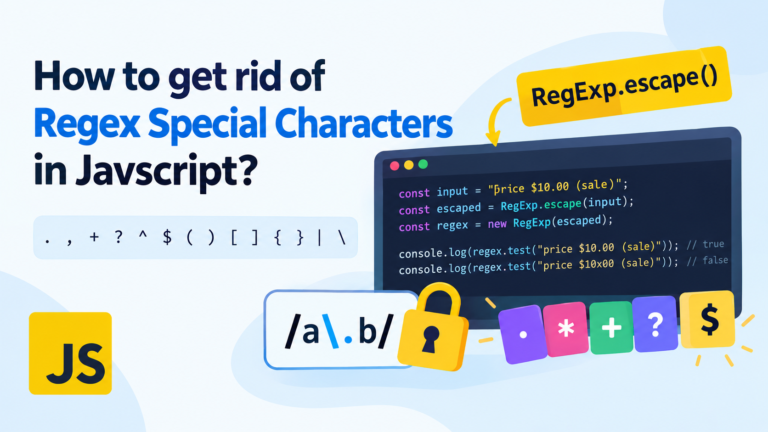
In modern JavaScript, the RegExp.escape() function is available to handle this:
const searchTerm = "C++";
let pattern = new RegExp(RegExp.escape(searchTerm));

console.log(pattern.test("Ian uses C++")); // true
console.log(pattern.test("I use C#"));   // true
RegExp.escape() escapes the input so that it can be used as a literal regular expression. Available in contemporary JavaScript environments, but in older runtimes you might need to either implement it yourself in a manner compatible with the runtime, or use something you’ve tested extensively.
Important: RegExp.escape() is used to escape regex patterns, and not to escape strings for use in replacements. Undoubled quoted: Replacement string tokens (such as $& or $1) are not escaped from it.
The inner workings of Replacement String Escaping in JavaScript
The replace() function in JavaScript uses a string or Regular Expression in the first argument and a value used for replace in the second argument.
The replacement value may be either a string or a function.
If the replacement is a string, there are some significance sequences that start with a dollar. Literal text with the sequence will require considering replacement syntax.
Literal Dollar Sign Example: Place a Literal Dollar Sign in your text.
If you want to change PRICE to $25, do the following:
This code may seem fine upon initial inspection:
const text = "PRICE";

const result = text.replace("PRICE", "$25");

console.log(result); // "$25"
However, this does not represent a captured group; $25 is not captured because the group replaced with it does not have the capture group. When a group reference is not matched, JavaScript will keep it as a literal.
But this behaviour can be confusing if a replacement string contains replacement tokens that are valid.
Always use $$ for the $ itself:
const text = "PRICE";

const result = text.replace("PRICE", "$$25");

console.log(result); // "$25"
Literal dollar sign with $$.
This can be particularly useful when creating currency entries or other output, such as a list of entries which contain dollar signs.
Example: preventing capture replacement accidentally
Look at a pattern that has a bracket:
Fixed text: Name: John;
const result = text.replace(
  /Name: (\w+)/,
  "$1 Smith"
);

console.log(result); // "John Smith"
The $1 sequence inserts the initial group (agent John).
Suppose that you’d like the output to include the literal characters $1 Smith, instead:
const text = 'Name: John';

const result = text.replace(
  /Name: (\w+)/,
  "$$1 Smith"
);

console.log(result); // "$1 Smith"
The difference is important, and subtle but goes like this:
$1inserts captured text.- The literal dollar sign followed by 1 will be inserted in the position where 1 is in the string.
This is replacement-string-escaping, and not regex pattern escaping.
Anyone who has had a problem with escaping with a Replacement Callback can have a safe containership that does not have the escape issue.
A sure substitute for replacement-string interpretation is to use a replacement function.
If the replacement argument is a function, then the replacement text is the function’s return value. No replacement patterns are bound if those sequences in the returned string are preceded by the dollar sign.
For example:
var text = "Name: John";
const literalReplacement = "$1 Smith";

const result = text.replace(
  /Name: \w+/,
  () => literalReplacement
);

console.log(result); // "$1 Smith"
The string that is returned is added literally, including $1.
This would be particularly useful if text to be replaced is from user input, database, or other dynamic sources.
When to use a Callback?
Use a call back when:
- The replacement value is input from the user.
- Dollar sign($) appears in output or output strings like $& present.
- You are required to dynamically calculate the replacement text.
- accidental capture-group substitutions are ones you don’t want to do.
- Different replacement values are required, depending on what matched text is.
For instance, if you want to convert matched numbers, you can do that without creating another string to look for special sequences:
const text = "Price: 25";

const result = text.replace(/\d+/, (match) => {
  return `$${match}.00`;
});

console.log(result); // "Price: $25.00"
The callback is called back with matched digits and assembles the final output. It has a literal dollar sign, that gets returned.
The issues that typically arise when dealing with escaping regex patterns and replacement strings.
Knowing what the rules are is indeed much easier once you understand the blunders which are common among developers.
To use Regex Escaping for Replacement Strings.
Common pitfalls include not realizing that escaped special characters are intended as a special character in all situations.
For example:
const result = "Name".replace(
  /Name/,
  "\\$&"
);

console.log(result); // \Name
Backslash in replacement string is treated as the regular character. $& still puts in the whole match.
It writes \Name, rather than a literal $&.
If you want to insert the literal text $&, use:
const result = "Name".replace(
  /Name/,
  "$$&"
);

console.log(result); // $&
To avoid treating the following ampersand as a field variable, $$ can be used to specify a literal dollar sign.
2. Missing to Escape Regex Metacharacters
Imagining a particular problem you want to solve to get the text a+b.
This pattern is not valid to match with literal text:
const pattern = /a+b/;

console.log(pattern.test("aaab")); // true
console.log(pattern.test("a+b"));  // false
The plus sign ( “+” ) denotes that the previous character can be repeated one or more times.
To get a literal + character, escape it:
const pattern = /a\+b/;

console.log(pattern.test("a+b"));  // true
console.log(pattern.test("aaab")); // false
Lesson: To get the literal value of an escape metacharacter in the pattern, you must escape it.
3. Mixing up strings escaping and regex escaping
There are two layers of JavaScript to think about when making a regexp using the RegExp constructor.
The string is first interpreted by the JavaScript string parser. Next, the pattern is interpreted by the regex engine.
For example:
The line const pattern = new RegExp(“\.”); creates a pattern that only matches .├
console.log(pattern.test(".")); // true
console.log(pattern.test("x")); // false
The string “\.” is strings with backslash followed by a dot after string escaping at the point. A literal dot can then be represented by \. dywizalany :
However, putting “.” into a JavaScript string is not necessarily the best way to indicate that it is involved with a regex pattern to be escaped, since the string parser must apply escape codes prior to the regex engine getting the pattern.
With the RegExp(), keep in mind that the pattern shall need to outlast both parsing phases.
5. First Tease, Then Jeva and a third-round win for Las Vegas.
There are two parts of a replacement operation:
text.replace(pattern, replacement);The pattern is the basis of what is matched. The replacement determines what gets inserted.
For example:
const text = "C++ costs $100";

const pattern = /C\+\+/;
const replacement = "$$200";

console.log(text.replace(pattern, replacement));
// $200 costs $100
The pattern is valid and for every pattern-match, the $200 are inserted.
But, if your pattern is incorrect, you can’t correct it with a correctly escaped replacement. The same goes for a correct pattern that won’t ward off unwanted replaces like strings.
5. Escaping each character by hand, without being able to grasp the context
Many special characters do not have to be escaped in each location.
For instance, within a regex character class, you can specify a range with a hyphen:
const pattern = /[a-z]/;This pattern can be used to find patterns for lower case English letters.
When matching a literal – in a character class you can either put it at the start or end, or escape it:
const pattern = /[-a-z]/;This pattern includes a lowercase letter or a hyphen.
The unnecessary use of backslashes makes patterns more confusing or may create incorrect patterns. The correct method is to figure out first the context, and only escape what needs escaping.
Regex Pattern ESCAPE AND Replacement string ESCAPE in real world examples
Let’s take a look at some practical scenarios where the difference will make a huge mark.
Example 1: Replacing a Filename Extension
Considering that you wish to convert all the extension files from .txt to .json.
const filename = "report.txt";The catch is, const result = filename.replace(/.txt$/, “.json”);
console.log(result); // report.jsonHere:
\.matches the actual ‘.’ in the pattern.- The extension is matched by a – txt.
$indicates the end of the string..jsonis the replacement text.
Dot has to be escaped in the regex pattern. The “dot” does not mean something special and doesn’t need to be escaped when it’s in the replacement string.
Replace text that includes the dollar sign ($).
Suppose that you have a template with a placeholder and want to use the literal currency number in it.
var template = 'Total: {amount}';
const replacement = "$25.00";

const result = template.replace(
  /\{amount\}/,
  () => replacement
);

console.log(result); // Total: $25.00
The braces are escaped to make them special characters in a regex pattern. You can replace it with $25.00, so the dollar sign in it will not be interpreted as a replacement token.
Be sure to enter the parenthetical User-Provided Search Text into the suitable filter in the Calibre database.
Assume your program lets the user input keyword w and literally search for it.
const int text = "The product is C++";
const searchTerm = "C++";

let searchTerm = RegExp.escape(searchTerm); const pattern = new RegExp(searchTerm, 'g');
The text is replaced with JavaScript using the replace method and the resulting string is stored in a constant.
console.log(result); // The product is JavaScriptIn this case RegExp.escape() ensures the term to pass to the search is safe to be used in the pattern as literal text. This does not identify whether the replacement value is literal or not.
However, if the replacement value is user-supplied and could contain strings like $1 or $&, literal is selected by the use of a callback:
let text = 'C++ product';
const searchTerm = "C++";
var userReplacement = "$& is my replacement";

var searchTerm = "his cat ate his sandwich", pattern = new RegExp(RegExp.escape(searchTerm), "g");
Use the results to replace the text.
console.log(result); // My replacement is $& - the product!The matched substring is not interpreted as $& when using backreference in the callback.
In Example 4, you will learn how to format the phone numbers in the data source by using Captured Groups.
Using the capture groups, one can rearrange matched text:
const phone = "1234567890";

const result = phone.replace(
  /^(\d{3})(\d{3})(\d{4})$/,
  "($1) $2-$3"
);

console.log(result); // (123) 456-7890
The pattern represents three sets of numbers. The replacement string is used to refer to those groups and define the resultant format of the phone number.
To match the actual text $1, rather than the first captured group 1, it would be necessary to escape the $, by using $$1.
This illustrates that pattern escaping and replacement escaping are concepts that need to be understood separately.
Replacement Escaping in other programming languages.
Many programming languages make the difference between regex patterns and replacement strings, but the differences lie in the syntax used.
| Define | ^define$ | Assign value to the variable define$ |
|---|---|---|
| JavaScript | Backslash escapes regex metacharacters | Uses $&, $1, $$, etc. to replace patterns |
| Python | Commonly uses backslash escapes for regex metacharacters | Uses \g<1> within replacement strings for captured groups |
| Perl | Uses / and () for groups | Uses $1, \ to escape replacement metacharacters |
| SQL | Uses standard syntax and includes error checking support | No replacement syntax, delimiters vary based on the function used |
Python has a different replacement syntax, for instance:
text = "Name: John"result = re.sub(r"Name: (\w+)", r"\1 Smith", text)print(result)This replacement string refers to the first capturing group using \1, while in JavaScript, it can be used as $1.
It’s for this reason that you must never presume that escape rules that take into account for one language are applicable to a different one. Always refer to the documentation of the language/API that you are using.
Caution should be the watch word when trying to compose a pattern and replacement string for a regular expression.
To make code more secure, more maintainable, and reduces unexpected behaviors, there are a couple of common things to follow.
Mimic Dynamic Search Input to leave.Mimic Dynamic Search Input to leave.
For cases where you need to match it exactly as you’ve entered it, leverage RegExp.escape() (available in some versions of JavaScript):
const input = "price (USD)";
var pattern = new RegExp(RegExp.escape(input));
This will stop accidental changes to the meanings of the regex by characters used in the input.
All Literal Dynamic Values should be replaced by a Replacement Callback.
Should the replacement value be some arbitrary text, employ a callback:
const replacement = "$& and $1";

const result = "PLACEHOLDER".replace(
  /PLACEHOLDER/,
  () => replacement
);

console.log(result); // $& and $1
This helps prevent unintended interpretation of replacement tokens.
3. Do not mix up Pattern & Replacement Logic
For complicated logic, put patterns and replacement values in different variables. This will help to identify which escaping rules apply to each value.
Explicitly test Special Characters
Try your code on the values with:
- Backslashes ()
- Dollar signs ($)
- Periods (.)
- Plus signs (+)
- Parentheses (( and ))
- Square brackets ([ and ])
- Braces ({ and })
- $& and $1 replacement tokens
These types of tests can assist unveil errors that common text does not find.
5. Manual escaping is fragile – prefer Built-In APIs.
Experiment with RegExp.escape() in environments where the JavaScript syntax supports literal patterns and use replacement functions when literal dynamic output must be created.
Do not use one escape function for both purposes. There are different problems solved by pattern escaping and replacement escaping.
Frequently Asked Questions (FAQs)
What is the difference between the escaping of characters in a regular expression pattern and the escaping of characters in a replacement string?
Pattern Escaping: Regex pattern escaping determines how the characters are interpreted while searching for a match. Replacement string escaping – How to handle the special sequences during replacement text insertion.
For instance, the dot (.) is interpreted literally in a regular expression, but is interpreted as a dollar symbol in a JavaScript replacement string.
2. Who need to escape the regex patterns?
To match the metacharacters literally rather than as special purpose characters, Regex patterns must be escaped.
As an example, . matches any character but . matches an actual period. The use of escaping avoids such unintentional changes of meaning of the pattern by special characters.
3. What is the best way to deal with escaping special characters in a javaScript regex pattern.
Use a backslash in front of a metacharacter to get its literal value as part of a regex literal. Use RegExp.escape() (available in supported JavaScript environments) for dynamic text.
const pattern = /\+/;

console.log(pattern.test("+")); // true
This is for a literal + sign.
4. How do you get out of a $ for a replacement string in JavaScript?
Use $$ to put a literal dollar sign in a JavaScript replacement string.
console.log("PRICE".replace("PRICE", "$$50"));
// $50
This is not the same as in regex patterns, where $ is an escaped dollar.
6. What is the function of $& in a JavaScript replacement string?
$& replacement pattern, will include an entire matched string to the replacement result.
const result = "cat".replace(/cat/, "[$&]");

console.log(result); // [cat]
If you want to insert the literal characters $&, then use $$& in the replacement string.
In what ways does RegExp.escape() work to escape replacement strings?
RegExp.escape() escapes the text so that it can be used a literal part of a regular expression pattern. Does not cancel special replacement sequences like $&, $1, $<name>.
Use a replacement callback for literal dynamic replacement text.
Is it safer to use a replacement callback as opposed to a replacement string?
Replacing the call back might be preferable when replacing text is dynamic or includes $ and other replaceable tokens. The returned value of the callback is inserted literally, and not as a replacement-string.
But this callback doesn’t automatically make the regex pattern safe. However, it is still important to get the pattern construction right.
8. Will the escaping function work for Regex pattern and replacement string?
Generally, no. Different contexts have different syntax and rules. The escaping function for regex patterns might not protect replacement strings and the escaping function for replacement strings might not produce a valid regex pattern.
Apply suitable method(s) according to the context and the programming language.
9) What is the consequence of failing to escape a metacharacter in a regex?
Regex may think that there is a special operator and not a literal character. For instance, if you include a single period instead of an escaped period, it will match a hyphen or another character rather than the period. This can cause unexpected matches, or may result in the wrong replacement.
10. How to deal with user input in regex replacement?
Use escape when incorporating user-provided values to a pattern that matches literal text. Use a replacement callback for user input as replacement text, which should not be changed.
These approaches mitigate two kinds of risks: hazards of unanticipated regex behavior and hazards of unanticipated interpretation of substitution string.
Conclusion
In the end, the escaping of Regex pattern and escaping of replacement string could seem alike, however, are different.
Pattern escaping controls your regex match, and replacement string escaping controls your replacement insertion. JavaScript supports the use of backslash to escape regex metacharacters, and dollar sequences in replacement strings like $1, $& and $$ are also significant.
To be safe, when creating patterns from literal user input, use RegExp.escape(), when inserting arbitrary dynamic text, use replacement callbacks; and be sure to test your code with special characters.
Comprehending which applies to which component of a change operation allows you to avoid widespread escaping pitfalls and compose more fore-telling javascrip code.