How To Encoded Unicode and Other Special Characters in URLs
In web development, URLs are a standard aspect, and they also can contain risky characters and symbols that aren’t generally readily available. You may have noticed that some characters become oddly-looking codes when you try to add some spaces or accented letters or even put a Chinese character or anything else into a URL if you have ever done so.
These are encoding codes for URLs (percent-encoding). It provides a way to represent characters in URLs without problems.
When developing search forms, dealing with APIs, processing user input or creating links with non-English characters, it is essential to know how to encode Unicode and special characters in a URL.
In this guide, you will learn what URL encoding is, how to correctly encode Unicode characters in a URL, how to make decisions about handling special characters in JavaScript, and some typical URL-encoding pitfalls to avoid.
Understanding URL Encoding
URL encoding is a method for encoding some of the characters of a URL with a percent sign (%).
Spaces in a URL are also conventionally encoded, for instance as %20.
Let’s look at the following example:
https://example.com/search?q=hello worldThe space in the search query can be encoded as %20:
https://example.com/search?q=hello%20worldThis is a representation which assures correct transmission and interpretation of characters in URLs.
URL encoding is particularly helpful for URLs with the following components:
- Use of spaces and punctuation marks.
- Unicode text from other languages.
- Special characters such as
&,=,?, and “. - Emoji or other symbols.
- User input that needs to be included in a URL parameter.
But, you don’t have to encode all of the characters in all components of a URL! As showed, the correct way depends on you are dealing with a complete URL or a query parameter or a URL path segment.
What is Unicode characters in URLs?
Unicode is a standard system that has allocated one code point to the characters from the writing systems of the world.
It supports English letters, accented letters, mathematical symbols and emojis as well as Arabic text and Urdu.
For instance, the following characters are represented by Unicode:
- accented letters: é.
you— a Chinese character.- `sh’ — Arabic letter.
😊— a smiling face emoji.€— the euro symbol.
For modern URLs, there is no restrictions on using international characters in a URL, although representation and transmission may involve UTF8 encoding and percent-encoding.
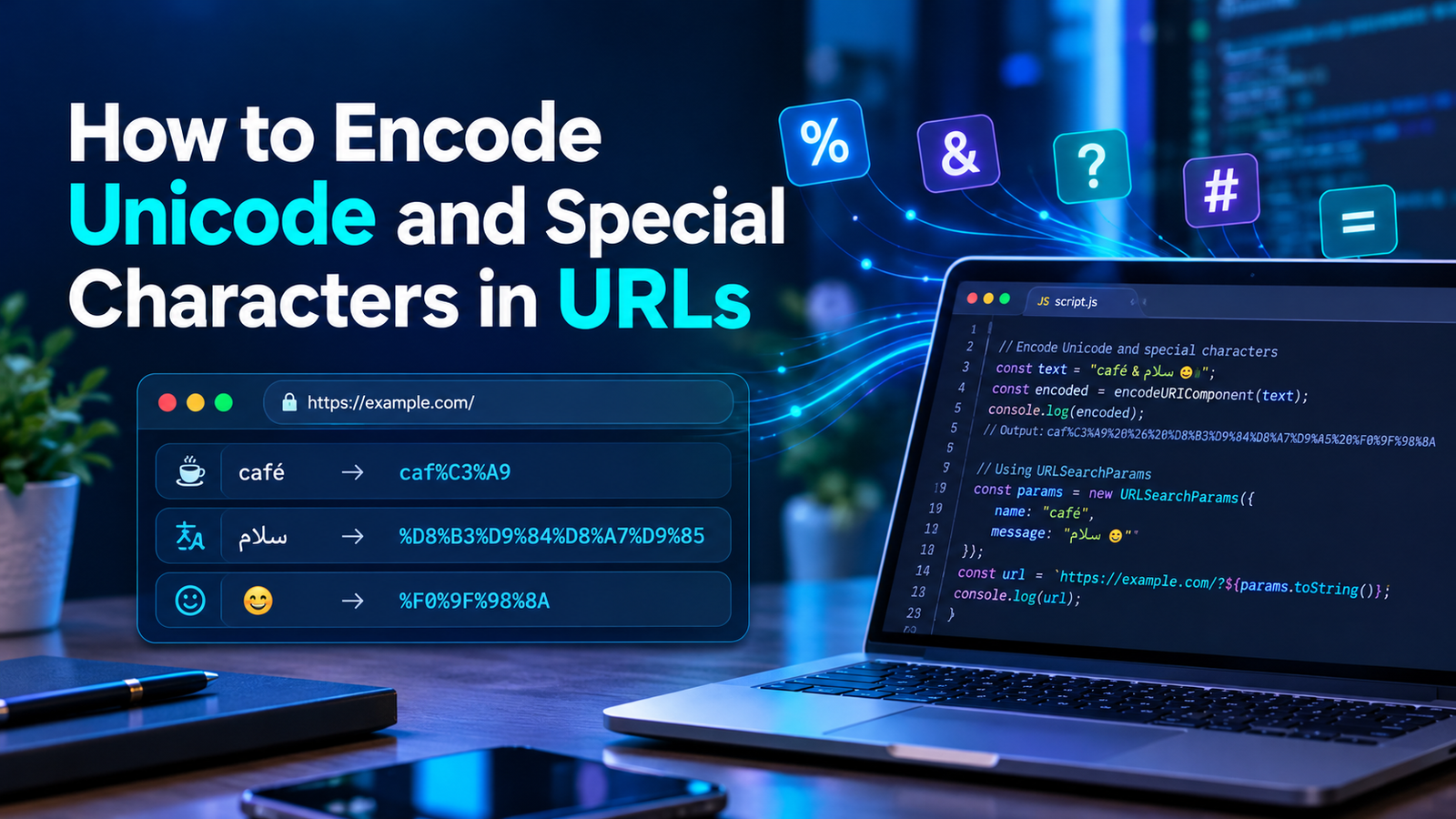
An example of this would be the word café, which has the letter é in it. This character is encoded in UTF-8 using the bytes C3 A9: %C3%A9.
The result is:
https://example.com/search?q=caf%C3%A9This makes it possible to write the Unicode text with percent encoded UTF-8 bytes.
Description and Details of Unicode URL Encoding
It is important to note that Unicode characters and UTF-8 bytes are not the same thing, in order to interact better with Unicode URL encoding.
utf8 is just the way to map code points to one or more bytes, not the way to map characters to code points.
Percent-encoding is used to then represent the individual bytes by percent sign followed by two hex digits.
For instance take the character é.
This is how it will work:
- é is a Unicode code point with the value of U+00E9.
- UTF-8 represents this character with the two bytes: C3 A9.
- Percent-encoding does encoding as
%C3%A9.
The conclusion:
é → UTF-8 bytes C3 A9 → %C3%A9If the character uses multiple UTF-8 bytes, then multiple percent-encoded sequences will be required.
Thus the Chinese character 你 is encoded as:
你 → %E4%BD%A0This is why you will see Unicode characters come in multiple percent encoded bits instead of a single code.
How to encode Unicode characters in javascript
JavaScript has inbuilt functions to encode and decode elements of the URL.
The most commonly used functions are:
encodeURIComponent()encodeURI()decodeURIComponent()decodeURI()
For query parameter values and path segments it is generally best to use encodeURIComponent().
1. Use encodeURIComponent()
The encodeURIComponent() function encodes a URI component, that is, a search term or a parameter value.
Example:
const text = "café";
const encoded = encodeURIComponent(text);

console.log(encoded);
Output:
caf%C3%A9Function that encodes a Unicode character to UTF8 bytes and percent-encodes them.
It also encode reserved words / characters like &, =, ? etc. that may cause problems in the query parameter structure.
For example:
const search = "coffee & tea";
const encoded = encodeURIComponent(search);

console.log(encoded);
Output:
coffee%20%26%20teaAs in this case, the ampersand is encoded as %26 and thus shouldn’t be viewed as a query parameter separator.
2. Transcribe Urdu, Arabic and Non-English Text
Of course it is not only for English or European languages that URL encoding exists. It also provides assistance to Urdu, Arabic, Chinese, Japanese and other many languages.
For example:
const text = "سلام";
const encoded = encodeURIComponent(text);

console.log(encoded);
Output:
%D8%B3%D9%84%D8%A7%D9%85The same method can be used for Urdu or other varieties of Unicode:
const text = "آپ کیسے ہیں";
const encoded = encodeURIComponent(text);

console.log(encoded);
This gives a result like the original string percent encoded.
This will be helpful when generating multilingual search pages, sending names of foreign users to API’s, or generating links with non-English user input.
4. Delete Special Symbols and Emoji
You can also have emojis in urls, as well as many other symbols.
For example:
const text = "Hello 😊";
const encoded = encodeURIComponent(text);

console.log(encoded);
Output:
Hello%20%F0%9F%98%8AThe emoji is encoded by its UTF-8 bytes, which are then percent encoded.
Symbols like the euro sign can be handled like this, too:
const price = "€50";
console.log(encodeURIComponent(price));
Output:
%E2%82%AC50When these characters are part of a URL component, it is important to apply encodeURIComponent() to correctly represent them in the URLs.
How to Special Characters in URLs
Certain characters may have special meaning within URLs. For instance, the question mark (?) signifies the start of a query, and the ampersand (&) is for separating query parameters, while the hash (##app) -> is for fragments.
If these characters are to be used within a parameter value, but not as a part of the URL structure, then they must be encoded in an appropriate manner in order to be interpreted correctly within the URL.
Some more frequently seen examples include:
| Character | Encoded representation |
|---|---|
| Space | %20 |
& | %26 |
= | %3D |
? | %3F |
| “ | %23 |
+ | %2B |
% | %25 |
These characters can be encoded in JavaScript:
const text = "A&B=C?DE+F%";

console.log(encodeURIComponent(text));
Output:
A%26B%3DC%3FD%23E%2BF%25See how the reserved characters have been encoded in order to make it appear as a character in a URL segment.
The special attention that the plus sign requires
The meaning of the plus sign may change depending on the format of the URL.
The normal URI escaping of a URI component with encodeURIComponent("+") returns %2B.
In the ‘application/x-www-form-urlencoded’ query strings, however, a literal + is commonly treated as a space.
For example:
?q=hello+worldThis is, for example, the form-encoded equivalent to `hello world’.
For the actual plus sign use %2B:
?q=2%2B2It is important when using search forms, APIs and query parameters.
Correctly encoding parameters for queries
Aside from formulating the URIs, recombining multiple query parameters may result in errors.
For example:
const search = "coffee & tea";
const url = "https://example.com/search?q=" + search;

console.log(url);
The result includes an ampersand that is not encoded, and may be assumed to indicate that another query parameter is coming next.
Instead, it’s preferable to use the URL and URLSearchParams API.
const url = new URL("https://example.com/search");

url.searchParams.set("q", "coffee & tea");
url.searchParams.set("language", "en");

console.log(url.toString());
Output:
https://example.com/search?q=coffee+%26+tea&language=enAnytime you want to encode query parameters, URLSearchParams will do that for you. This employs form-style serialization, that is, spaces are escaped using + not %20.
Both can be correct and dependent on the context of the URL and the receiving app’s expected format.
It is usually preferable and easier to use URLSearchParams over manually concatenating and encoding query strings.
How to encode Unicode characters in url path segments?
Occasionally, instead of being part of a query string, Unicode text can be included in the path element of a URL.
For example:
https://example.com/products/caféYou will want to use encodeURIComponent() to encode a segment of a path:
const product = "café";
const url = "https://example.com/products/" +
            encodeURIComponent(product);

console.log(url);
Output:
https://example.com/products/caf%C3%A9Good for when product names, article titles or user provided identifiers are embedded in URLs as path.
Be careful not to encode a whole path, though, as a component.
For example:
encodeURIComponent("products/café");Output:
products%2Fcaf%C3%A9The slash character is escaped (encoded as %2F) and will no longer function as a path separator.
To retain the structure of a series of URL’s, each path segment should be encoded separately instead of encoding the entire path component!
encodeURI() vs. encodeURIComponent()
Both functions encode Texts related to URLs, but for different reasons.
| Feature | encodeURI() | encodeURIComponent() | |
|---|---|---|---|
| Purpose for which the class exists | A full URI | A specific element of the URI | |
| Tolerant of reserved characters | No, many reserved characters | Escapes reserved characters like AND, “, ? and others | |
| Can search by value | No | Yes | , |
| links up to non-planar paths | normally | No | |
| Percent encoded UTF8 Unicode | Agaricus, Enviromonics, pg2migrator, Access to Haskell, csv, | Agaricus, Enviromonics, |
For example:
const url = "https://example.com/search?q=hello world";

console.log(encodeURI(url));
Output:
https://example.com/search?q=hello%20worldBy contrast:
const value = "hello world&category=books";

console.log(encodeURIComponent(value));
Output:
hello%20world%26category%3DbooksIn the second case, the ‘&’ and ‘=’ are escaped due to the fact that they are part of the value, rather than query string separators.
Practical rule: If you have to encode any value, use encodeURIComponent and if you need a query string, use URLSearchParams. Do not use encodeURIComponent() on whole urls, if you need to keep their structure.
On how to display and access Unicode characters from a URL
Encoding is just one piece of the equation. In some cases, you may need to decode a percent encoded value and make it human-readable.
The method to do so in JavaScript is decodeURIComponent().
Example:
const encoded = "caf%C3%A9";
const decoded = decodeURIComponent(encoded);

console.log(decoded);
Output:
caféYou can also decode Unicode text in other languages:
const encoded = "%D8%B3%D9%84%D8%A7%D9%85";

console.log(decodeURIComponent(encoded));
Output:
سلامDecoding would be helpful when dealing with query parameters, displaying the query on the screen, or getting data from some API.
But, if the input is malformed, decoding may raise a URIError, when it contains one or more invalid UTF-8-sequences, or one or more percent-encodings that are malformed.
For example:
try {
    const decoded = decodeURIComponent("%E0%A4%A");
    console.log(decoded);
} catch (error) {
    console.error("Invalid encoded URI component");
}
The try/ catch block allows the program to continue if bad data is entered.
Also, be careful to not decode the same value more than once unless you are certain that you have been encoded with that value more than once.
Common Mistakes When Encoding Unicode and Special Characters
Although there are built-in encoding functions in JavaScript, a few common mistakes can still cause issues.
Writing the same value more than once
Double encoding occurs when an encoding is encoded again.
For example:
const value = "café";

const first = encodeURIComponent(value);
const second = encodeURIComponent(first);

console.log(first);
console.log(second);
Output:
caf%C3%A9
caf%25C3%25A9
The percent sign is encoded as %25, changing %C3%A9 into %25C3%25A9.
This can lead to a failure to locate resources, or broken links, and unexpected API responses.
Make sure you know if your input is raw text or already encoded to prevent this issue. Dynamic data value encoding after reaching the correct URL boundary.
In the case of Individual Query Values, one should use the encodeURI() function
The following is an example:
const value = "coffee & tea";

console.log(encodeURI(value));
And many characters that have special meaning in URL syntax are not encoded; among them is ampersand.
So, in case the value is used as a query parameter, the ampersand might affect the query structure.
Instead, use encodeURIComponent() for the whole value.
Contains both the scheme and host
With encodeURIComponent(), the whole of the URL is encoded, which means :, /, ? and &‘s are encoded.
This means that the URL is no longer a regular, normal URL.
To avoid that, you should use the URL API that will create the URL and encode its parts correctly.
4. Special characters — manually replacement
The substitution of spaces with %20 might be convenient but it is not able to map all the characters.
For example:
const value = "coffee & tea + milk";
const encoded = value.replaceAll(" ", "%20");
This purely does space substitution. Ampersand and plus sign will not change.
A safer way is:
const value = "coffee & tea + milk";
const encoded = encodeURIComponent(value);

console.log(encoded);
Output:
coffee%20%26%20tea%20%2B%20milkAssume that each URL follows the same encoding rules
Different serialization rules may be specified for URL paths, query parameters and form submissions.
Causing example: Spaces might be represented as plus sign (+) in form-style query encoding, or plus percent-encoded as %20 in a URI component.
Be mindful of where the value will be needed and what type is the value to be imported into the other application.
6. Unvalidated Input by Forgetting to Encode Data
URL encoding is a mechanism to ensure that data can be passed safely and reliably in the various parts of the URL, but this should not be confused with rendering data trustworthy.
If you require input from others, validation, access controls and other security measures may be needed as well.
Encoding should never be a substitute for input validation or application security.
Encoding Unicode URLs for URL pointing and unescaping
To deal with Unicode and special characters better, adhere to these practices.
- Be consistent, use UTF8 everywhere: modern js functions for encoding URLs use UTF-8 for unicode text.
- Encode individual components: Need to encode query values and path components: Use encodeURIComponent().
- serialize query strings with URLSearchParams: rely on the built in API to do the parameter serialization for you.
- Do not double encode: Do not encode repeatedly, at the proper boundary.
- Avoid decoding values that already use the target value’s representation.
- Process malformed inputs: Ensure there are error handlers in decryption of data that might be corrupted.
- Test international text: Build multilingual applications by testing urls with urdu characters, accented, Arabic, Chinese and emojis.
- Do not encode a whole URL as if it were the value for a param. Ex. preserve the structure of the URL.
- Always validate user input: Keep in mind that percent-encoding is in addition to validation and other security measures.
These practices help to minimise the potential of broken query strings, unexpected characters, and inconsistencies between applications.
Conclusion
It is important for JavaScript developers to know how to encode a Unicode or special character in a URL. It ensures that international text, symbols, spaces and reserved characters are properly represented when present in the URLs.
The important thing to grasp is the distinction between Unicode characters, UTF-8 bytes and percent encoding. Once you know how they work together dealing with international text is made easy.
Use encodeURIComponent() for individual values in a URL and URLSearchParams to create a query string for most JavaScript applications. Apply the ‘URL’ API to maintain the structure of the URL, to prevent double encoding, and to be cautious with the decoding of values when they need to be decoded.
These techniques can be used to create more robust links searches, forms and API calls, and multi-presentation web applications.
Questions and answers about the questions Reflection Practice is designed to answer
How to Form URLs for Unicode characters
The encodeURIComponent(urlString, encodeType) function can be used to convert a Unicode string into a URI component, using the encodeType argument to determine the method of encoding to use. This function will also percent-encode required bytes for UTF 8 by converting the Unicode text into the UTF 8 format.
Example:
console.log(encodeURIComponent("café"));Output:
caf%C3%A9Why are Unicode characters represented as % codes in URL’s?
Unicode characters could be displayed in the percent escape within a URL, as Unicode is stored in UTF-8, which will use % and 2 hexadecimal characters to display each Unicode character. This means a way of sending characters that are outside of what is considered the “standard” set of characters (ASCII).
3. Is it possible to use Urdu/Arabic/Chinese characters in URLs?
Yes. For example, URLs are allowed to include international characters, such as Urdu, Arabic, and Chinese. These characters can be displayed directly by the browsers and URL-processing tools; or they can be encoded as their UTF-8 8-bit form in ways such as percent-encoding.
4. What are the differences between encodeURI() and encodeURIComponent()?
The purpose of encodeURIComponent is to encode parts of the URI, such as parameter values, where many characters are required as they are part of the structure of a URI, while the purpose of encodeURI is to encode the whole URI, but a few reserved characters must be encoded if it would otherwise alter the meaning of the URI.
5. How to encode a space into a URL?
encodeURIComponent() is commonly used to encode spaces as %20 in a URI component. The value for spaces in form-style query strings that are constructed with URLSearchParams will be +.
6. How to encode special chars like &, +, ?
If these characters are a part of any single value use encodeURIComponent.
For example:
console.log(encodeURIComponent("A&B+C"));Output:
A%26B%2BC%238. How would you encode emojis in the URL?
Convert an Emoji to a URL element using encodeURIComponent() to escape it.
Example:
console.log(encodeURIComponent("😊"));Output:
%F0%9F%98%8AEmoji characters are percent-encoded after being converted to UTF8 encoding.
8. How can I decode a unicoded URL parameter in a JS script?
Use decodeURIComponent() to decode a percent-encoded URI component.
const value = decodeURIComponent("caf%C3%A9");
console.log(value);
Output:
caféEnsure that the input is a valid percentage encoded and UTF8 string.
9. Where does the double encoding of my URL come from?
Double encoding typically occurs when an encoded value is encoded again, by the same encoding function. For example, % becomes %25, so %20 can become %2520. Don’t repeat the same encoding.
10. Is URL encoding equal to Base64 encoding?
No. URL percent-encoding is a way of expressing bytes in hexadecimal format using the percent sign. Base64 is a type of conversion for binary data in various forms of text. These are not interchangeable and have different functions.
11. What program / application should I use for Encoding the whole URL or just the parameters?
In most cases it is advisable to maintain the structure of the URL’s and encode individual portions on a case-by-case basis. For single values use encodeURIComponent() and for the query string, use URLSearchParams.
12. Is user input safe when URL encoded?
No. Although URL-encoding ensures that data is sent properly in the URL, it is not used to validate input or to ensure that the application is secure. Appropriate security protection, and validation of user input, should still be implemented, depending on how the data is used.