Understand JSON.parse() Error Messages: Get to the Heart of the Matter
JSON is a most widely used format for storing and sharing and transferring data from one application to another. JavaScript developers will need to use JSON for API interactions, configuration files, handling forms or dealing with structured data. Even though, a formatted error is all it takes to make JSON.parse() fail.
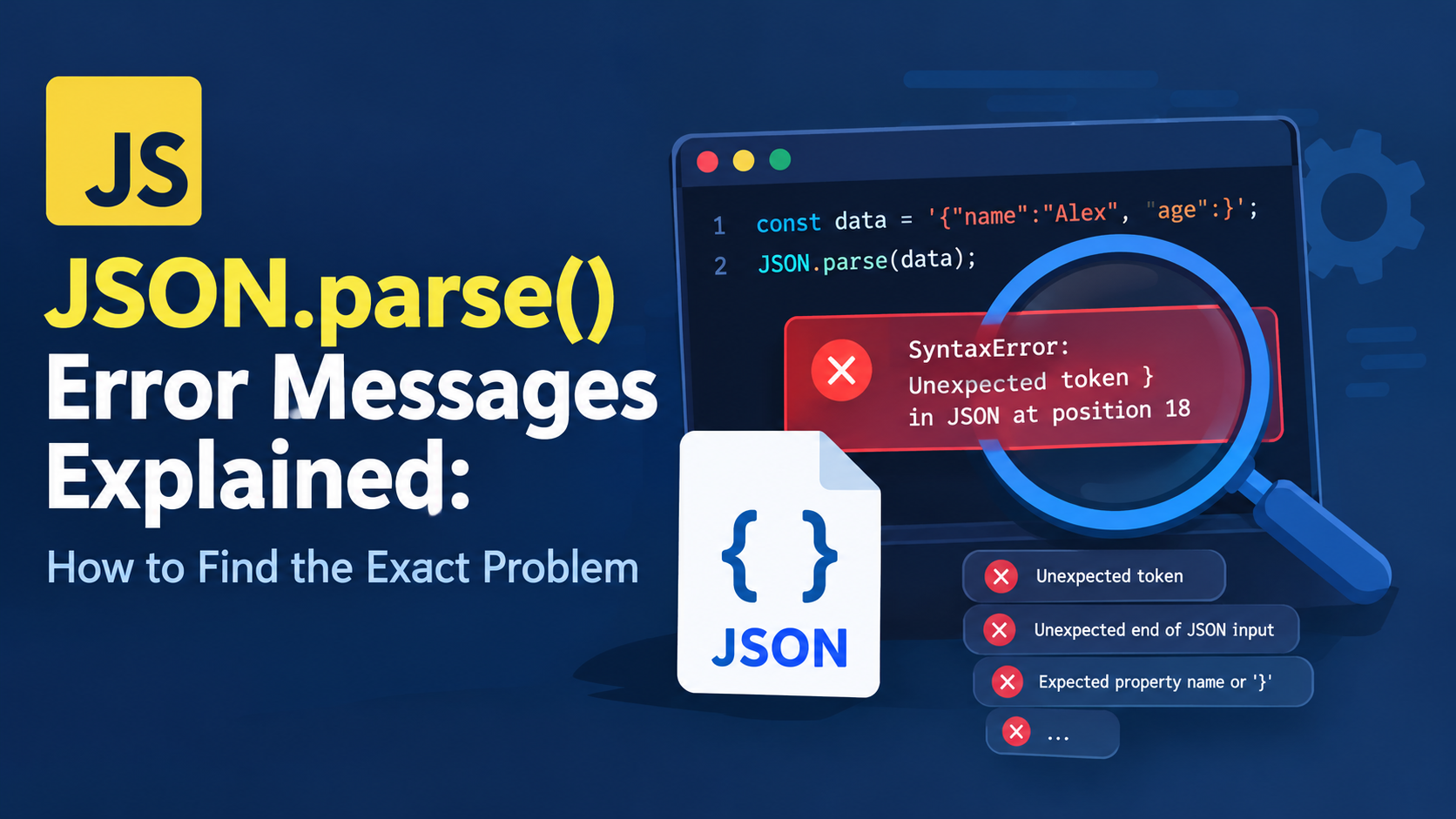
The downside is that neither are the JavaScript error messages always very comprehensible. You may encounter a message like Unexpected token, Expected property name or ‘}’ or Unexpected end of JSON input, and not necessarily be able to tell right away what is causing the issue in your data.
By understanding the JSON.parse() error messages, you can determine what was wrong with your JSON syntax, such as invalid characters, unescaped quotation marks, unfinished values, and so on. Rather than altering the code in a random manner, the error message can give you clues as to the root cause of the issue and help you resolve it effectively.
This article explains the common errors that can occur when using JSON.parse(), how to determine the precise location of a JSON syntax error, and how to debug an unsupported JSON via some practical javaScript examples. There are also some tips for debugging, some common pitfalls to avoid, and some answers to some commonly asked questions.
What Is JSON.parse() in JavaScript?
The JSON.parse() function can be used to take the valid JSON string and turn it into a value. Depending on what is given it can be an object, an array, a string, a number, a boolean or `null.
For example:
const jsonString = '{"name":"Alex","age":28}';

const user = JSON.parse(jsonString);

console.log(user.name);
console.log(user.age);
Output:
Alex
28
In this instance, a call to JSON.parse() takes a JSON string, parsing and validating it as a JSON object and returns a JavaScript object with 2 properties.
But if an invalid JSON syntax occurs, then JavaScript will raise a SyntaxError in the input.
For example:
const jsonString = "{name:'Alex', age:28}";

const user = JSON.parse(jsonString);
It is not a valid input as JSON requires property names to be double quoted as well as string values. The string is not valid JSON and the parser is unable to interpret it, hence the operation fails.
Knowing the error message will help you determine how to make the changes.
Why Does JSON.parse() Throw Errors?
There are strict rules about the JSON syntax obeyed by JSON.parse(). While they are not the same things, it’s easy to see how important it is to understand the differences between JavaScript objects (literals) and JSON objects.
JSON must have property names in double quotes, strings in double quotes, numeric value is valid, and the bracket/brace should be placed in the correct location with comma separating them.
Below are some frequent places where you might get JSON.parse() Error:
- No double quotes around the names of the properties.
- Single quotation marks used for JSON strings.
- Trailing commas after the last property or element of an array.
Commasonly located between properties or between values.
Unescaped double quotes in strings. - Backslash escape sequences that are not valid.
- No right parentheses or brackets.
Empty or incomplete JSON data.
Response not returned as JSON but as HTML or plain text. - Additional characters before or after JSON value.
Take this invalid JSON into account:
const data = '{"name":"Alex", "age":}';

JSON.parse(data);
The age property has no value. Since JSON’s value must also be a valid value after the colon, the parser encounters a SyntaxError.
Exactly what error is reported varies for different JavaScript engines and runtimes. The problem may be described differently in other environments such as Chrome, Firefox, Node.js.
Understand common errors from parsing JSON.
But one of the quickest ways to troubleshoot invalid JSON is to learn some of the common error messages.
Let’s look at the most common bread making mistakes.
1. Unexpected token
Unexpected token typically occurs when the parser finds a character that it doesn’t expect in the current location of the JSON string.
For example:
const data = "{'name':'Alex'}";

JSON.parse(data);
It’s the single quotes. Names of properties should be double quoted as should be JSON strings.
Correct version:
const data = '{"name":"Alex"}';

console.log(JSON.parse(data));
The other example is a trailing “,”:
const data = '{"name":"Alex",}';

JSON.parse(data);
When a comma is present, another property is expected; however that does not happen and the Object ends.
Correct version:
const data = '{"name":"Alex"}';How to find problem: Look for the character specified in the error message (if any). Next check the surrounding characters to see if there are any missing quotation marks, commas, brackets or other syntactic errors.
Understand that the character reported might be the location in which parsing failed, rather than where the original error occurred.
2: Unexpected end of JSON input
This error typically is triggered by an incomplete or invalid JSON value in the input stream.
For example:
const data = '{"name":"Alex"';

JSON.parse(data);
Object has an unmatched ‘}’ in its definition.
Correct version:
const data = '{"name":"Alex"}';

console.log(JSON.parse(data));
The same error can be issued when it is an incomplete array:
const data = '[1, 2, 3';

JSON.parse(data);
Correct version:
const data = '[1, 2, 3]';An empty string also can cause an unexpected-end error:
JSON.parse("");Empty string is not a valid JSON string.
How to locate the issue: Determine if empty input, the truncation of the input, if input doesn’t contain closing brace/bracket, quotation, or necessary value. If it’s a response from an API or file, ensure that all of the JSON was collected.
3. Expected the name of a property or ‘}’
This is a typical exception that can occur when a JSON object includes an invalid property name or an unexpected character where a property name should be.
For example:
const data = "{name:'Alex'}";

JSON.parse(data);
Property name name is not double quoted.
Correct version:
const data = '{"name":"Alex"}';Another example:
const data = '{"name":"Alex", age:28}';

JSON.parse(data);
Second property name is invalid as the property name age is unquoted.
Correct version:
const data = '{"name":"Alex", "age":28}';Where to look: Just after the opening brace and a comma It is at this point that JSON expects a double-quoted property name or a closing brace.
Expected ‘)’ or ‘{‘ after property value
This error typically occurs when the parser is expecting its next character to be a comma or the closing brace, but finds something else.
For example:
const data = '{"name":"Alex" "age":28}';

JSON.parse(data);
No Comma is written between the two properties.
Correct version:
const data = '{"name":"Alex", "age":28}';Arrays can also have missing commas:
const data = '[10 20, 30]';

JSON.parse(data);
Correct version:
const data = '[10, 20, 30]';Where to look: Check spaces between neighbouring properties or values. Ever put a comma before a closing brace or bracket, and separate each object property with a comma.
6. Operator – contains at least one term with character value 63 or above that is not a digit.
The strings in a JSON data set must contain no unescaped control characters such as literal newline characters or some of the other control characters.
For instance, if you use a line break as an actual string in a JSON value it will be represented in JavaScript as a string, for example:
const data = '{"message":"Hello
World"}';

JSON.parse(data);
This is not a valid JSON as the newline in the string should be escaped.
Correct version:
const data = '{"message":"Hello\nWorld"}';

console.log(JSON.parse(data).message);
In the above example, the form of \n in the parsed JavaScript string stands for a line break.
Special attention should be paid if you are building your own JSON if your data contains line breaks, tabs, quotation marks or backslashes.
A more secure way is to let be generated a valid JSON from JavaScript:
const message = "Hello\nWorld";

const jsonString = JSON.stringify({ message });

console.log(jsonString);

console.log(JSON.parse(jsonString).message);
How to locate the issue: Check around for any literal line breaks, tabs and other unescaped control characters in string values. Use JSON.stringify() rather than hand crafting JSON strings.
6. Bad escaped character
sBackslash is the escape sequence used in a JSON string. But not all escape sequences work.
For example:
const data = '{"message":"Hello\q"}';

JSON.parse(data);
Invalid escape sequence in JSON: \q
Correct version:
const data = '{"message":"Hello q"}';

JSON.parse(data);
To put the escape character and the letter q put the escape character in the first place:
const data = '{"message":"Hello\\q"}';

console.log(JSON.parse(data).message);
The result of parsing is:
Hello\qA JSON value can contain representation of the following strings that are using escape sequences:
\"is for a double-quote”.\\for a backslash.\/for a forward slash.\bfor backspace.\ffor form feed.\nfor newline.- \r for return.
\tfor tab.\uXXXXfor a Unicode code unit (4 hex digits).
One way to locate the problem: Search for backslashes in string values, and check that each is a valid escape sequence. These errors are often caused by file paths on Windows.
7. No number to the right of minus sign
JSON numbers have to be carefully formatted. There should be a number following the minus sign.
For example:
const data = '{"temperature":-}';

JSON.parse(data);
This is not valid because there is no number after the minus sign.
Correct version:
const data = '{"temperature":-5}';

console.log(JSON.parse(data).temperature);
In addition, JSON will not accept ordinary numbers with leading zeros (other than zero).
For example:
JSON.parse('{"count":007}');This is not a correct JSON.
Correct version:
JSON.parse('{"count":7}');Find the problem: Check for missing minus signs, leading zeros, missing digits or incorrect number formatting.
8 Unexpected non-whitespace character after JSON data
This error can result from if there are extra characters after a valid JSON value.
For example:
const data = '{"name":"Alex"} extra';

JSON.parse(data);
An extra word, ‘extra’, is not a part of the JSON value but the object is still valid.
Correct version:
const data = '{"name":"Alex"}';

JSON.parse(data);
An alternative reason for this is being given two different JSON values in the same string:
const data = '{"id":1}{"id":2}';

JSON.parse(data);
The standard JSON.parse() takes one single value as json and not two objects back-to-back.
If you want to display more than one record, use an array:
const data = '[{"id":1},{"id":2}]';

console.log(JSON.parse(data));
Find the problem: Check input leading and trailing characters. Look for debugging messages, extra JSON objects, HTML or any other part of the non JSON value.
Location information for exact position of a json syntax error
The best way to debug is to use both error message and original input. Some JavaScript engines give a character position or line and character position, others give a more general description.
Now, here’s a useful method to find the problem.
You will see a full error message.Step 1 – Read the full error message.
Always check the type and wording of the error first.
For example:
SyntaxError: Unexpected token ...It indicates that the parsing failed because of an invalid character/token at the location that was encountered.
An error “unexpected end of input” indicates that the JSON is not complete. A property name is usually indicated when an error is issued, suggesting there is an object key missing double quotation marks.
The message is not the sole source of information. For tackling the input inspection: use it as the starting point.
Prints the original JSON string.Step 2: Outputs the printing of original JSON string.
First, check the string that is being passed to JSON.parse() before parsing.
const jsonString = '{"name":"Alex", "age":}';

console.log(jsonString);

const data = JSON.parse(jsonString);
The log contains information on what happened to make the solution fail.
If it is hard to see the result, use JSON.stringify() to improve visibility of the whitespace and escape characters:
console.log(JSON.stringify(jsonString));This results in a ‘quoted’ representation of the string, which makes all enclosed newlines and tabs more visible.
In this example, JSON.stringify() is just facilitating you in inspecting the input, though. Does not auto-correct invalid JSON.
Try out and catch the results.
A try...catch block is used to intercept errors that may occur during parsing and analyse the input string without raising an exception to disrupt any further error handling.
const jsonString = '{"name":"Alex", "age":}';

try {
  const data = JSON.parse(jsonString);
  console.log(data);
} catch (error) {
  console.error("JSON parsing failed:", error.message);
  console.error("Original input:", jsonString);
}
This method helps to process API responses, import files, or users input or configuration data.
In production, do not attain JSON elements that are sensitive in public logs. Use suitable redaction and logging practices.
This is the fourth step in which the reported position is verified.
Several error messages contain a location (character position number) such as:
Unexpected token ... at position 18The precise text and presence of a position is dependent on run-time.
If you have a position index, you can display the characters around it:
function showErrorContext(jsonString, position) {
  const start = Math.max(0, position - 10);
  const end = Math.min(jsonString.length, position + 10);

  console.log(jsonString.slice(start, end));
}

const jsonString = '{"name":"Alex", "age":}';

showErrorContext(jsonString, 22);
This helper prints out a small section around a position, that is provided as an argument, in the input.
Note: As for this example, the position is hard coded. When you’re actually debugging, use a location you’ve been told by your runtime and check if it uses the same indexing scheme as a JavaScript string.
The reported position may not correspond to the character where the parser discovered an error, but to the character where the parser stopped being able to continue.
Step 5 – Go over quotation marks, commas and brackets
If it is not detailed enough, then check the simple JSON structure.
If the objects, be sure that property names and string values are enclosed in double quotes. Ensure colons are used between the property name and its value, and commas are used between properties.
For an array, make sure that elements are coma-separated and brackets are balanced.
This term will not be accepted as input, for instance:
const jsonString = '{"user":{"name":"Alex", "active":true}';The outer object does not have its closing brace.
Correct version:
const jsonString = '{"user":{"name":"Alex", "active":true}}';

console.log(JSON.parse(jsonString));
Systematic testing of the structure may be quicker than trying to test individual characters again and again.
I took a stab at this example of debugging JSON.parse(), where it’s useful.
Now let’s mix up these techniques in a little function that can be reused.
It tries to parse a JSON string and if failed, provides a failure message; otherwise, returns the successfully-parsed value.
function parseJSONSafely(jsonString) {
  try {
    return {
      success: true,
      data: JSON.parse(jsonString)
    };
  } catch (error) {
    console.error("Unable to parse JSON:", error.message);

    console.error(
      "Input received:",
      JSON.stringify(jsonString)
    );

    return {
      success: false,
      error: error.message
    };
  }
}

const result = parseJSONSafely(
  '{"name":"Alex", "age":}'
);

if (result.success) {
  console.log(result.data);
} else {
  console.log("Please check the JSON syntax.");
}
This function won’t fix malformed JSON. Rather, it offers you a reliable mechanism you can use for the case of a failure to parse the input or to inspect the input.
This distinction is significant as it means that automatically corrected malformed JSON might alter the meaning of the data.
For instance, if a data value is missing, it could be a bug in the data generation rather than a mere data formatting error. It would be replaced by either null or an empty string, however, silently, which could be a problem, and the problem may not even be known.
Working with APIs: JSON.parse Errors
A common parsing error is when the API doesn’t return a JSON response.
An HTML error page, plain-text message, or an empty response may be returned by the server in lieu of an object.
For instance, a server could response:
<html>
  <body>404 Not Found</body>
</html>
HTML isn’t JSON, so trying to JSON parse this content will fail.
If in the case of fetch(), check the result of fetch because it may not be valid JSON.
async function getUser() {
  const response = await fetch("/api/user");

  if (!response.ok) {
    throw new Error(
      `HTTP error: ${response.status}`
    );
  }

  const contentType =
    response.headers.get("content-type") || "";

  if (!contentType.includes("application/json")) {
    throw new Error(
      `Expected JSON but received: ${contentType}`
    );
  }

  return response.json();
}

getUser()
  .then(user => console.log(user))
  .catch(error => console.error(error.message));
This example first verifies the HTTP status and content-type before it tries to read the JSON body.
The check of content-type is great and is one way to make sure, but it is not the only guarantee that the body passed is valid JSON. An incorrect content type may be sent by a server and some legitimate JSON responses may be encoded by another media type.
In addition, response.json() will try to parse the body of the response and will fail with a parsing error exception if it is not valid JSON. No need to call the JSON.parse() function on the result of the response.json().
How to Fix Common JSON Syntax Mistakes
If you are having a problem parsing JSON, these are the most frequent mistakes that you can fix first.
Use ‘double’ quotes.
Invalid:
{'name':'Alex'}Valid JSON:
{"name":"Alex"}Remove trailing commas
Invalid:
{"name":"Alex","age":28,}Valid:
{"name":"Alex","age":28}Add missing commas
Invalid:
{"name":"Alex" "age":28}Valid:
{"name":"Alex","age":28}See how to escape quotes inside strings.
Invalid:
{"message":"He said "hello""}Valid:
{"message":"He said \"hello\""}Escape backslashes correctly
Invalid:
{"path":"C:\new\test"}Valid:
{"path":"C:\\new\\test"}In the invalid example, escapes like \n and \t do not represent backslashes and n or t, but rather newline and tab.
Provide a complete JSON value
Invalid:
{"name":"Alex"Valid:
{"name":"Alex"}Do use valid JSON values.
JSON includes strings, numbers, objects, arrays, boolean values and “null”. It does not have the ability to use JavaScript-specific values of undefined, NaN or Infinity as JSON values.
Invalid:
JSON.parse('{"score":NaN}');Valid:
JSON.parse('{"score":null}');Only use the null value if it really means that data. It’s not always a suitable substitute for a missing or improper number.
Why JSON.stringify() Can Avoid Parsing Errors
Writing JSON strings by hand can also be very prone to error, especially if there are quotation marks, backslashes or line breaks in the values.
For instance this way will produce a bad JSON:
const name = 'Alex "The Coder"';

const jsonString = '{"name":"' + name + '"}';

console.log(JSON.parse(jsonString));
Quotes in the name field inside the generated JSON string don’t appear to be escaped properly.
The safer way would be to apply the JSON.stringify():
const name = 'Alex "The Coder"';

const jsonString = JSON.stringify({ name });

console.log(jsonString);

console.log(JSON.parse(jsonString));
If you are using one of the types that JSON.stringify() can write, then it will do the necessary JSON escaping.
This is normally the more desirable based on when you need to programatically produce json.
But JSON.stringify() is not everything that can be considered as JSON text. It doesn’t necessarily fix an already broken malformed JSON string, it serialises JavaScript values to JSON.
For instance, when you get broken JSON data from third-party service, try to find out what made it broken, rather than re-serializing it on top of that.
JSON.parse() Error Messages in Different Browsers
Errors in the different JS engines may be different.
One runtime may report an “unexpected token,” another, an “invalid character” or a more detailed description of the problem of the syntax.
This is because it depends on the JavaScript engine used and how it does its parsing diagnostics.
For each scenario the underlying rules in JSON format are the same, but the specifics of the message, character in the message, and detail may vary.
If you are trying to figure out what’s going on, regardless of whether you are trying to test across browsers or nodes, look at the actual input and the grammar for the JSON, not a specific error message.
In any parsing code that relies on input from the user (or another application), don’t expect a certain string in an error message.
This is more predictable than examining a string of the SyntaxError‘s actual text:
try {
  const data = JSON.parse(jsonString);
  processData(data);
} catch (error) {
  if (error instanceof SyntaxError) {
    console.error("The JSON input is invalid.");
  } else {
    throw error;
  }
}
Here it is assumed that jsonString and processData() exist somewhere else. It is able to deal with syntax errors individually and other programming errors can be cascaded.
Most frequent errors to avoid in the debugging of JSON
Even advanced programmers can sink time when they get a JSON parsing exception without paying careful consideration to the input.
Now here’s a list of some pitfalls to avoid.
- If the error pop-up points out the correct error
A parser will typically identify the location where it found a problem; perhaps this is not the location where the problem occurred.
If a sketch offers strings with a missing quotation mark at the start of the string, this error will result in any subsequent comma or brace in the string being marked as unexpected.
- Using classes and iterators as much as possible
This is a JavaScript valid Object Literal is:
const user = {
  name: "Alex",
  age: 28
};
But the next string is not a valid JSON:
JSON.parse("{name: 'Alex', age: 28}");The format should be a string that follows JSONArray syntax, with double quotes around the string values and property names.
- Using a regular expression to build the input
Although regular expressions are able to find simple patterns, they don’t provide the general solution to fixing malformed JSON.
For instance, if you are deleting commas or substituting the single quotation mark, they would have a corresponding effect on rightful string values.
Where possible validate JSON and correct underlying data-generation process with a JSON parser.
- Withholding from initial answer
When the JSON is returned by an API, look in the response body. The content may not be JSON because of a network error, authentication failure, or exception happened on the server.
- Hiding parsing failures
An empty catch block can cause invalid data to to look like it is handled successfully:
try {
  JSON.parse(jsonString);
} catch (error) {
  // Ignoring the error
}
Instead use an appropriate way to report the failure (a controlled failure code or some other action that is sensible for your application).
If it’s an assumed valid JSON, it’s automatically safe to use.
JSON can only be syntactically valid data if it is VALID JSON. It is not an assurance of the trustworthiness or suitability of the information for your use.
Compare the value you’ve parsed to your expected data structure and implement a security measure before processing it.
Frequently Asked Questions
What is the meaning of the error of the JSON.parse() function?
A JSON.parse() error is when JavaScript failed to convert the provided string into a valid JSON value. It can occur because they forgot to include quotation marks, liked to add a trailing comma, or because they used an invalid escape sequence, didn’t enter complete input, or used excess characters.
- Where can I get a precise location of a JSON error?
Check the error message to determine if your error message includes a character position or a line and column number. If there’s a spot, check the adjacent letters in the provided JSON string.
Without a specified position, print the input and inspect it for structure, quoting and bracketing.
- What is the reason for getting Unexpected end of JSON input?
The typical cause of this error is that the JSON input is empty or partial. Can be caused by a missing closing brace, unclosed string or a cut-off API response.
Validates if the entire input has been taken and if the JSON value is complete.
- What is the reason why JSON.parse() doesn’t accept a single quotation mark?
Property names (and string values) in a JSON object must be enclosed in double quotes. In some cases you can use single quotation marks in JavaScript strings, but this is not valid for JSON strings.
An example is that {"name":"Alex"} is a perfectly fine JSON object but {'name':'Alex'} isn’t.
- Can you use JSON.parse() to automatically correct invalid JSON?
The JSON.parse() method is used to validate and parse JSON – it does not fix malformed input.
Find the syntax error and fix the data in the original table. Use JSON.stringify if JSON is being created programmatically, to minimize manually-escaped JSON errors in programming.
- Why sometimes JSON.parse() works and sometimes it doesn’t?
The exact error message may meander in and out based on the JavaScript engine – but if it is supposed to be valid JSON, it must obey the same JSON syntax rules. If succeeds parsing in one environment and fails in another, see if both environments are getting the same data and if it is modified by any preprocessing.
- How to manage the errors a user can encounter in JSON.parse() without causing my application to throw?
Wrap the call to JSON.parse in a try…catch and have a proper error-handling block for the failure.
function parseJSON(input) {
  try {
    return JSON.parse(input);
  } catch (error) {
    console.error("Invalid JSON:", error.message);
    return null;
  }
}
After parsing failure, this example returns null — it should only be used if your application considers null to be a valid result. If not, error result or throw a more useful exception with as much information as possible.
- Can numbers, arrays and null be passed to JSON.parse?
Yes, JSON.parse(string) can be used to parse a valid JSON value where the value could be an object, an array or a string, a number or a boolean or null.
For example:
JSON.parse("42");          // 42
JSON.parse("[1, 2, 3]");    // [1, 2, 3]
JSON.parse("true");         // true
JSON.parse("null");         // null
The input must still be a valid JSON string.
- What is the reason why JSON.parse() fails when reading an API response?
Maybe the response will include HTML, plain text, an empty body, a malformed JSON or maybe even an error message instead of the JSON you were expecting your code to work with.
Do not make the assumption that the server returned a valid JSON response, check the HTTP status code, HTTP headers and actual response body.
- Can JSON.parse() be used with untrusted data?
The JSON.parse() method will not run regular JS expression evaluators in the data passed to it, yet malicious or unforeseen data could still be present in untrusted JSON.
Sanitize the parsed structure for correctness and specify safe limits for size; reject harmful downstream operations like inserting untrusted strings into HTML content, without appropriately processing them.
Takeaway Keys
- JSON.parse() turns well-formed JSON strings into JavaScript values. A
SyntaxErrorexception is raised because of invalid syntax.
Unexpected token often means that something was not character or unexpected syntax in the reported location.
In most cases, unexpected end of JSON input is caused by empty or partial input.
Often indicates missing double-quotes around an object key (“{“) in the expected property name expression.
Some common reasons for parsing failure are missing commas, commas in the tail, and incorrect escape sequences. - Check the original input prior to changing code. To help identify hidden whitespace and escape sequences use console.log() and JSON.stringify().
- Avoid leaving your application in an unexpected state when a parsing attempt fails, use try…catch to handle the failure.
Test API returns for HTTP errors, HTML, empty return body, wrong content, etc. before parsing.
Avoid creating JSON strings manually, use JSON.stringify() to create a JSON string from JavaScript values.
Need to keep in mind that a valid JSON is not a validated application data. See the parsed result first to see if this is safe to use.
Final Thoughts
With this notion of understanding error messages from JSON.parse, it is easier to debug your JavaScript applications. Rather than making a stab at which character is incorrect, you can view the parser message, the original string, and determine if there are any common issues like missing commas, improper quotation marks, unfinished objects or improper use of escape sequences.
First, determine what kind of error you got, then examine the text in the vicinity of the error position if one is given, and make sure the whole string is syntactically correct JSON string. If the data is invoked from an API, review the actual data return, don’t assume the data was returned in JSON format.
The safest solution for most uses is to use JSON.stringify to create the JSON, and then JSON.parse or response.json to access it, and to explicitly handle failures.
These techniques can help you better pinpoint the mis-issue sooner and develop more reliable JavaScript app with the aid of JSON data.