How to Escape Special Characters in JSON Strings
JSON is used on a lot of web pages to pass data between pages or between applications, to the API and to the server. Special characters like double quotes, backslashes, and line breaks can, however, be troublesome if not managed properly leading to parsing problems. How to Escape Special Characters in JSON Strings.
Learning about JSON string escape of data-specific special characters will help you avoid common JSON formatting issues and create valid JSON data when troubleshooting a JSON API response or learning JSON. Fortunately, there are various built-in features in most programming languages to safely manage this.
Here are the rules to know whether you need to escape this character or not, how this character is escaped in JSON, and some tips on not getting it wrong while working with real-world data.
1. What Does Escaping Special Characters in JSON Mean?
A format that JSON can consume without erroring out is referred to as escaping.
In particular, JSON requires double-quoted strings. The occurrence of a double quote in your text must be escaped to be seen as part of the string and not as the end marker for the parser.
Incorrect JSON:
{
Message: “Hello, she said to me.
}
The string is broken into multiple lines with the inner quotation marks, causing the JSON to be invalid.
Correct JSON:
{
“She was talking to me and she said \”Hello\” to me.”
}
By using backslashes of the quotation marks, the remote JSON parser will interpret the quotes as part of the text.
Escape does not delete the data. This modifies representations of some characters in the JSON text.
2. Which Special Characters Must Be Escaped in JSON?
There are some rules for strings in JSON. When a double quotation mark, backslash, and control characters occur in a string, they must be escaped.
The following is a list of the usual characters you will meet throughout the year.
Character
Escape sequence
Purpose
Double quote (“)
\”
1. Inserts, and puts a quotation mark in a string
Backslash (\)
\\
Represents a literal backslash.
Backspace
\b
Prints the return char.
Form feed
\f
Portrays a form feed character
Newline
\n
Represents the end of a line or paragraph.
Carriage return
\r
Defines a line break
Tab
\t
Represents a tab
Other control characters
\uXXXX
Prints the Unicode code point for a control character
Additionally JSON will handle Unicode escapes like \uXXXX, where XXXX is four hex digits.
For example:
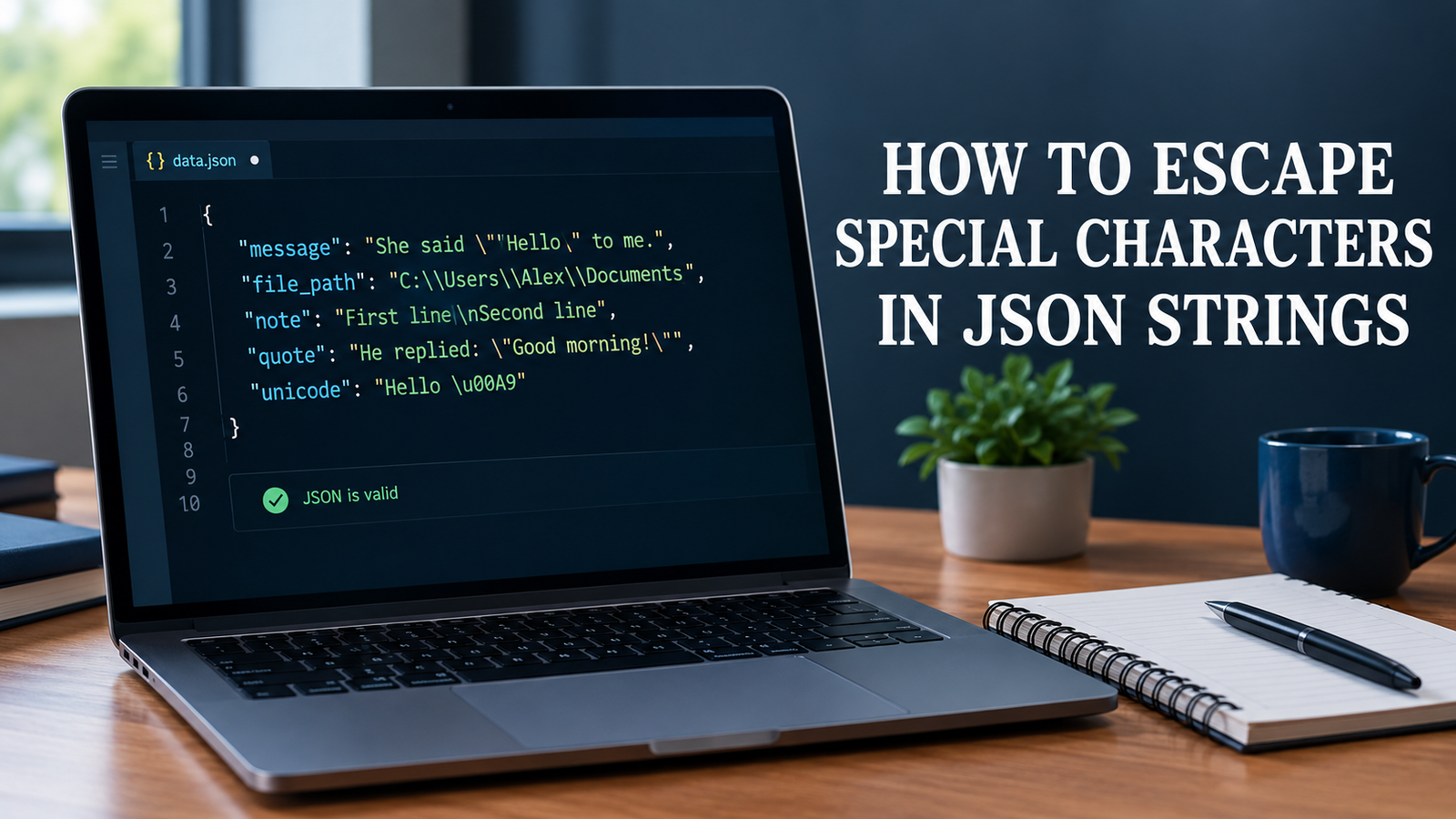
{
The following is an example of a multi-line message: “message”: “First line\nSecond line”,
“path”: “C:\\Users\\Alex\\Documents”,
“quote”: “He said \”Hello\”.”
}
This is valid JSON. Codes that start with – to be followed by another character, representing a special character in the decoded string.
3. How to Escape Double Quotes in JSON Strings
One of the most frequently occurring causes of JSON errors is the case of double quotes that enclose JSON strings.
Use backslashes before quotation marks in strings when a quotation mark inside the string needs to be rendered as is.
Incorrect:
{
A ‘ review’-grade on the product will read as follows: “The product is “excellent.
}
Correct:
{
The product is very different from others because it’s “excellent”.
}
This rule does not apply to name, review, message or description text with quoted words.
Note that the property names and string value are both surrounded by double quotes in JSON. Single quotes do not replace double quotes in valid JSON syntax.
4. How to Escape Backslashes in JSON Strings
Backslashes are frequently found in Windows file paths, regular expressions, and text containing escape sequences.
In JSON, escape sequences are preceded by the backslash character. In order to represent a literal backslash, write two backslashes.
Incorrect JSON:
{
“file_path”: “C:\Users\Alex\Documents”
}
An exception is potentially thrown if sequences like \U are used as JSON escapes.
Correct JSON:
{
“file_path”: “C:\\Users\\Alex\\Documents”
}
Every escape sequence in the JSON text will encode to one character in the decoded value—that is, the backslashes will be doubled.
This is the same rule that’s used for saving a regular expression or other text with backslashes. You should remember to escape the actual backslash in the string if the string is really a backslash.
5. How to Escape Newlines, Tabs, and Line Breaks
Text can be extracted from documents, forms, chat messages or databases, which can contain line breaks or tabs.
Raw control characters are NOT allowed inside of a JSON string. Instead, use their appropriate escape sequences.
Incorrect JSON:
{
“message”: “Hello,
Kindly join our website.
}
Correct JSON:
{
“message”: “Hello,\nWelcome to our website.
}
The \n will be interpreted as a line break when the JSON is now checked for the string.
This can be done with tabs too:
{
“details”: “Name:\tAlex\nRole:\tDeveloper”
}
Use \r to represent a carriage return and \r\n for a line ending that represents a Windows Line ending in a string.
If you are creating these JSON objects: use your language’s JSON serializer, don’t replace them.
6. How to Escape Special Characters in JSON Using JavaScript
JavaScript has a native function called JSON.stringify(), which is used to convert a JavaScript value into a JSON text.
Automatically escapes characters as needed – quotation marks, backslashes, control characters, etc.
Example:
const message = ‘She said “Hello” and went away.’;
const jsonString = JSON.stringify({
message: message
});
console.log(jsonString);
Output:
She replied back by saying, “Hello” and she ran away.
Also strings containing linebreaks and backslashes can be serialized:
const data = {
Task: “First line Second line”,
path: “C:\\Users\\Alex\\Documents”
};
const jsonString = JSON.stringify(data);
console.log(jsonString);
Serializer creates valid JSON text, including escaping.
Note: JSON.stringify() converts a value into a JSON text. Don’t pre-empt the escape of the same characters before calling it, this may create an unnecessary backslash, or alter the data.
7. How to Escape Special Characters in JSON Using Python
The json module in Python is used for converting Python objects to JSON strings.The json module in Python has a function called json.dumps(), which can convert Python objects into JSON strings.
Typically the secure method of building JSON from user input or application info.
Example:
import json
data = {
‘She said “Hello” to me.
“path”: r”C:\Users\Alex\Documents”,
Data from Class 2 notes: “First line
}
json_string = json.dumps(data)
print(json_string)
The output is a valid JSON value, containing the required JSON backslashes and newlines, as well as the correct JSON quotation marks.
Convert JSON text back into Python object using json.loads():
decoded_data = json.loads(json_string)
print(decoded_data[“message”])
print(decoded_data[“path”])
The values found are the same as the original value they represent.
Better practice: use json.dumps to create a JSON, and json.loads to load a JSON. The following methods minimise the chances for natural character symbols in codes to follow a shaky route from the user to the data.
8. How to Escape Unicode and Other Control Characters
The json module in Python is used for converting Python objects to JSON strings.The json module in Python has a function called json.dumps(), which can convert Python objects into JSON strings.
Typically the secure method of building JSON from user input or application info.
Example:
import json
data = {
‘She said “Hello” to me.
“path”: r”C:\Users\Alex\Documents”,
Data from Class 2 notes: “First line
}
json_string = json.dumps(data)
print(json_string)
The output is a valid JSON value, containing the required JSON backslashes and newlines, as well as the correct JSON quotation marks.
Convert JSON text back into Python object using json.loads():
decoded_data = json.loads(json_string)
print(decoded_data[“message”])
print(decoded_data[“path”])
The values found are the same as the original value they represent.
Better practice: use json.dumps to create a JSON, and json.loads to load a JSON. The following methods minimise the chances for natural character symbols in codes to follow a shaky route from the user to the data.
9. Common Mistakes When Escaping JSON Strings
A minor formatting mistake can make a JSON document illegal or modify the content of a string.
Steer clear of these typical pitfalls:
Escaping quotation mark: \ in strings to escape quotation marks.
Use single \ in file paths: Represent with \\ in the JSON.
Use `\n` or the escape sequence for the line break in a string.
Repeated escaping might result in an unwanted backslash in the final value.
Sneaky quote of JSON strings: JSON must be quoted in double quotes.
Character replacement without checking context: A replacement may work for a single value but have a different consequence for some other value.
Mixing escapes with JSON: These are two different escaping operations for two different contexts of output.
A great practice is to store data in its natural state in your application and only have to serialize it when you have to output to JSON.
10. How To Validate JSON, Escaped Special Characters
Escaped special characters; check the JSON is syntactically correct.
Can use built-in parser for your programming language.
JavaScript example:
const jsonText = ‘{“message”:”She said \\”Hello\\”.”}’;
try {
const data = JSON.parse(jsonText);
console.log(data.message);
} catch (error) {
console.error(“Invalid JSON:”, error.message);
}
Python example:
import json
json_text = ‘{“message”:”She said \\”Hello\\”.”}’
try:
data = json.loads(json_text)
print(data[“message”])
except json.JSONDecodeError as error:
print(“Invalid JSON:”, error)
In both cases, a valid JSON is being analyzed, and the original message is being returned.
Debugging: If there is a reported syntax error, examine the vicinity of the error, look at the appropriate quotation marks and backslashes, and ensure that you have used all control characters correctly.
11. JSON Escaping vs. URL Encoding vs. HTML Escaping
Though similar techniques are there, they address different problems.
Technique
Main purpose
Example
JSON escaping
Represents characters that should be kept within a JSON string.Signals characters that need to be maintained in a JSON string.
” becomes \”
URL encoding
Displays data in a URL friendly format
You can find an empty space as %20
HTML escaping
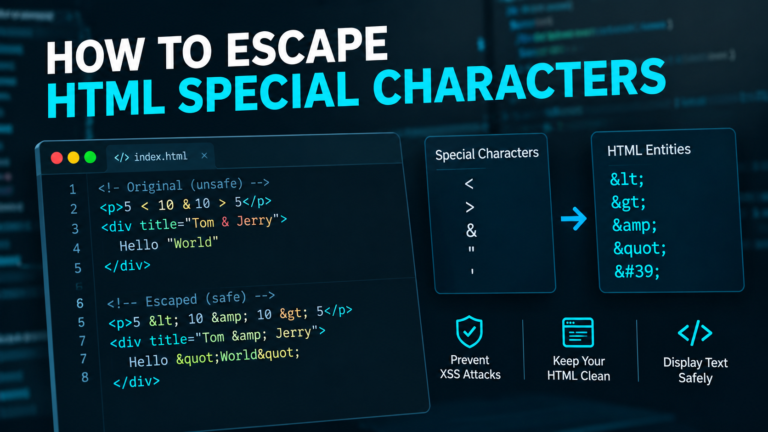
Codes special characters in HTML text
< may become <
The option selected will vary based on the desired use of the data.
For instance, when developing JSON for an API use a JSON serializer. When adding untrustworthy text to an HTML page, apply the suitable HTML output-encoding method to that situation.
Avoid using URL encoding, HTML escaping, instead of JSON escaping. The game of each format differs.
12. Best Practices for Handling Special Characters in JSON
Follow these practices to make JSON handling more reliable:
- Use built-in serializers. Prefer JSON.stringify() in JavaScript and json.dumps() in Python.
- Avoid manual replacement chains. Multiple replacements can create invalid JSON or alter data.
- Validate incoming JSON. Use a parser instead of assuming the data is correctly formatted.
- Keep original values intact. Escape characters when serializing, not repeatedly throughout your application.
- Test edge cases. Include quotation marks, backslashes, tabs, line breaks, and Unicode text in your tests.
- Use the correct output encoding. JSON escaping alone does not protect data in every other context.
- Handle errors clearly. Catch parsing errors and report useful information without exposing sensitive data.
These steps are useful when working with API requests, application logs, configuration files, database values, and user-submitted text.
Frequently Asked Questions
Why are special characters known by these names in JSON?
JSON has reserved characters for use in the syntax. The escape character disables the word values’ global escape rules.Escaping overcomes the word values’ global escape rules.
2. How to break out of a “ “ in JSON?
Have a backslash in front of the double quote. For instance, “” means a quotation mark within a quotation mark that’s supposed to be part of a JSON string.
3. How to escape backslash in JSON?
The two back slashes in the input string should be two slashes in the printed string.The two back slashes should be printed as two back slashes.
4. Do JSON strings support newlines?
Yes. A newline can be represented with the escape sequence \n. A line feed character cannot occur directly in a JSON string.
5: Is there such a thing as having to escape Unicode characters in JSON?
Any regular Unicode characters may be directly in a JSON string. Unicode escape sequences are also valid and some control characters have to be escaped.
6: Which is the fastest way to get out of a JSON string?
Utilize an inbuilt JSON serialiser like JSON.stringify() (JavaScript) or json.dumps() (Python). These tools will do the necessary escaping automatically.
7: The JSON I return is getting double backslashes.
You might be (escaping) viewing an escaped string or escaped more than once. Check the real (compiled) JSON; the JSON parser should be able to tell you whether the backslash is in the data or part of the representation of the data.
8. What is the difference between JSON escaping and sanitization?
No. JSON escaping is an action used to make sure characters are being displayed properly in the strings that comprise JSON. Typically the sanitization process involves changing the data or removing it that follows the rules of the application where it is being used, while output encoding relies on the rules of the context where the data is being used.
Final Takeaway
Proper escape of special characters in JSON strings is crucial to ensure that acceptable data is produced. Common characters (other than double-quotes, backslashes or control characters) can be copied without needing to be escaped.
The easiest way to do this is to use your Programming Language’s JSON serializer. Validate the result with a parser, don’t double escape characters and keep in mind that parser escaping is not the same as HTML escaping or URL encoding.